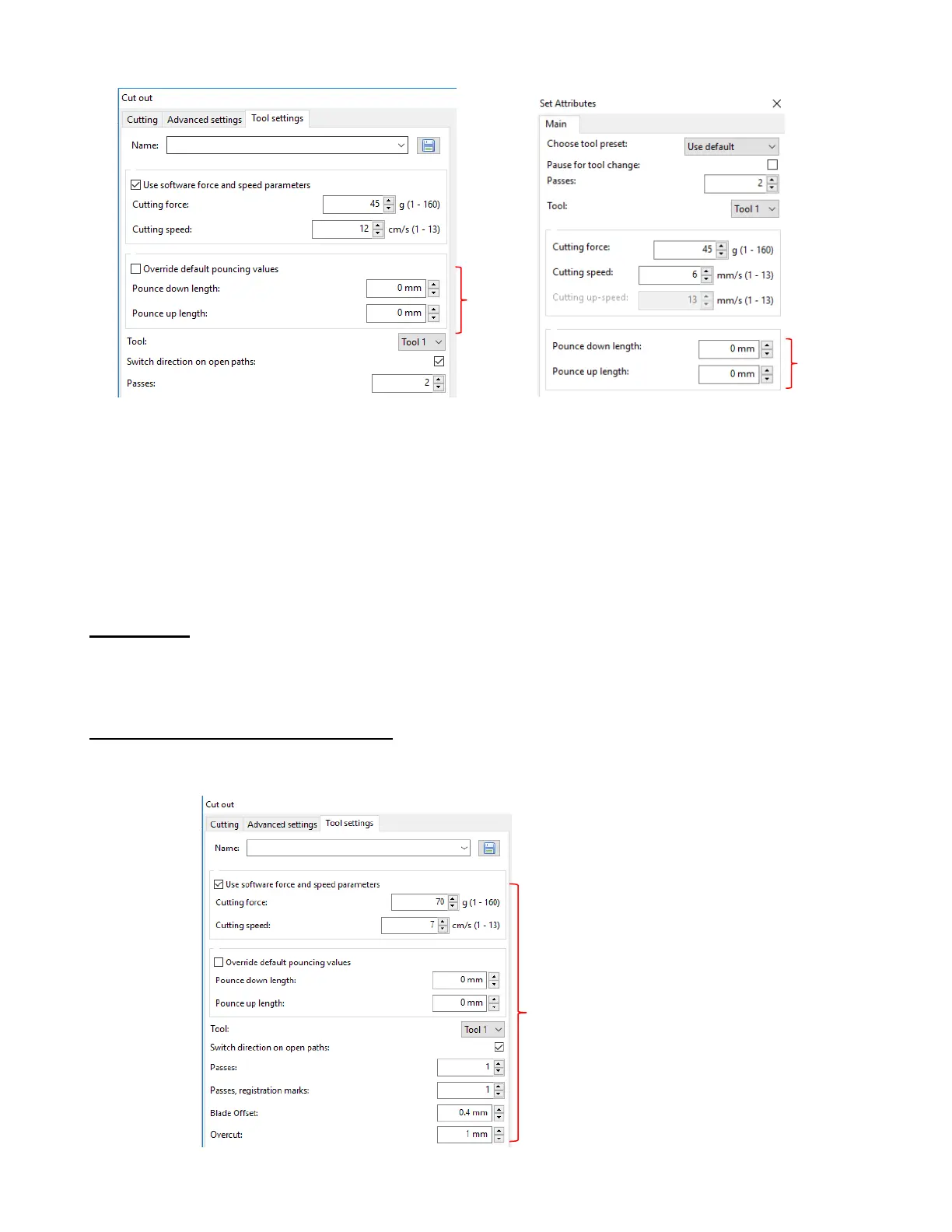
• Enter the values for the following settings:
Pounce down length: this is the length of the dashed cut
Pounce up length: this is the spacing between the dashed cut lines
If you are unsure about what to use, try 3 mm (0.12”) for Pounce down length and 6 mm (0.24”) for
Pounce up length as a test. In general, you want the spacing to be larger than the dash, especially if
the dashed cut will be folded and unfolded repeatedly.
2.04 Presets
• Presets allow you to save your settings for a particular material or application, such as cutting posterboard
or scoring cardstock. A preset can be entered in SignCut Pro or saved on the Skycut control panel.
2.04.1 Saving a Preset in SignCut Pro
• Go to the Cut out >Tool Settings window and enter the settings for the material or application:



 To Next Page