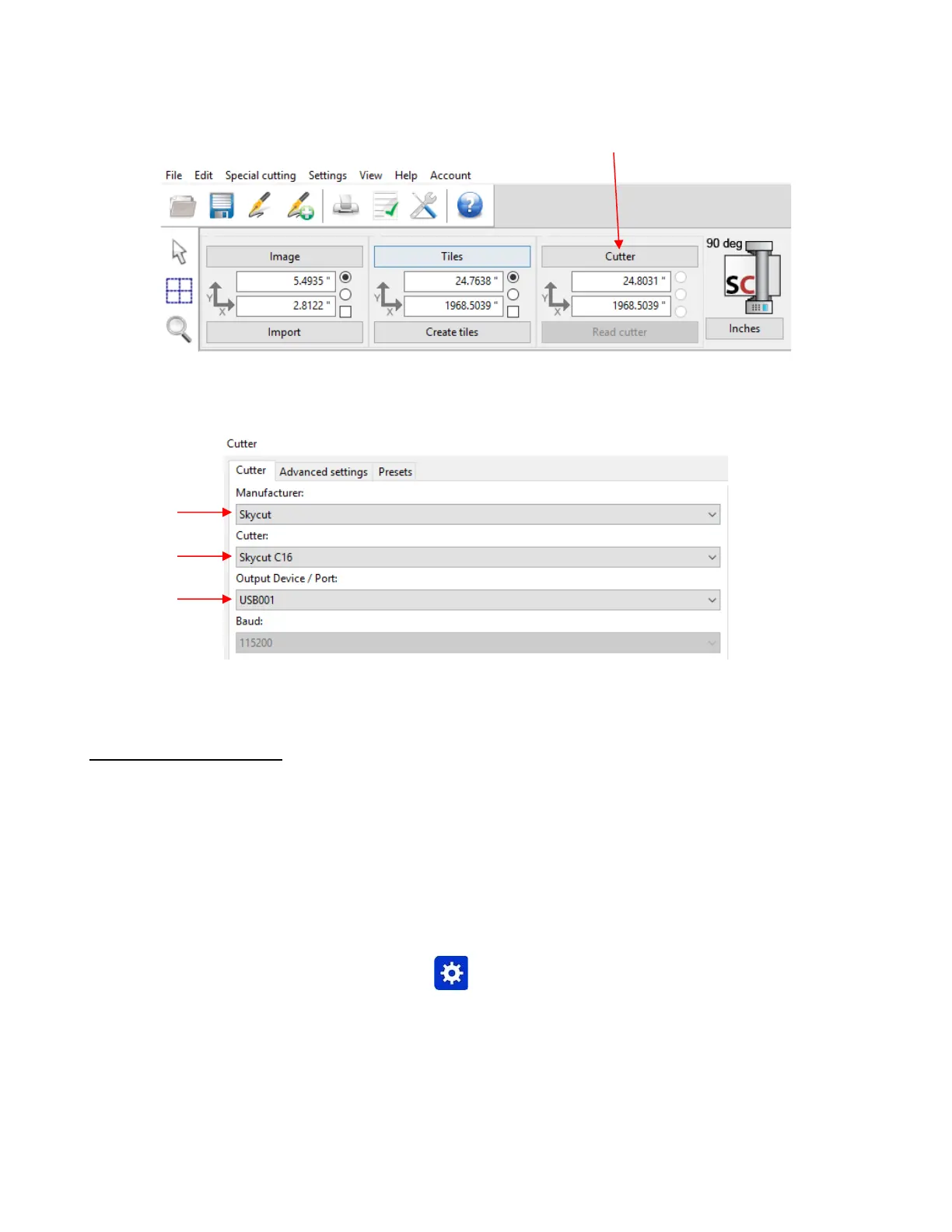
• The Cutter window will open. From each drop-down menu, select the Manufacturer, Cutter, and Output
Device/Port as follows:
• Click on Ok to close the Cutter window and proceed to Section 1.13.
1.12.2 Wi-Fi Connection
• Note: Not all routers have the same signal strength. It’s usually best to connect the Skycut while it is in the
same room with the router. Once connectivity is established, you can then experiment to see how far from
the router the Skycut can be located.
• What you’ll need:
Name of your home/office network
The password for your network
• Carefully complete the following steps:
(1) On the Skycut’s control panel, select Set and then select Wifi. The Wifi screen will appear:



 To Next Page