2.01.7 Don’t Get Frustrated, Get Help!
• Besides having your own Skycut dealer as your first line of contact, there are other resources where you
can ask questions and get answers. Utilize the resources listed in Section 1.01.
2.02 Choices Before Cutting
• There are a number of factors under your control for cutting:
What shapes to send to the cutter: Section 2.02.1
Where the shapes will be cut from the material: Section 2.02.2
What settings to enter and where to make them: Section 2.02.3
2.02.1 Controlling Which Shapes Will Cut
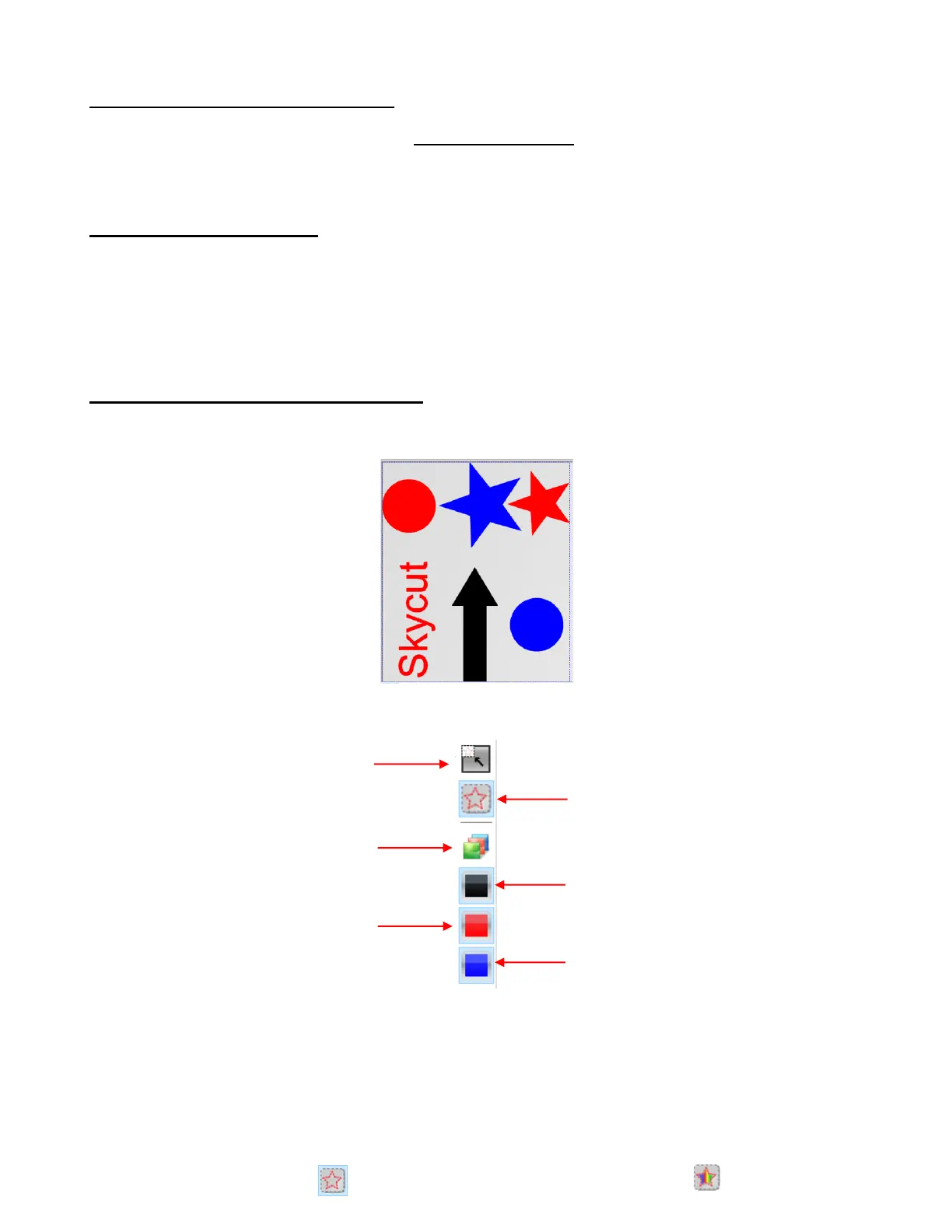
• For this tutorial, the following shapes were created and then imported into SignCut Pro:
• In the upper right-side corner of the SignCut Pro screen, is the Color Toolbar with the following options:
• Depending on your preference, you can display shapes in either wireframe of filled mods. Choosing one or
the other does not affect the outcome of the cutting. It is for display only:



 To Next Page