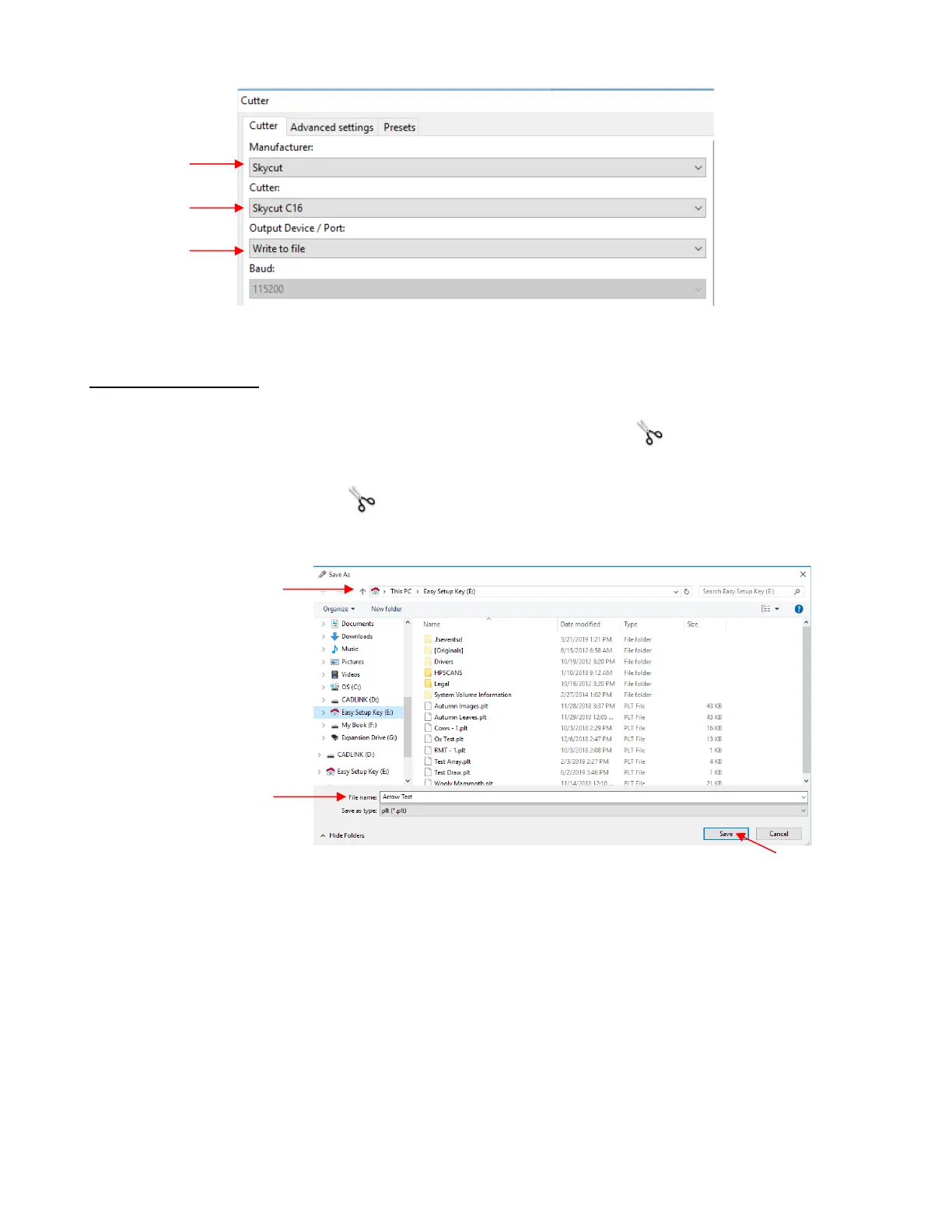
• Click on OK to close this window.
Exporting a file as a PLT
• To export/save the cut file as a PLT on a flash drive do one of the following:
If you set up Write to file as the default, then click on the Cut out icon (or use the shortcut I)
If your default is a different connection, but you wish to use Write to file in this case, hold the Shift key
and click on the Cut out icon
• The following window opens. Browse to locate the USB flash drive you plan to use and name your PLT file:
• After saving the file, eject the flash drive and insert it into the USB port on the right side of the Skycut. On
the control panel, select USB and then Open File:



 To Next Page