EasyManua.ls Logo

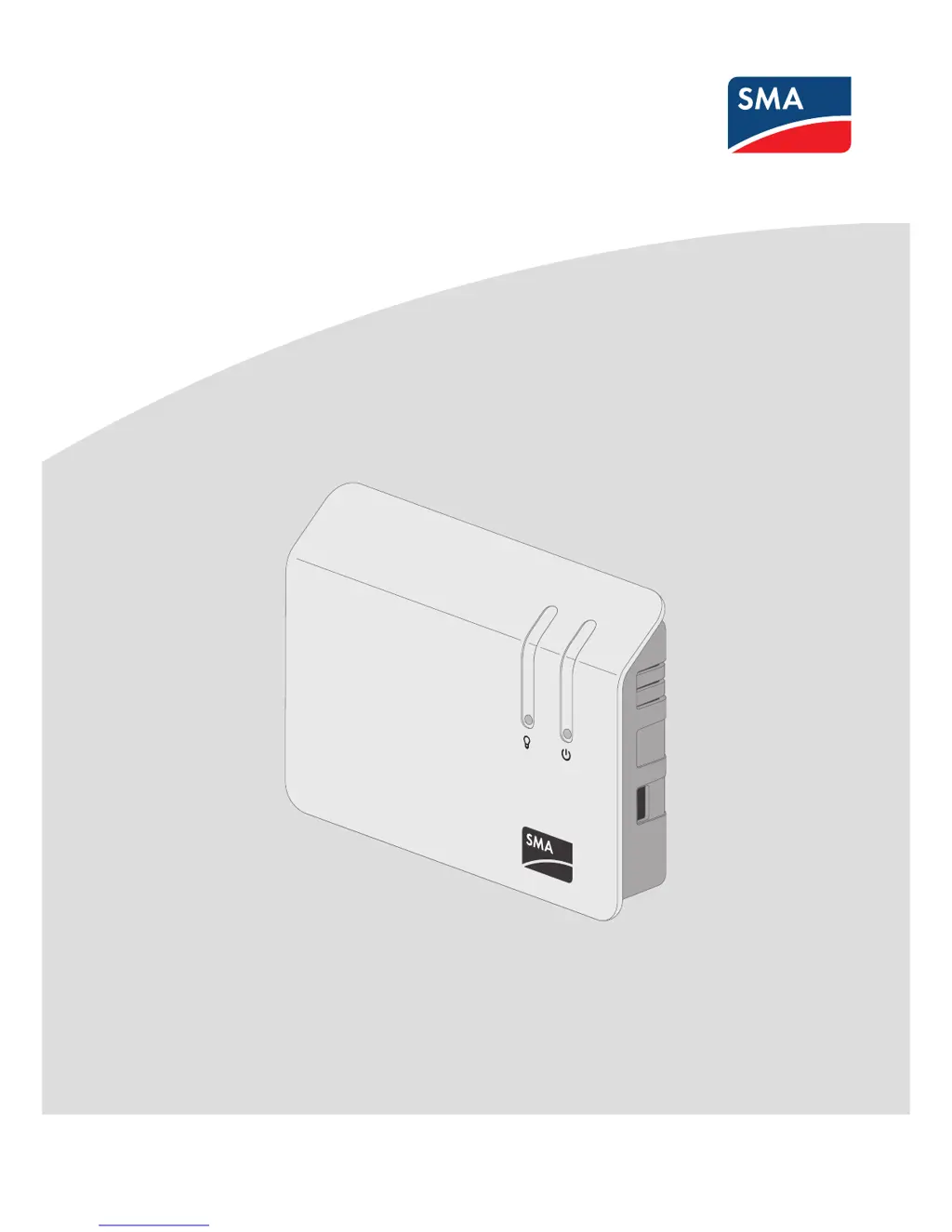
SMA sunny home manager - User Manual

SMA sunny home manager
144 pages
Print Icon
To Next Page IconTo Next Page
Loading...
SUNNY HOME MANAGER
User Manual
SUNNYHOMEMANAGER in
SUNNYPORTAL
HoMan_Portal-BA-en-20 | Version 2.0ENGLISH

Table of Contents

Other manuals for SMA sunny home manager

Questions and Answers

  • A
    Amber JenkinsAug 20, 2025
    How to fix no Bluetooth connection to SMA Inverter PV plant devices?
    • D
      Daniel GuerreroAug 20, 2025
      If there is no Bluetooth connection to the devices of the PV plant, commission the SMA Bluetooth devices. Ensure that the same NetID is configured on the Sunny Home Manager and the devices of the PV plant. If the Sunny Home Manager cannot establish a connection to the Bluetooth devices due to more than one additional master in the Bluetooth network, together with the Sunny Home Manager, use no more than one additional master in the Bluetooth network.
  • R
    Rebecca ColeAug 22, 2025
    Why can't my SMA Inverter's Sunny Home Manager connect to Sunny Portal?
    • E
      Eric WhiteAug 22, 2025
      If the Sunny Home Manager cannot establish a connection to Sunny Portal, it might be because there is a proxy server in your network or DHCP is not activated in your router. Use the Sunny Home Manager Assistant.
  • C
    christinachavezAug 26, 2025
    What to do if my SMA Inverter's Sunny Home Manager is too far from the plant?
    • C
      caseywilliamAug 26, 2025
      If your SMA Inverter's Sunny Home Manager is too far from your plant, or the Bluetooth connection is interrupted, it could be due to walls or ceilings absorbing the wireless transmission waves. To resolve this, try mounting the Sunny Home Manager nearer to a device in your plant. If that's not feasible, use an SMA Bluetooth Repeater, SMA Bluetooth Repeater Outdoor, or SMA radio-controlled socket with Bluetooth to close the dead zone.
  • T
    Tammy MatthewsAug 28, 2025
    What to do if Plant Setup Assistant can't connect to SMA Inverter Sunny Home Manager?
    • J
      James WilliamsAug 28, 2025
      If the Plant Setup Assistant cannot establish a connection to the Sunny Home Manager, ensure that the Sunny Home Manager is correctly connected to the router and is supplied with voltage. If the Sunny Home Manager is correctly connected to the router and is supplied with voltage but all LEDs remain off, contact the SMA Service Line.
  • P
    Peter WellsAug 29, 2025
    What if Plant Setup Assistant can't find SMA Inverter with serial number?
    • A
      Angela AvilaAug 29, 2025
      If the Plant Setup Assistant cannot find a Sunny Home Manager with the serial number and registration ID entered, make sure that the entries are correct. It is also possible that the registration procedure was previously initiated but not completed; in this case, completely reset the Sunny Home Manager.
  • F
    fschmidtAug 31, 2025
    How to troubleshoot SMA Inverter Sunny Home Manager router connection?
    • J
      johnrussellAug 31, 2025
      If the Sunny Home Manager is not correctly connected to the router, ensure that it is correctly connected. If the Sunny Home Manager is correctly connected to the router and the status LED continues to flash red, completely reset the Sunny Home Manager.
  • G
    Gary MitchellSep 2, 2025
    How to solve SMA Inverter Bluetooth connection to PV plant devices being critical?
    • L
      Lisa HaysSep 2, 2025
      If the Bluetooth connection to the devices of the PV plant is critical, select a different mounting location and check the connection. If no other mounting location is possible, use an SMA Bluetooth repeater or an SMA radio-controlled socket to extend the radio range of your Bluetooth network.
  • A
    alexandermuellerSep 4, 2025
    Why are some devices showing a warning symbol in SMA Inverter Plant Setup Assistant?
    • M
      michaelwoodsSep 4, 2025
      If some devices are shown with a warning symbol in the Plant Setup Assistant after entering the plant password, and these devices are inverters with Bluetooth Piggy-Back, select [Skip forward] in the Plant Setup Assistant and finish registration without selecting inverters. Once there is daylight and the inverters are on, log on to the Sunny Portal and add the inverters to the Sunny Home Manager plant as new devices using the configuration wizard.
  • L
    Lindsay WardSep 6, 2025
    What to do if SMA Inverter Sunny Home Manager Bluetooth connection is critical?
    • V
      vcochranSep 6, 2025
      If the Bluetooth connection to the Sunny Home Manager is critical, select a different mounting location. If no other mounting location is possible, use an SMA Bluetooth Repeater or an additional SMA radio-controlled socket to extend the radio range of your Bluetooth network.
  • C
    carolinemillerSep 8, 2025
    How to extend the radio range of SMA Inverter with Bluetooth interface?
    • J
      John OwensSep 8, 2025
      If there is insufficient radio range of the inverter with Bluetooth communication interface, use SMA Bluetooth Repeater or SMA radio-controlled socket to extend the radio range of your Bluetooth network.

Summary

Safety Information

Intended Use Guidelines

Specifies the correct and intended usage of the Sunny Home Manager and radio-controlled sockets.

Critical Safety Precautions

Provides critical safety warnings and precautions for operating the devices.

Product Description Overview

Sunny Home Manager Functions

Introduces the Sunny Home Manager and its primary functions.

Radio-Controlled Socket Functions

Details the functionality and purpose of radio-controlled sockets.

Sunny Portal Introduction

Introduces Sunny Portal as the internet portal for monitoring and data visualization.

Getting Started and Accessing the System

Sunny Portal Login and Logout

Guides users on how to access and exit the Sunny Portal.

Accessing the Sunny Home Manager Interface

Explains how to navigate and access the system's user interface.

Page and Menu Navigation

Current Status and Forecast Display

Explains how to view current system status and future forecasts.

Energy Balance Overview

Details the energy balance calculations and display options.

Load Balance and Control Management

Explains how to manage and control loads within the system.

System Monitoring Options

Explains system monitoring options and communication status.

PV System Logbook Access

Describes how to access and interpret system messages and logs.

Data Analysis Tools

Guides users on analyzing power and yield data of inverters.

System Configuration Settings

Covers various system configuration settings and parameters.

Device Settings and Configuration

Load Control Operations

Information on Load Control

Provides an overview of load control capabilities and connection options.

Configuring Radio-Controlled Sockets

Details the configuration process for radio-controlled sockets.

Setting Socket Operating Modes

Configures the operating mode for radio-controlled sockets.

Load Configuration Procedures

Details how to configure individual loads for control.

Assigning Radio-Controlled Sockets

Links radio-controlled sockets to specific loads for control and data saving.

Configuring Load Time Periods

Defines time windows for load operation based on availability or necessity.

Controlling Loads via Radio-Controlled Sockets

Guides on controlling loads through radio-controlled sockets.

Direct Control of Loads

Details direct control of smart appliances via Ethernet.

System Management Operations

Adding or Replacing Devices

Manages the addition or replacement of devices in the system.

Replacing the Sunny Home Manager

Outlines the procedure for replacing the Sunny Home Manager unit.

Reassigning SHM After Reset

Guides on reassigning the SHM to Sunny Portal after a system reset.

System Monitoring and Reporting

System Settings and Parameters

Setting Nominal PV System Power

Explains how to manually set the system's nominal power capacity.

Tariff Configuration

Configures tariffs affecting load control and recommended actions.

Active Power Feed-In Limitation

Sets limits on active power feed-in according to grid operator requirements.

Setting Optimization Targets

Defines system objectives for self-consumption or cost savings.

User Management and Access Control

User Groups and Rights Management

Explains user roles and their associated permissions within Sunny Portal.

Password Management

Password Recovery Procedures

Outlines steps for recovering forgotten Sunny Portal or system passwords.

Troubleshooting Common Issues

Commissioning and Connection Problems

Addresses issues during initial setup and connectivity problems.

Data Display Errors

Solves problems related to missing, old, or incorrect data displayed on interfaces.

Radio-Controlled Socket Configuration Issues

Troubleshoots issues encountered during radio-controlled socket configuration.

Active Power Limitation Logbook Messages

Explains system logbook messages related to active power limitation.

Miele@home and Data Exchange Protocol Issues

Troubleshoots issues with Miele@home or other data exchange protocol devices.

Contact Information

SMA sunny home manager Specifications

General IconGeneral
CommunicationEthernet, WLAN
Operating Temperature-25°C to +60°C
Enclosure Protection CategoryIP20
ModelSMA Sunny Home Manager 2.0
Power Supply100 V to 240 V
Weight0.6 kg
Compatible InvertersSMA inverters

Related product manuals