6 SETUP AND INSTALLATION
Next, connect the measurement heads to the corresponding adapters at the front side of the
PICOSCALE (figure 5.2, No. 4).
NOTICE
Glass fiber cables are very fragile and sensitive to bending. Please always respect
a minimum bending radius of 30 mm, unless otherwise specified.
NOTICE
Please note, that dirt attached to the fiber end-face can significantly lower the
system’s performance or even destroy the fiber connector. In this case, the
PICOSCALE and/or the corresponding sensor head has to be sent back to Smar-
Act to get repaired.
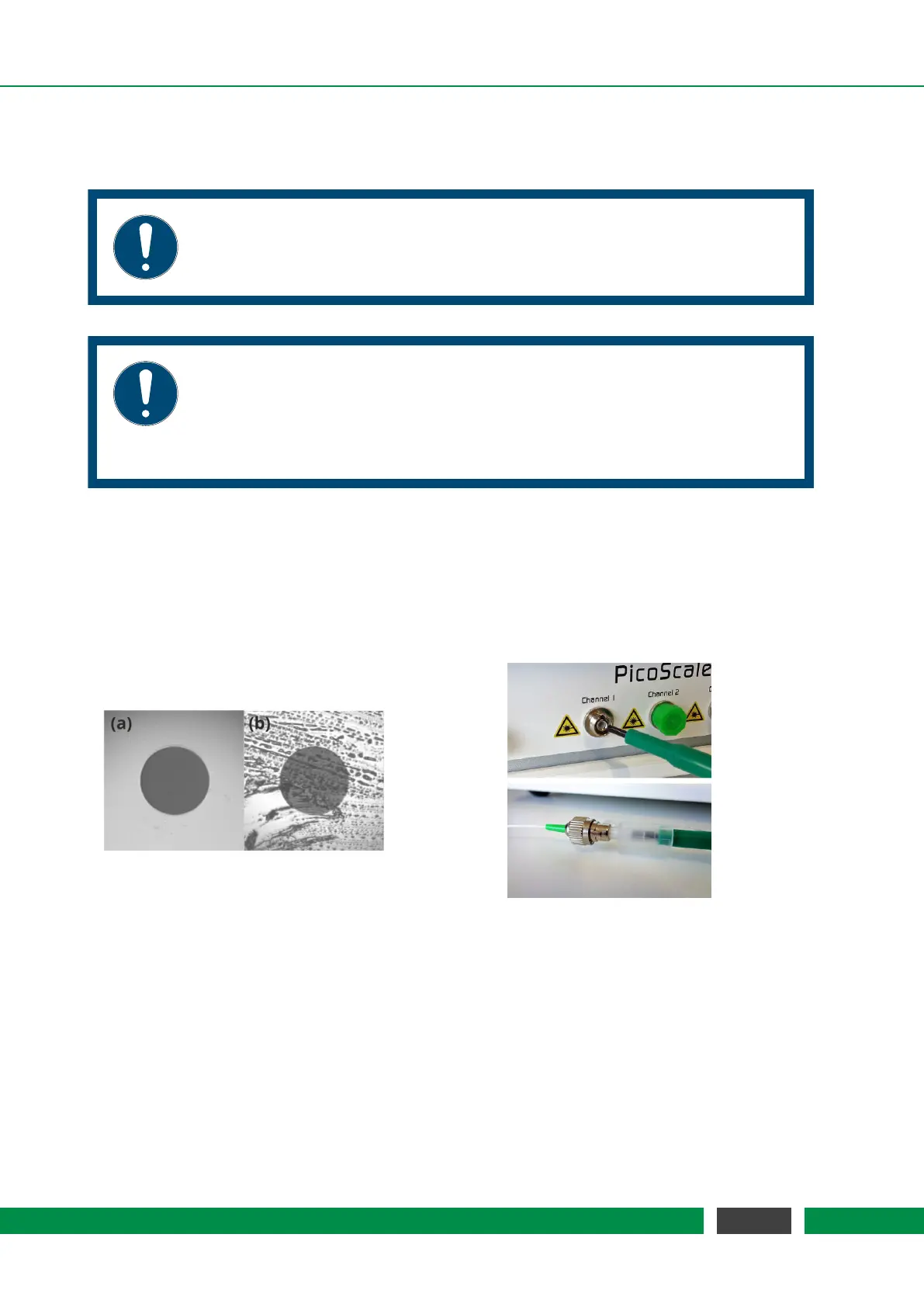
To ensure optimal signal quality and also to prevent damage of the fiber surfaces, it is very impor-
tant to clean all connectors first. This can be done using the One-Click cleaner pen which is part
of our shipment, cf. figure 6.1. Open the plastic cap and push the plastic tube onto the glass fiber
end piece until you hear a click. To clean the connectors on the
PICOSCALE Controller or vacuum
feedthroughs, remove the plastic tube on top of the fiber optic cleaner and then repeat the same
process.
Figure 6.1: (left) Closeups of a clean (a) and dirty (b) fiber endface. Cleaning of the connectors and
sockets using the One-Click pen is illustrated on the right hand side.
Figure 6.1 (a) shows a close-up of a clean end-face, while image (b) shows dirt accumulated on
the end-face. On the right hand side cleaning of the fiber using the One-Click pen is illustrated.
For a detailed description of the One-Click pen please refer to the brief application note delivered
together with the tool.
When the fiber surfaces have been cleaned, gently plug the fiber connectors into the correspond-
ing sockets. The key of the connectors must slide into the matching slot in the socket (fig. 6.2).
Then fasten the connectors by turning the coupling ring.
44
PicoScale User Manual



 To Next Page