whatever else you want in front of you!
Note: holding channels affects such functions as selecting channels in chair mode. If you only have a
few channels not held – the ‘window’ that you move around when wiping the MonARC will be
correspondingly smaller.
For example, if you want to keep channel 1 locked to fader 1 no matter where you move around in your
mix, then press the hold button and fader 1 will remain as channel 1 until you make a selection without
the Hold button enabled. It is possible to end up with the same channel in multiple slots.
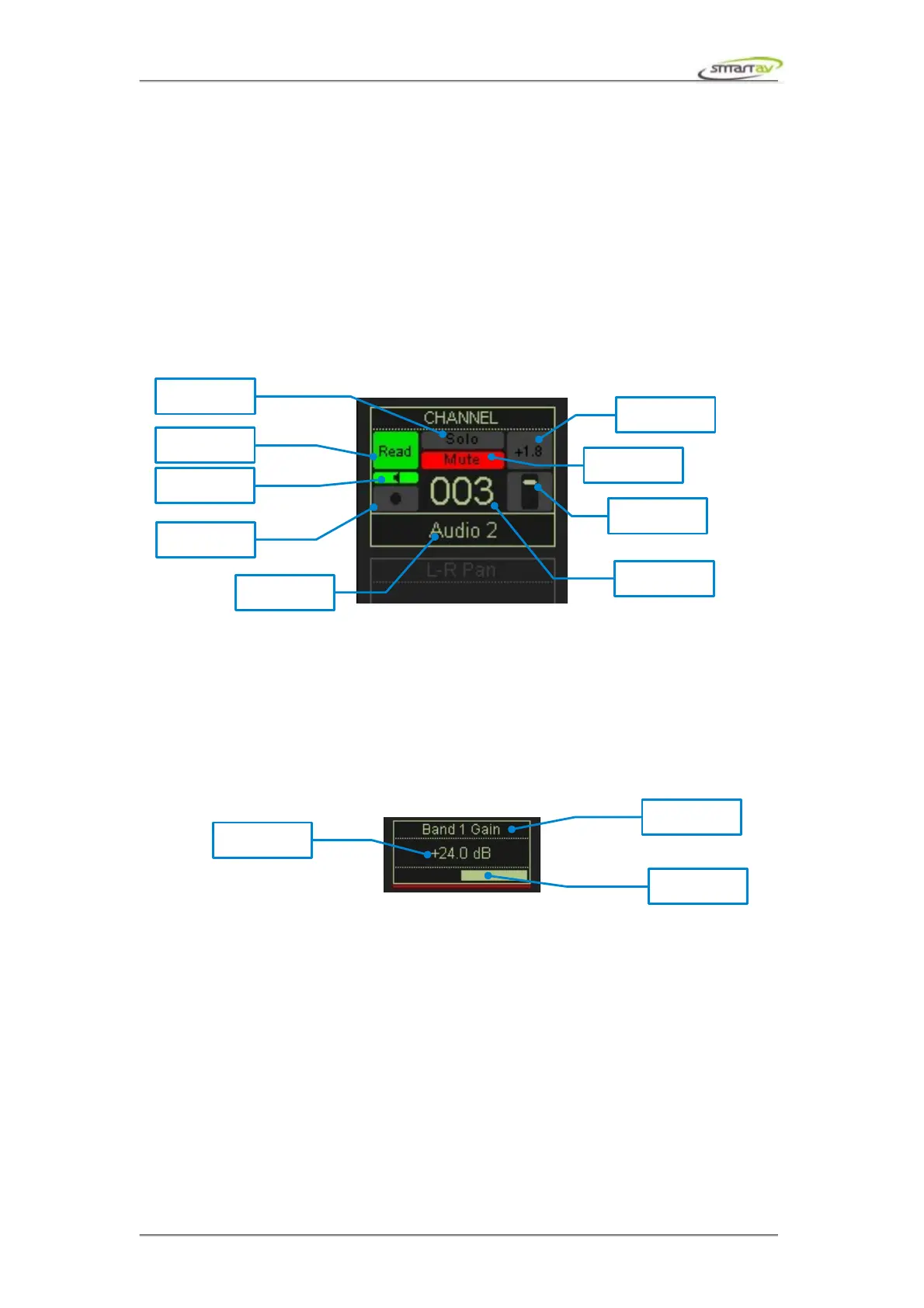
2.1.8 Channel Information Display
Apart from the channel index and name the channel information display also indicates mute, solo,
record and automation states along with fader and peak levels.
2.1.9 Channel Encoder Display
The channel encoder display is at the bottom of each channel strip and shows the parameter currently
assigned to each of the channel encoders that run under the touch screen.
These parameters change depending on what parameter of the active channel has been touched or last
controlled. Depending on the function, the channel encoders may also be pressed to toggle parameters
(such as aux on/off or phase). For certain parameters pressing the encoder toggles between fine and
coarse modes (such as pan and dynamics parameters).
Operation Manual – Tango Smart Console 12



 To Next Page