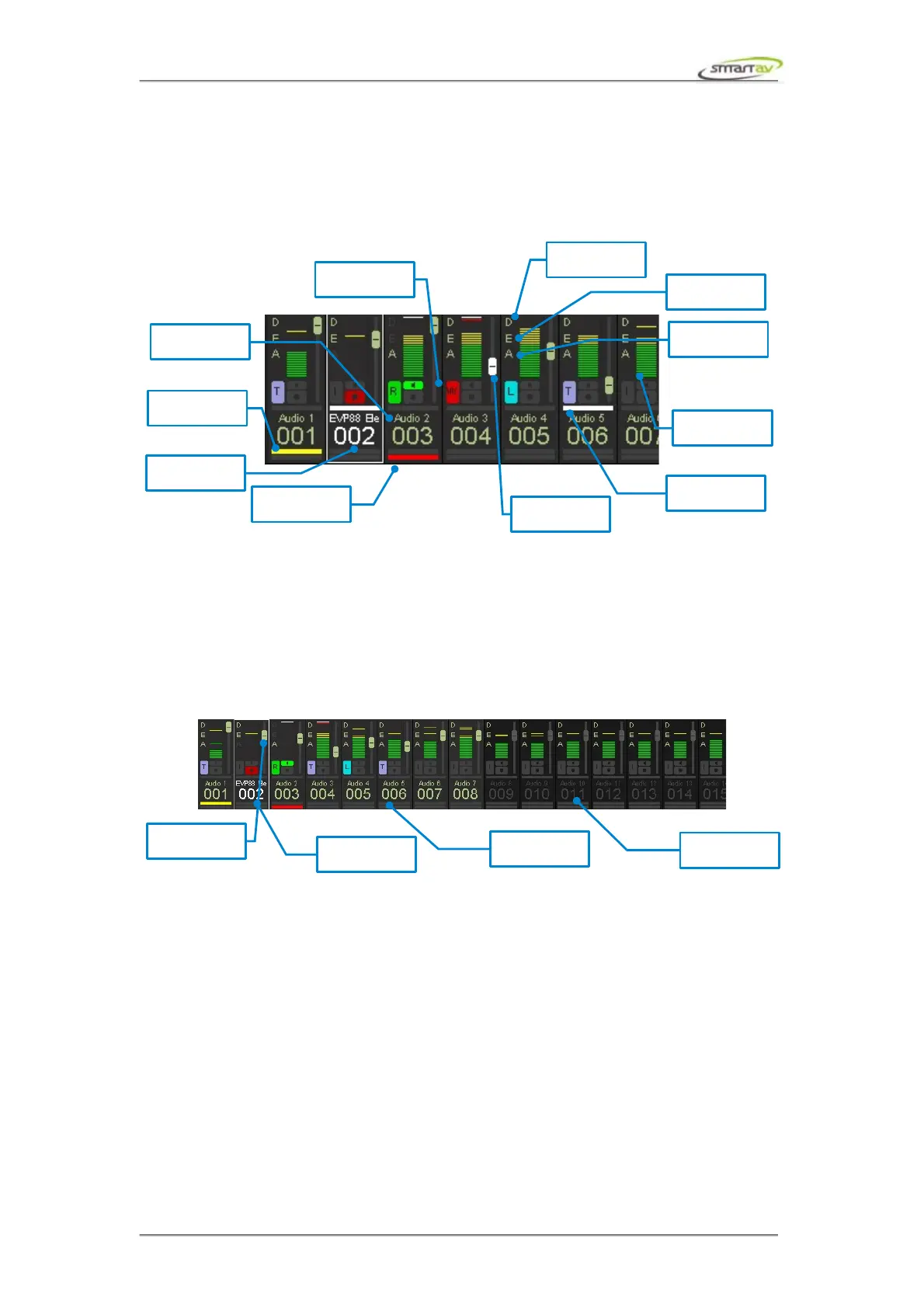
1.1 MonARC Indicators
6.2.3 Overview
6.2.4 Channel Name and Index
The channel name and index are displayed at the bottom of the MonARC.
6.2.5 Work Channels and Active Channel
Depending on the colour of the channel index and the name on the MonARC you can tell whether or
not it's a work channel.
6.2.6 Automation and Fader Touched
Whenever the channel's corresponding fader is touched the fader position on the MonARC is
highlighted.
There's an automation state indicators for touch, read, write etc.
6.2.7 Meter
26 segment channel meter with instantaneous and permanent peak hold.
6.2.8 Sends, EQ and Dynamics
These D, E & S indicators are on if dynamics, EQ & sends blocks are activated respectively.
Operation Manual – Tango Smart Console 29



 To Next Page