4. PANNING, SENDS AND ROUTING
4.1 Graying
Due to the limitations of HUI protocol only one send slot or panner blocks is guaranteed to be
displaying correct information at any one time. As soon as you touch a panner block it will become
active displaying up to date information. All send slots will become grayed, indicating that the
information displayed maybe out of date. Tapping on a send block or touching one of the send encoders
will cause all panner blocks to be grayed and only currently active send slot will be ungrayed.
4.2 Sends
4.2.1 Sends Block
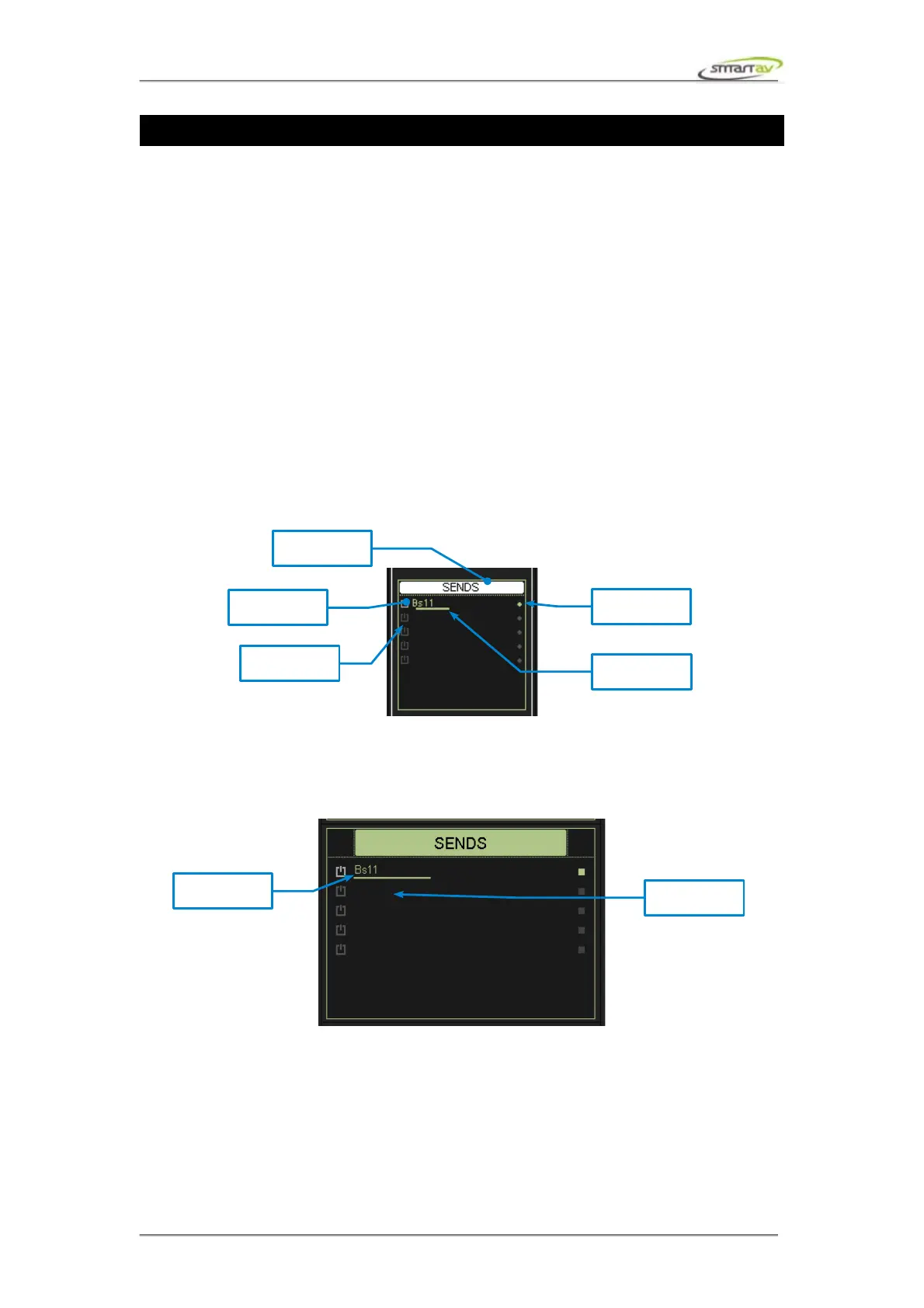
This block shows 5 auxiliary send slots, they correspond to Pro Tools Sends A-E. Each slot indicates
send on/off, name, level and pre/post status. The title indicator will turn white if any one of the sends
are turned on. Note that pre/post and on/off values of the currently active send slot are not guaranteed
to be up to date at the same time. The parameter value that maybe out of date will be grayed. In
addition, if you rename or insert a new send in Pro Tools and the changes won't be reflected on Tango.
Again, this is due to HUI protocol limitations. You can tap on one of the send blocks and currently
active send slot will be refreshed across the channels.
4.2.2 Sends Active Block
This block mirrors the sends block described above.
4.2.3 Sends Active Encoders
The Sends Active Encoders allow control of the send levels on the currently selected channel. The
encoders control the send level while the encoder switches control the send on/off's
Operation Manual – Tango Smart Console 20



 To Next Page