3. INSERTS, EQ AND DYNAMICS
3.1 Graying & Selected Insert
Due to the limitations of HUI protocol at any given time Tango can control and receive feedback from
only 8 parameters of the selected insert. This means that all other EQs, compressors and inserts maybe
displaying outdated information. Tango grays all blocks, graps and parameters that maybe out-of-date.
There are two ways you can select an insert. You can simply tap one of the inserts blocks on Tango and
once the inserts block is active simply tap on one of the inserts. The second way is to use Pro Tools
GUI, using your mouse click on any insert. Note that, the first method is limited to HUI 1, HUI devices
2 to 4 don't allow insert selection remotely.
3.2 Inserts
3.2.1 Inserts Block
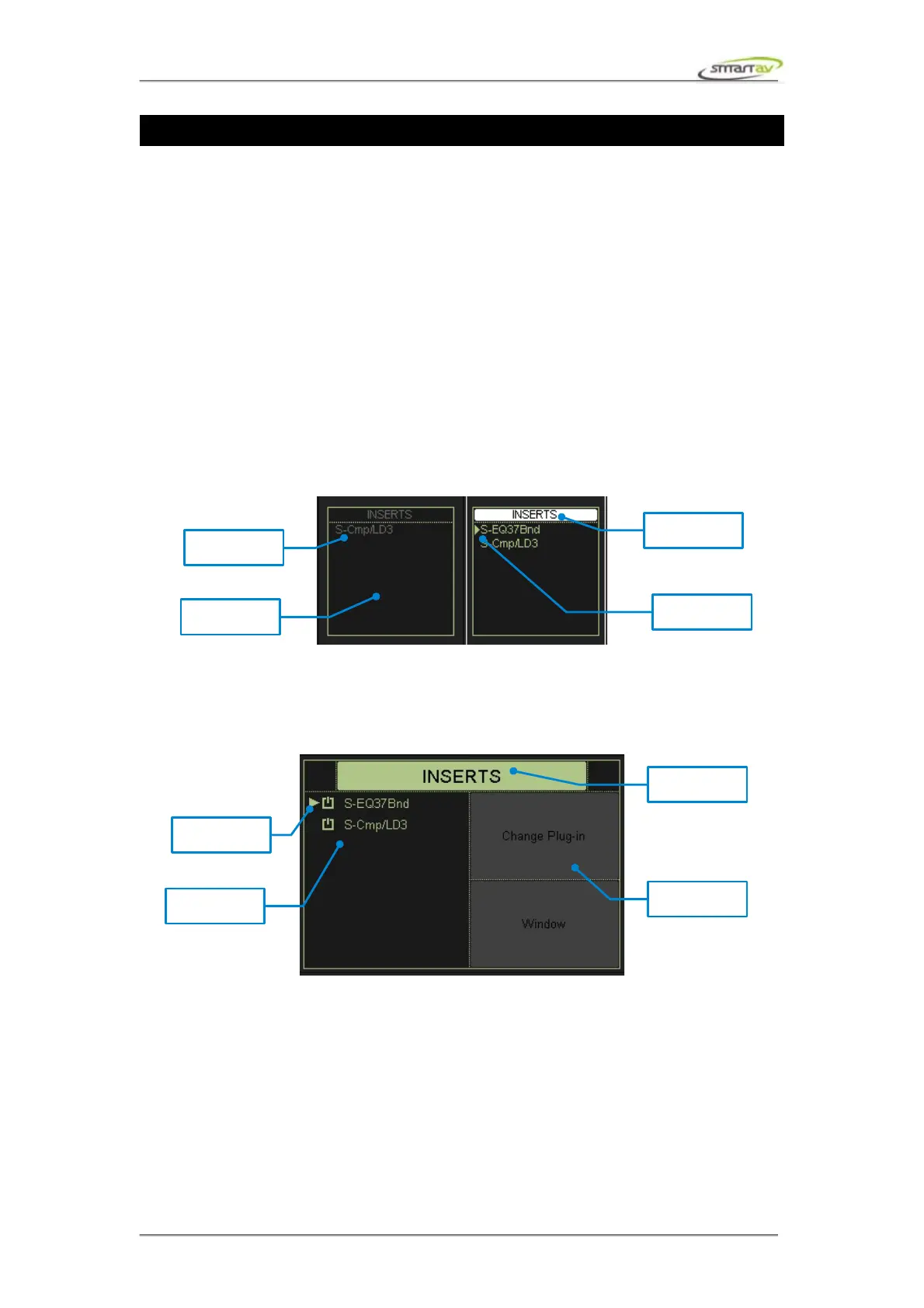
The inserts block consists of four slots, corresponding to the first four plug-ins present on the channel
in Pro Tools.
3.2.2 Inserts Active Block
The active insert can be changed by selecting another insert from the active insert display block. There
is also a show/hide button to control the plug-in window shown in the ProTools GUI.
3.2.3 Inserts Active Encoders
The parameters for the active insert are shown in the active encoder display, and can be controlled with
the active encoders. Where necessary Pro Tools groups plug-in parameters into pages; the required
page can be accessed using the page navigation knob. A consequence of this is that adjustments made
to plug-in parameters via the Pro Tools GUI will only be reflected on Tango when the corresponding
plug-in page is next visited.
Operation Manual – Tango Smart Console 15



 To Next Page