User Manual |
117
Laser Engraving and Cutting - 03 How to Laser Engrave and Cut
3.12 Other Operations
• Adjust Laser Height
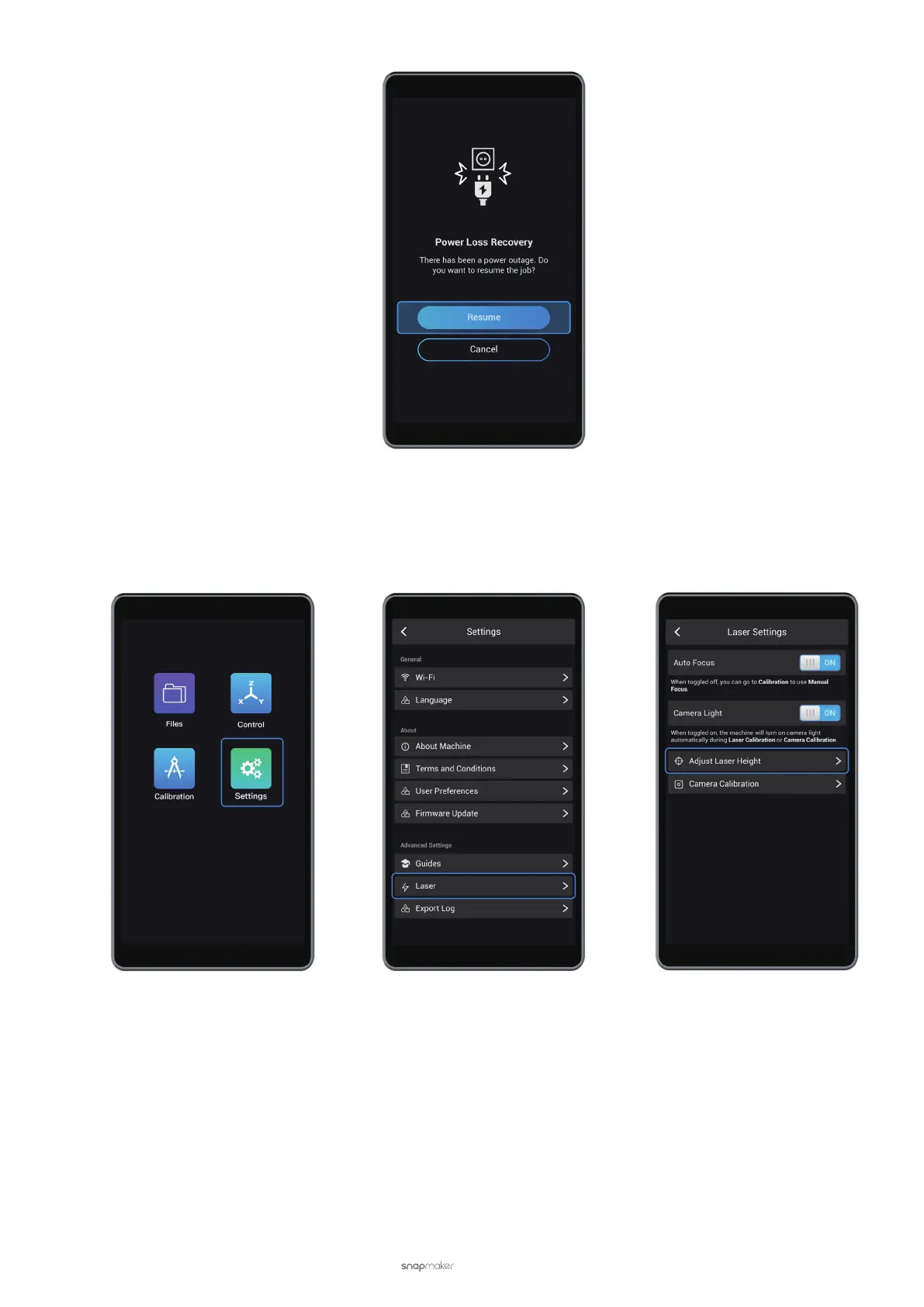
If you want to change the laser height, tap Settings > Laser > Adjust Laser Height.
• Camera Light
When calibrating the camera or using Auto Focus to measure the focal length, you can turn on Camera Light for
illumination.
Camera Light is enabled by default. You can disable it by going to Settings in the APP List Screen, tap Laser, and
turn off Camera Light under Laser Settings.



 To Next Page