User Manual |
64
3D Printing - 06 Troubleshooting
6.4 Filament Does Not Come Out
Possible Causes
(1) The nozzle is blocked.
(2) The lament has poor quality ranging from impurities to inconsistent diameters.
(3) The lament is not supported by the 3D printer.
(4) The gear is malfunctioning.
(5) The hot end is malfunctioning.
Solutions
(1) If the nozzle is blocked, see 5.2.4 Check the Nozzle.
(2) Replace it with a quality lament.
(3) Your 3D printer supports PLA, ABS, PETG, TPU, Wooded PLA, etc. Check if the lament is supported by Snap-
maker 2.0 3D printers. If not, replace it with a supported lament.
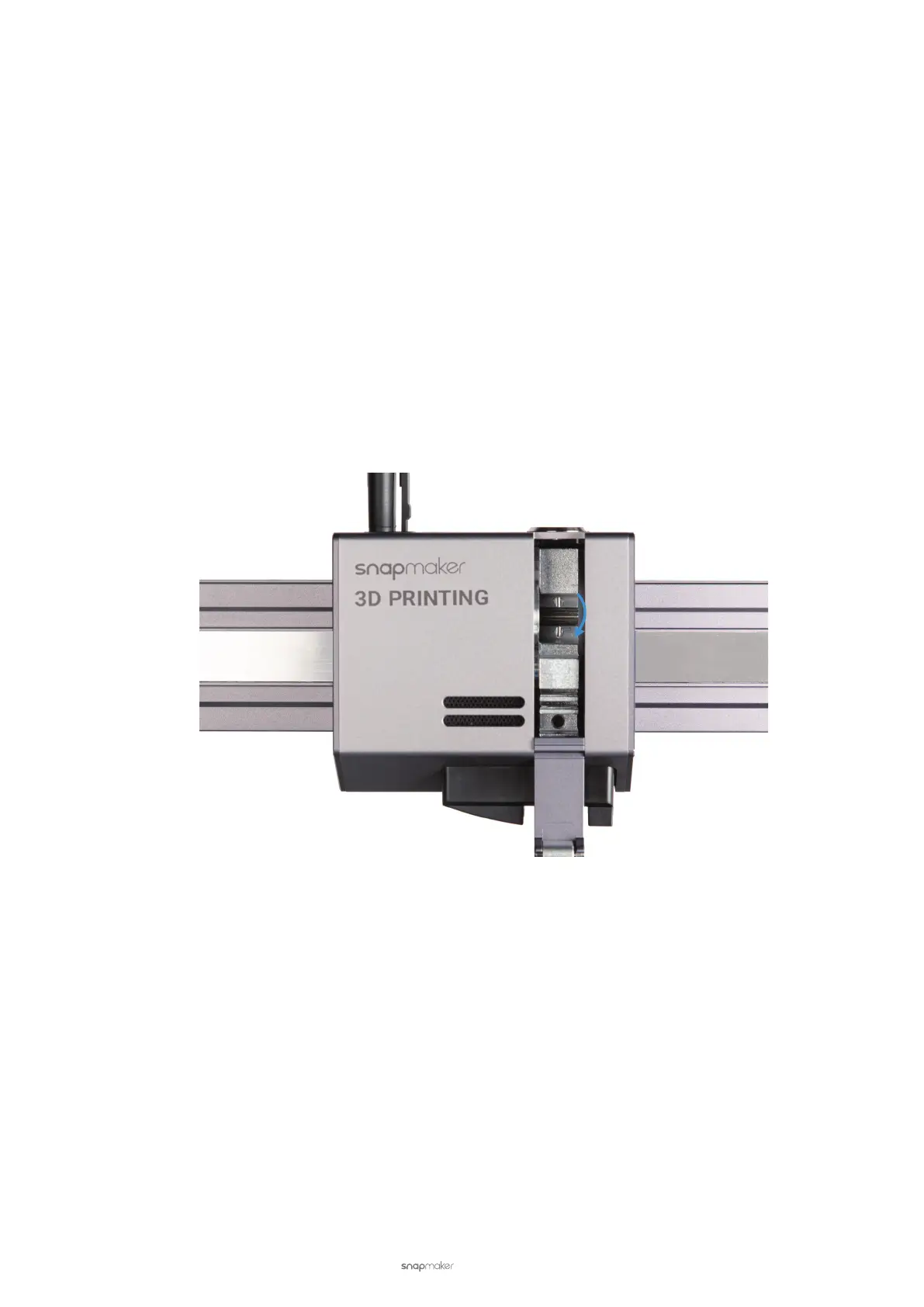
(4) Open the 3D Printing Module to check if the gear can rotate. If it rotates normally, replace the hot end; if not,
contact us at support@snapmaker.com.
(5) Replace the hot end as in step 4. If the problem persists, contact us at support@snapmaker.com.
6.5 Blobs on Nozzle
Possible Causes
(1) The rst layer fails to stick to the Print Sheet.
(2) The lament has poor quality ranging from impurities to inconsistent diameters.
Solutions
To begin with, heat the nozzle up to 230°C (446°F), and replace the hot end with a spare one provided in the box.
(1) See 6.1 First Layer Does Not Stick.
(2) Replace it with a quality lament. If the problem persists, contact us at support@snapmaker.com.



 To Next Page