User Manual |
52
3D Printing - 05 Maintenance
5.2.3 Check the Heated Bed
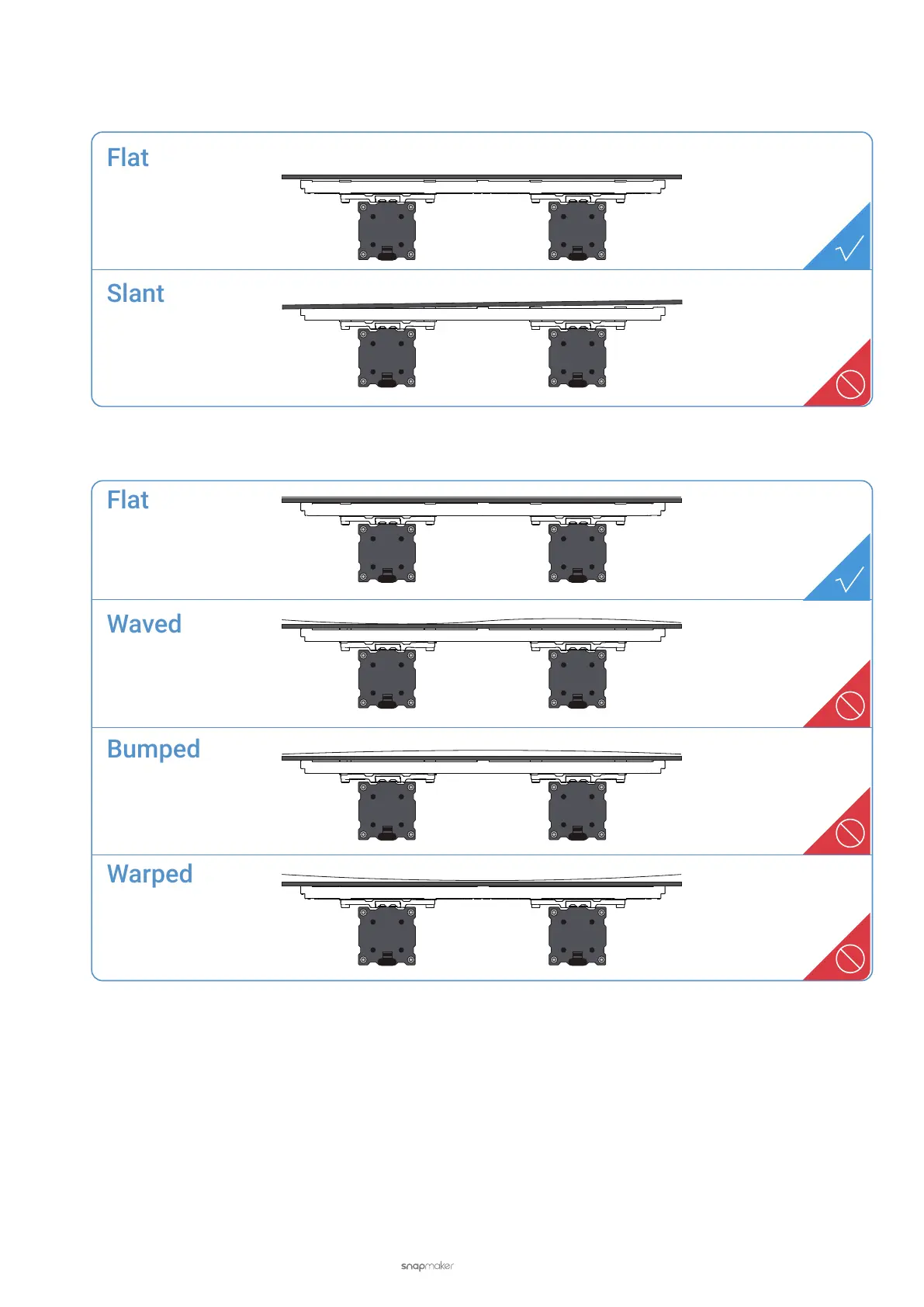
Check if the Heated Bed is flat and stable, fully tightened with screws. If not, reassemble the Heated Bed.
Check if the Print Sheet is correctly placed on the Heated Bed as illustrated. If not, reassemble the Print Sheet.
5.2.4 Check the Nozzle
There are many reasons why the nozzle is blocked and thus compromise the print quality. To prevent the nozzle from
malfunction and blockage, check the nozzle before every printing job. If the nozzle bore or tip is blocked, follow these
steps to clean the nozzle:
Clean the Nozzle Bore
a. Turn on the machine. Heat the nozzle up to 200°C (392°F) by tapping Control > Nozzle.



 To Next Page