User Manual |
133
Laser Engraving and Cutting - 06 Troubleshooting
Wear the Laser Safety Goggles when the door is open.
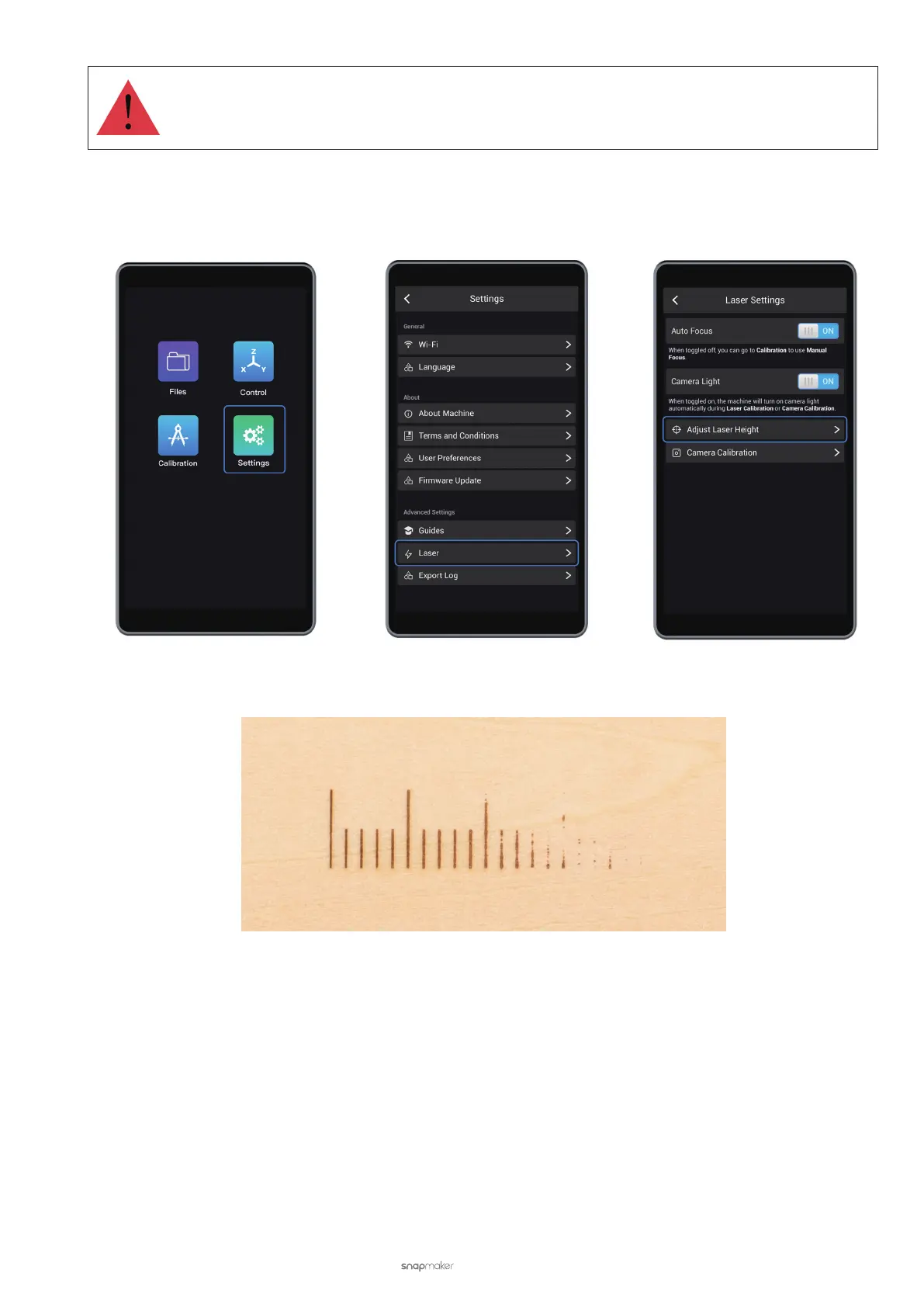
• Change the Laser Height manually. On the Touchscreen, tap Settings > Laser > Adjust Laser Height. Set the Laser
Height to 23.0 mm and then redo Auto Focus. If the Touchscreen keeps showing Failed, and several lines fail to be
burnt out, lower the Laser Height (to 21.5 mm or 19 mm, for example), and try again.
• If the problem persists after you have tried the options above, and your built-in camera can not nd the nest line
while auto focusing (see picture below), then the Laser Module should be replaced.
6.4 Laser Will not Burn Material When Enclosure Is Used
Possible Cause
• The door of the Enclosure is open when the Laser Module is working.
Solutions
Close the enclosure doors before you start to use the Laser Module. Or, if you need the door open when using the
Laser Module, turn off the Door Detection feature. On the Touchscreen, tap Enclosure > Settings > Door Detection.



 To Next Page