User Manual |
13
Safety Guidelines - Touchscreen
User Interface
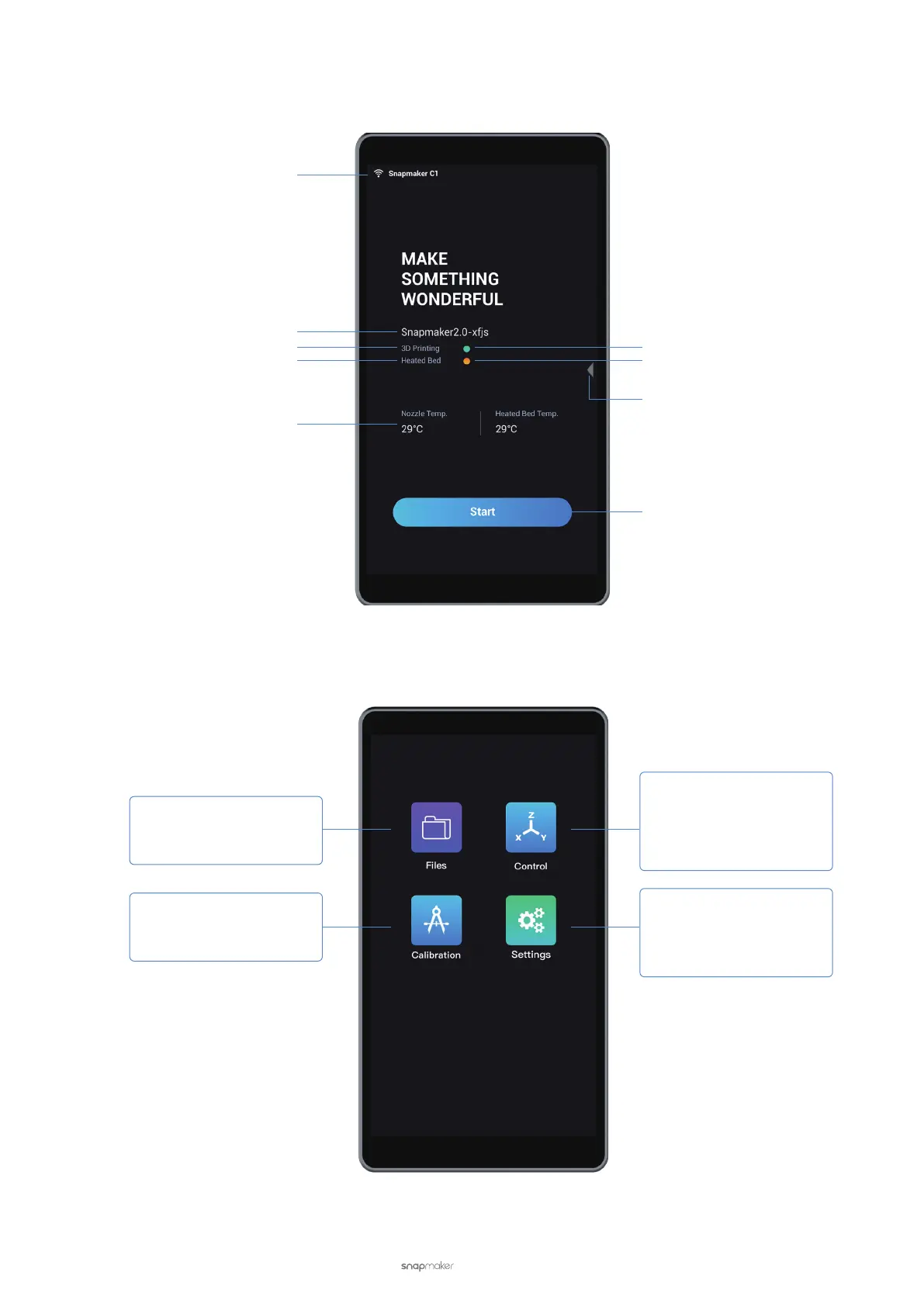
Home Screen
APP List Screen
Wireless Network
Machine Name
Toolhead Name
Parts Name
Key Parameter
Green indicates normal status
Orange indicates abnormal status
Swipe left
Start working by selecting files
3DP: Select a model file and start printing
Laser: Select a model file and start engraving
CNC: Select a model file and start carving
3DP: Level the Heated Bed
Laser: Calibrate the focal length
CNC: Not available
3DP: Control the movement, nozzle
temperature, and Heated Bed temperature
Laser: Control movement, set the work origin,
or set the laser power
CNC: Control movement, set the work origin,
or set the spindle speed
3DP: Set Wi-Fi, firmware, language, leveling
mode, calibration grids, etc.
Laser: Set Wi-Fi, firmware, language, focus
mode, camera, laser height, etc.
CNC: Set Wi-Fi, firmware, language, etc.
Touchscreen - User InterfaceTouchscreen - User Interface



 To Next Page