User Manual |
37
3D Printing - 03 How to 3D Print
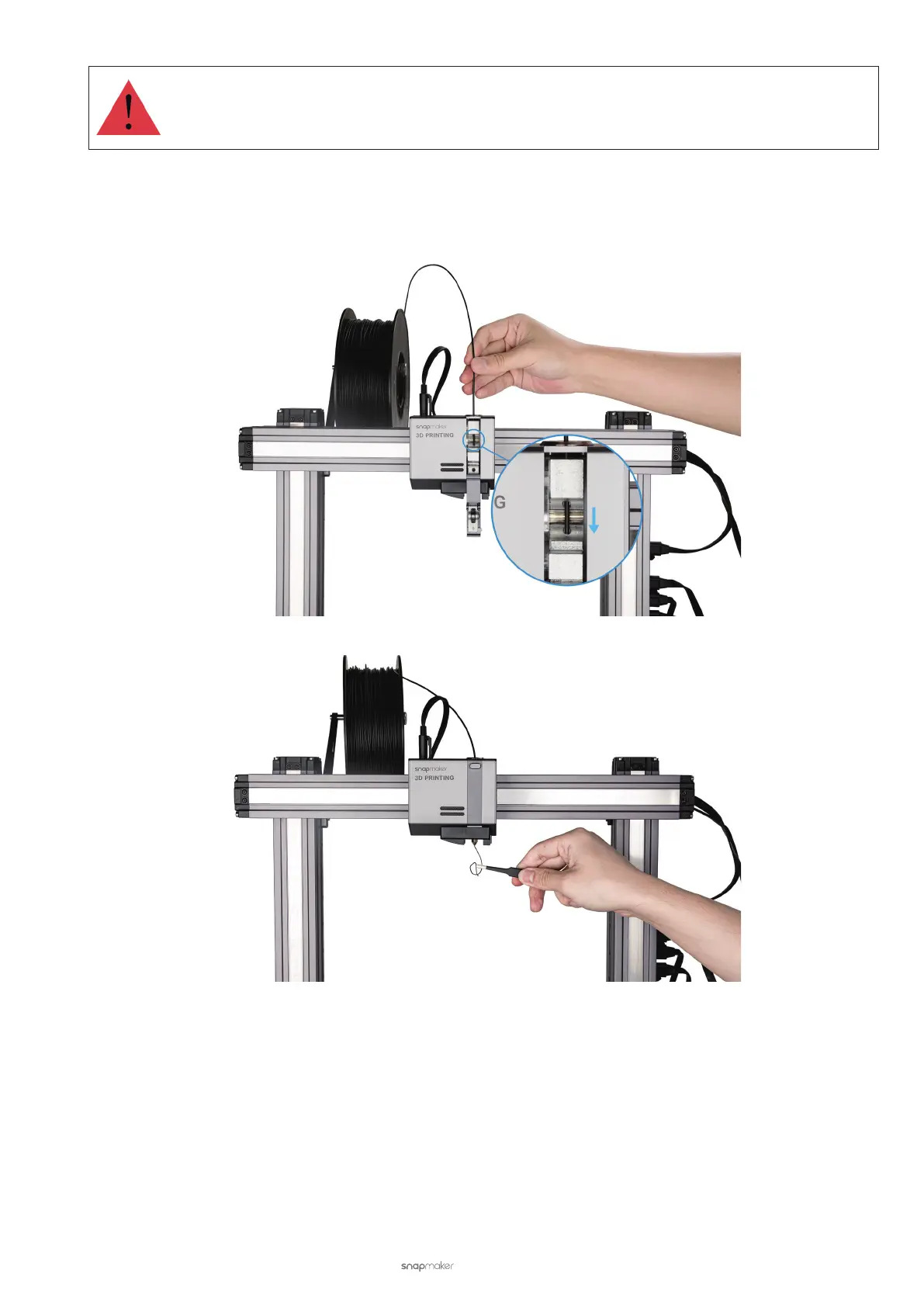
Do not touch the hot nozzle with bare hands while operating the slide knob.
(4) Manually extrude the lament. After the nozzle reaches the target temperature, squeeze the lament down the
feed hole until the uncured lament is extruded from the nozzle. Press the slide knob inward and then push it
right to close the 3D Printing Module.
(5) Clean the nozzle using the tweezers.
3.4 Prepare the G-code File
Prepare the Model File
Before generating the G-code file on Luban, you should prepare a model file. Here are a few options for preparing the
model file:
• Use provided models in the Case Library of Luban.
• Design 3D models using the 3D modeling software, like SketchUp and Fusion 360.
• Download free and high-quality 3D models online, like thingiverse.com and myminifactory.com.



 To Next Page