User Manual |
49
3D Printing - 05 Maintenance
Every Month
Task See
Clean the Linear Modules 5.3.1
Clean the Gear in the 3D Printing Module 5.3.2
Clean the Side Covers 5.3.3
Every Three Months
Task See
Update the Firmware and Software 5.4
5.2 Before You Print
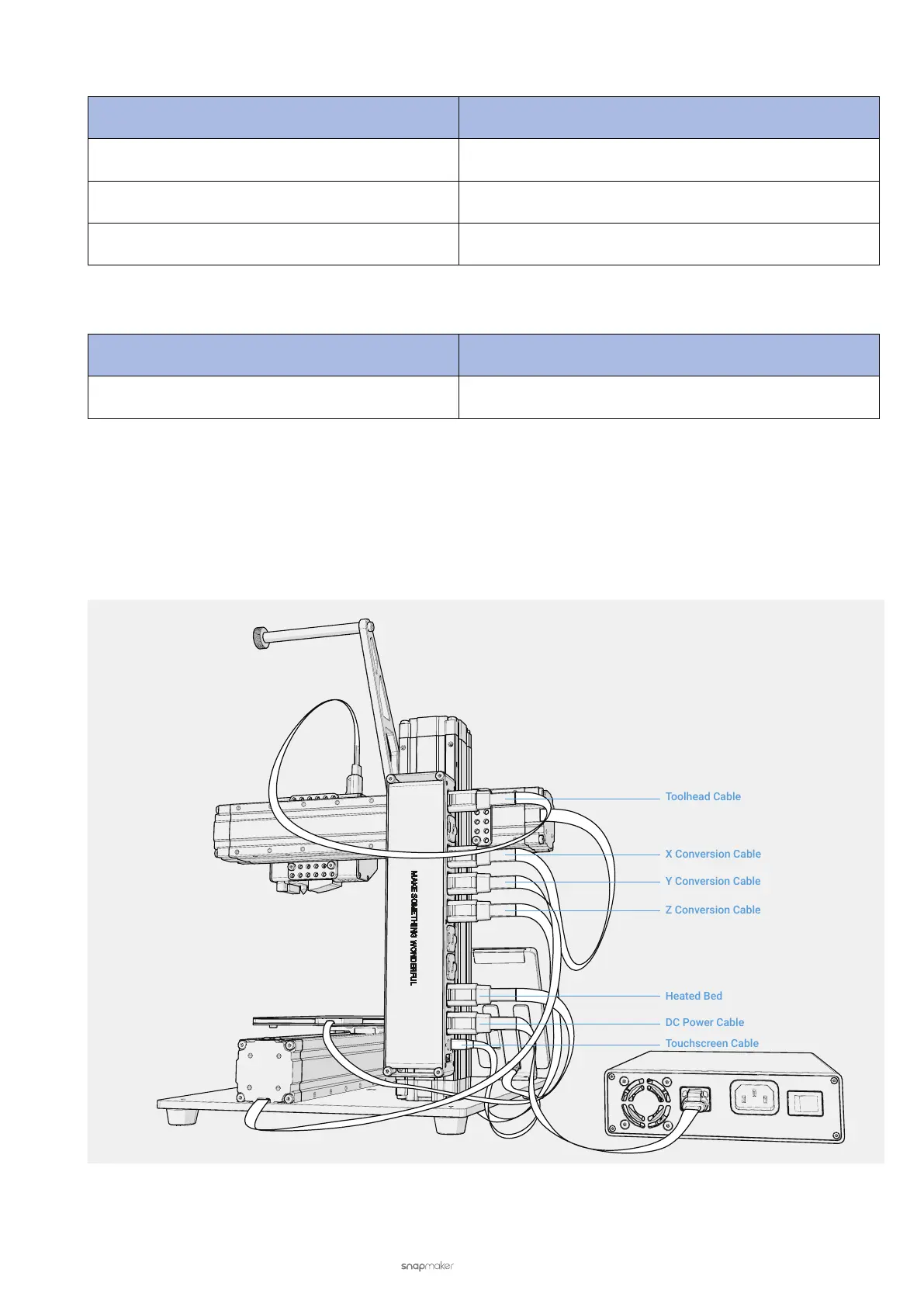
5.2.1 Check the Cables
Check if every cable is plugged into the right socket in the right direction.
Into the Controller (A150)



 To Next Page