User Manual |
51
3D Printing - 05 Maintenance
On the 3D Printing Module
5.2.2 Check the Support Platform
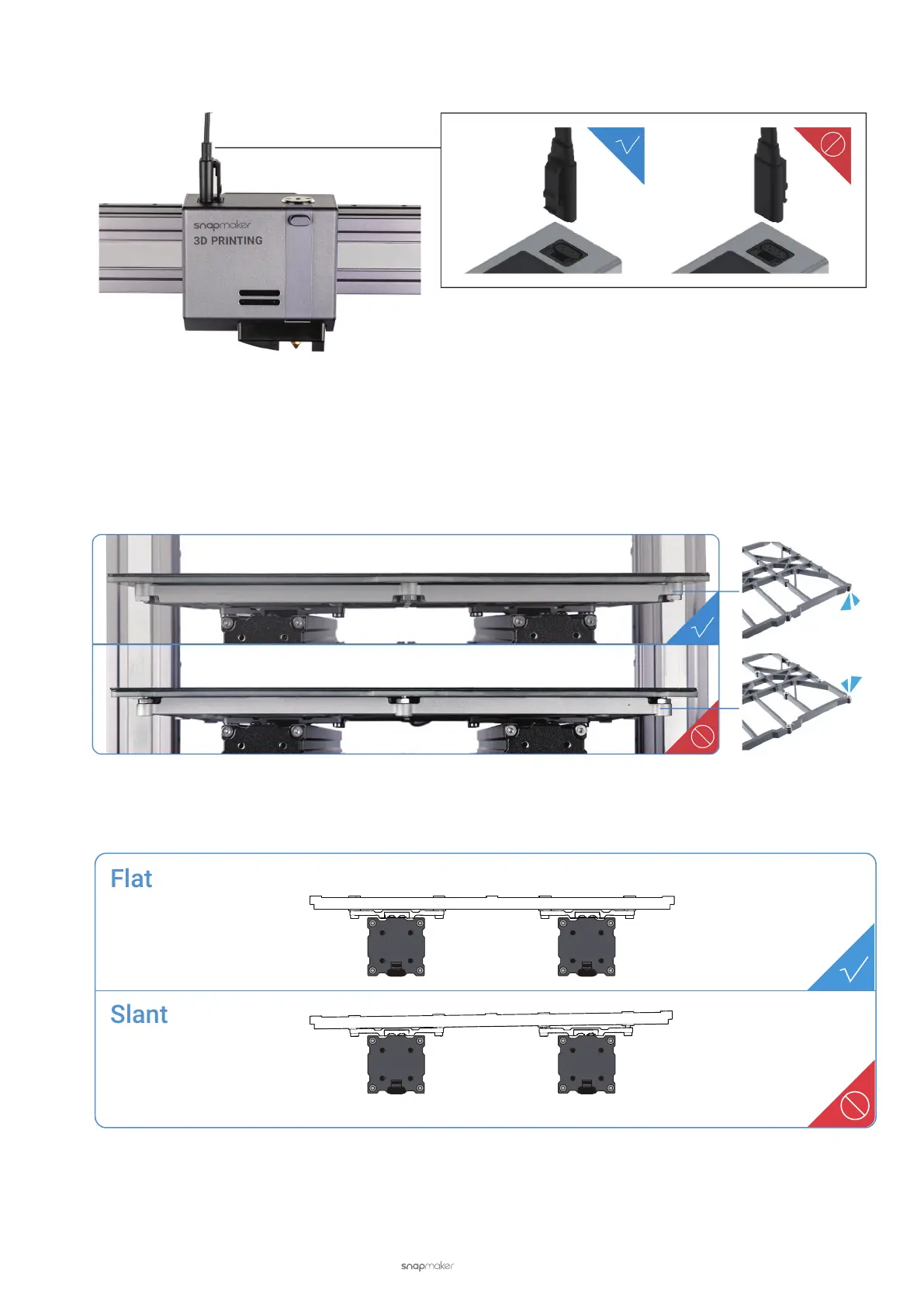
Check if the Support Platform is assembled in the correct direction. The front without screws should face up, and the
rear with some screws faces down. If you install the platform upside down, it will be higher than the one when it is
correctly installed, and this is likely to cause the 3D Printing Module to bump into the Print Sheet.
Check if the Support Platform is flat and stable, fully tightened with screws. If not, loosen all screws and reassemble
the Platform.



 To Next Page