User Manual |
119
Laser Engraving and Cutting - 03 How to Laser Engrave and Cut
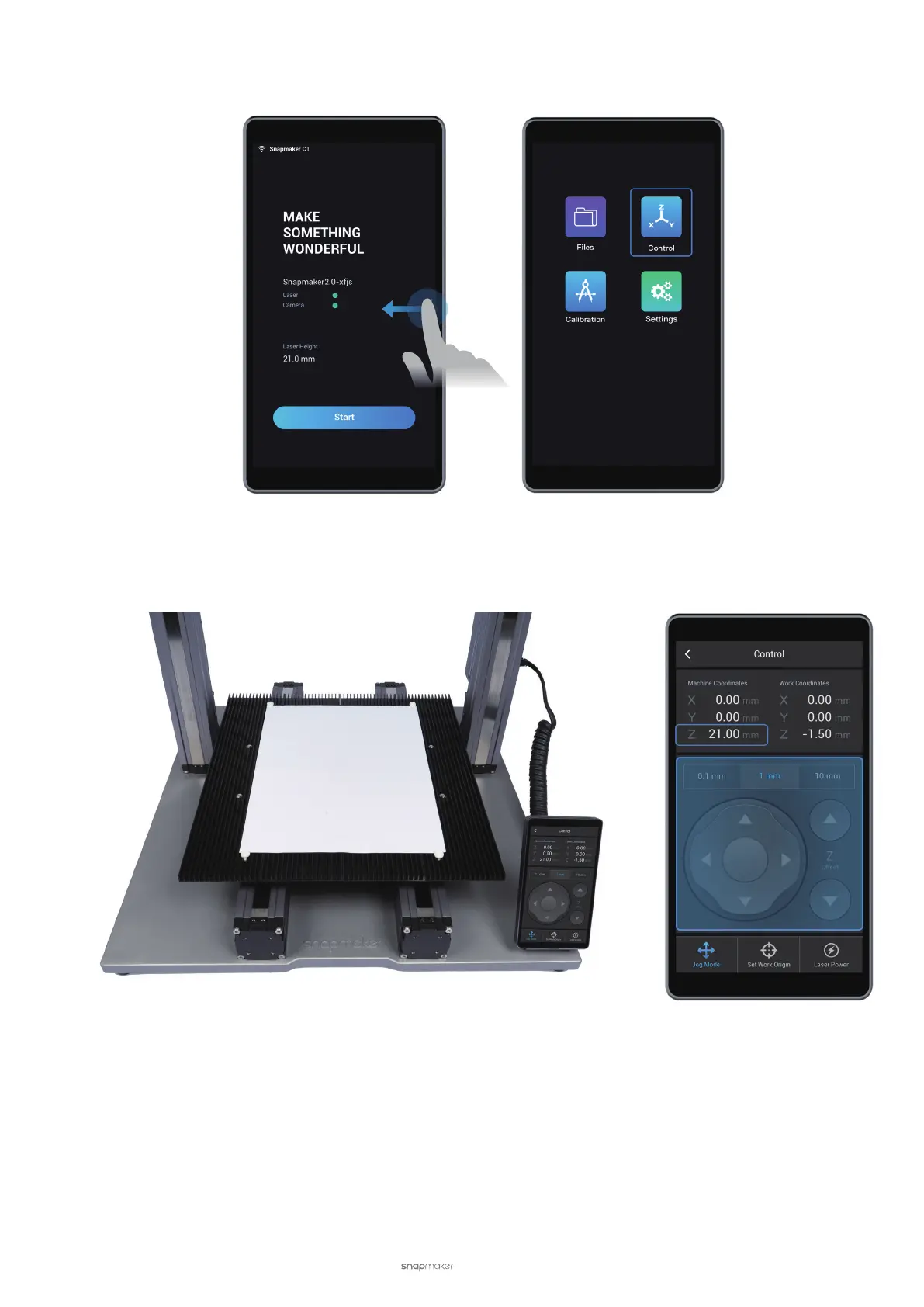
(2) Swipe left and select Control.
(3) Use a blank piece of paper, and use X-, X+, Y-, Y+, Z-, or Z+ to move the Laser Module to the top of the paper.
The machine coordinate of the Z Axis should match the value of the laser height, which is 21.0 mm.
(4) Turn the lens hood until it is 1 mm away from the paper. If you want to check the light-blocking effect, please
do so after you put on your Laser Safety Goggles and tap Laser Power. Set a relatively small value (e.g. 1%) for
Laser Power and turn on the laser.



 To Next Page