User Manual |
93
Laser Engraving and Cutting - 03 How to Laser Engrave and Cut
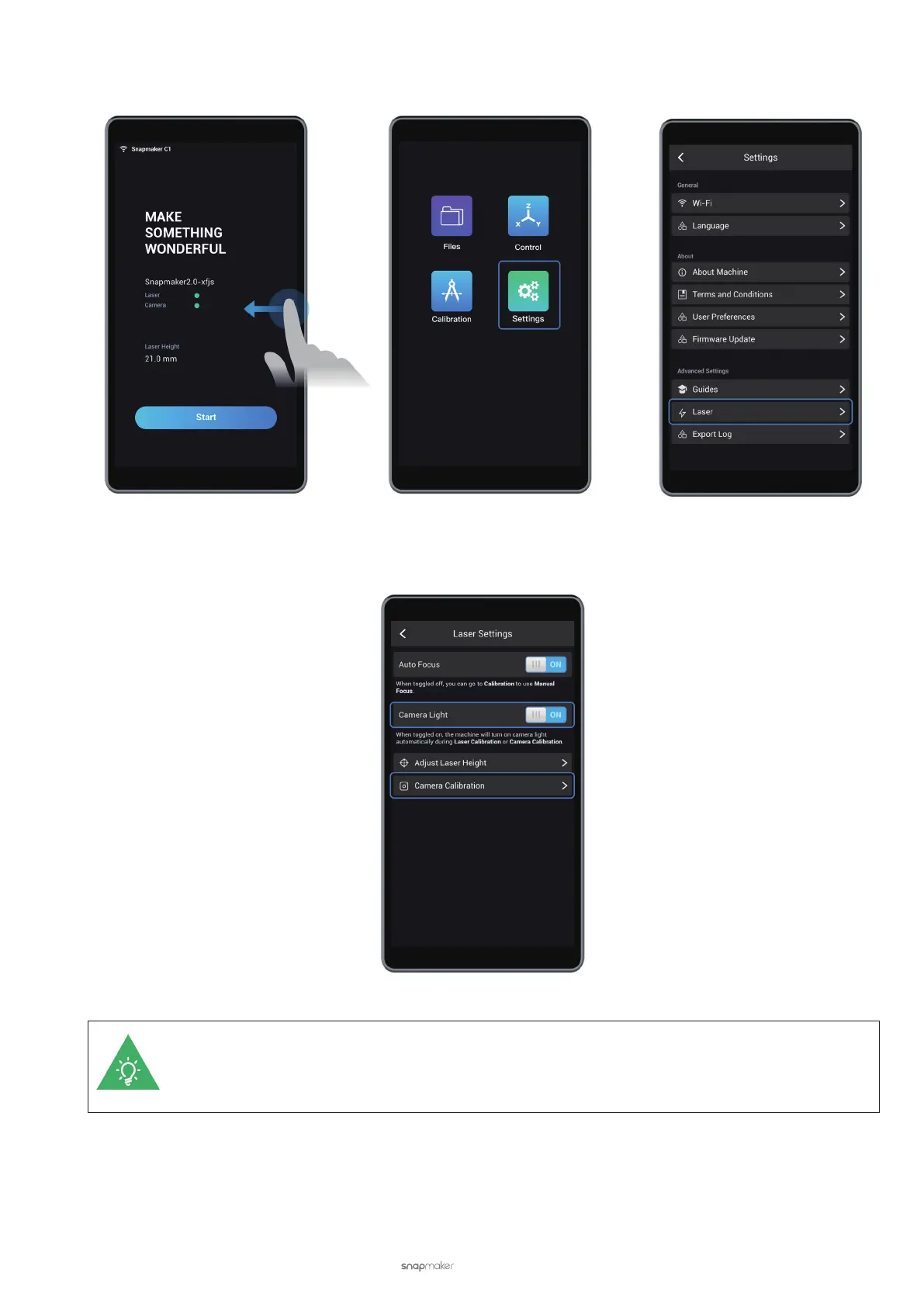
(2) On the Touchscreen, swipe left and tap Settings > Laser to enter Laser Settings.
(3) On the Laser Settings screen, tap Camera Calibration.
Ensure that Camera Light is toggled on. This way, the machine will turn on the camera light
automatically during Auto Focus and Camera Calibration. Camera light provides a brighter working
environment for the camera and ensures better calibration results.
(4) Read the camera calibration instruction on the Touchscreen. Put on the Laser Safety Goggles and tap Start.
The machine will cut a square on the paper to calibrate the camera.



 To Next Page