3.
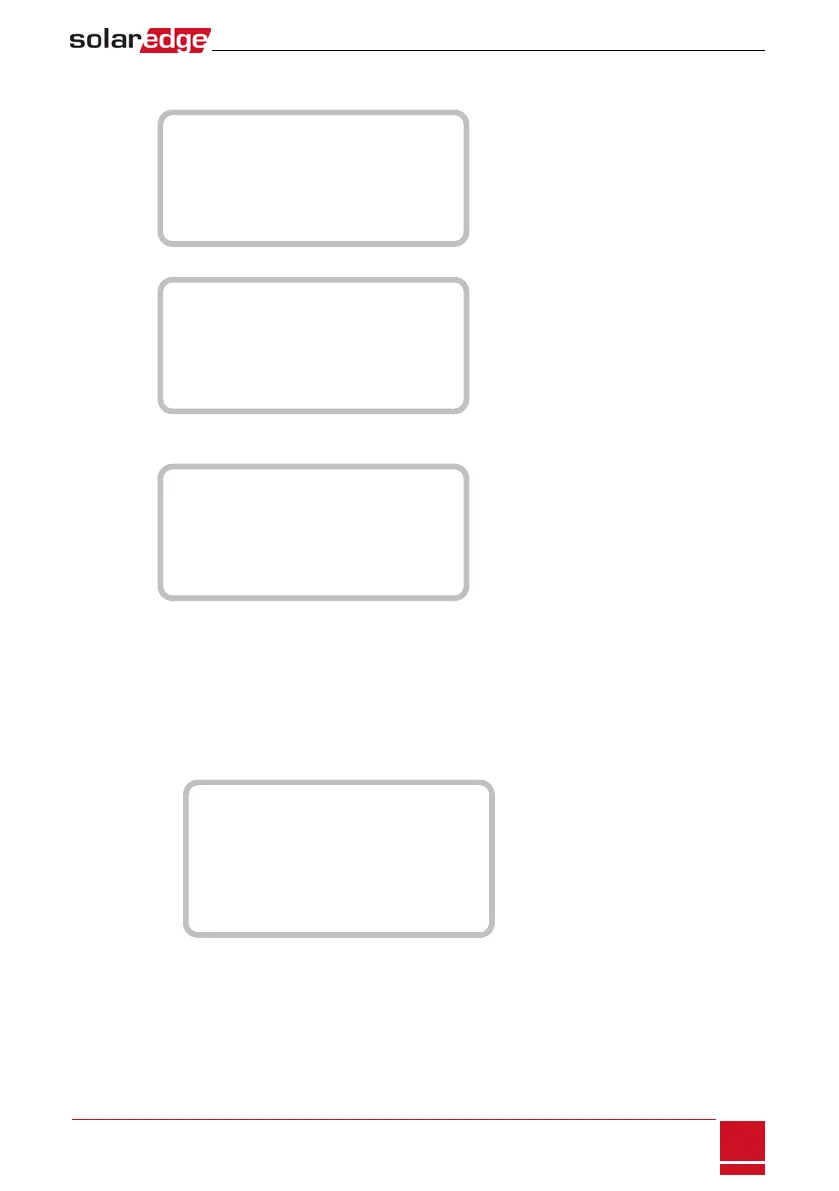
SelectCommunicationè RS485-1 Conf è Device Type è Multi Devices.Alistofdevicesis
displayed.
D e v i c e T y p e < M L T >
M e t e r 1 < - - - >
M e t e r 2 < - - - >
M e t e r 3 < - - - >
B a t t e r y 1 < - - - >
B a t t e r y 2 < - - - >
IfanRGMisinstalled,itispre-configuredtoMeter1:
D e v i c e T y p e < M L T >
M e t e r 1 < W N , 1 >
M e t e r 2 < - - - >
M e t e r 3 < - - - >
B a t t e r y 1 < - - - >
B a t t e r y 2 < - - - >
4.
SelectMeter 2.Themeterconfigurationscreenisdisplayed(SolarEdgemetersarepre-configuredto
DeviceID2):
D e v i c e T y p e < M T R >
P r o t o c o l < W N >
D e v i c e I D < 2 >
C T R a t i n g < 0 >
M e t e r F u n c . < N o n e >
T o p o l o g y < W y e >
5.
Configurethemeter:
a. SelectDevice Type è Revenue Meter
b. SelectProtocol è WattNode
c. VerifythatDevice IDissetto 2.
d.
SettheCTvaluethatappearsontheCTlabel: CT Rating è <xxxxA>.
IfCTresetsto0,checkthecommunicationasdescribedinstepbofverifytheconnection:below.
e.
ForameterinstalledatthegridconnectionpointselectMeter Func.è Export+Import.
E x p o r t + I m p o r t
E x p o r t
C o n s u m p t i o n
P r o d u c t i o n
E x t . P r o d u c t i o n
I m p o r t
N o n e
f.
TheselectedoptionisdisplayedintheRS485Confscreenas<E+I>.
g. SelectthegridTopology(WYEorDelta).
Chapter 10: System Configuration
SolarEdge-StorEdge Installation Guide MAN-01-00262-1.3
83



 To Next Page