General Operation Installation & Configuration Guide for MAXPage
General Operation
General Operation
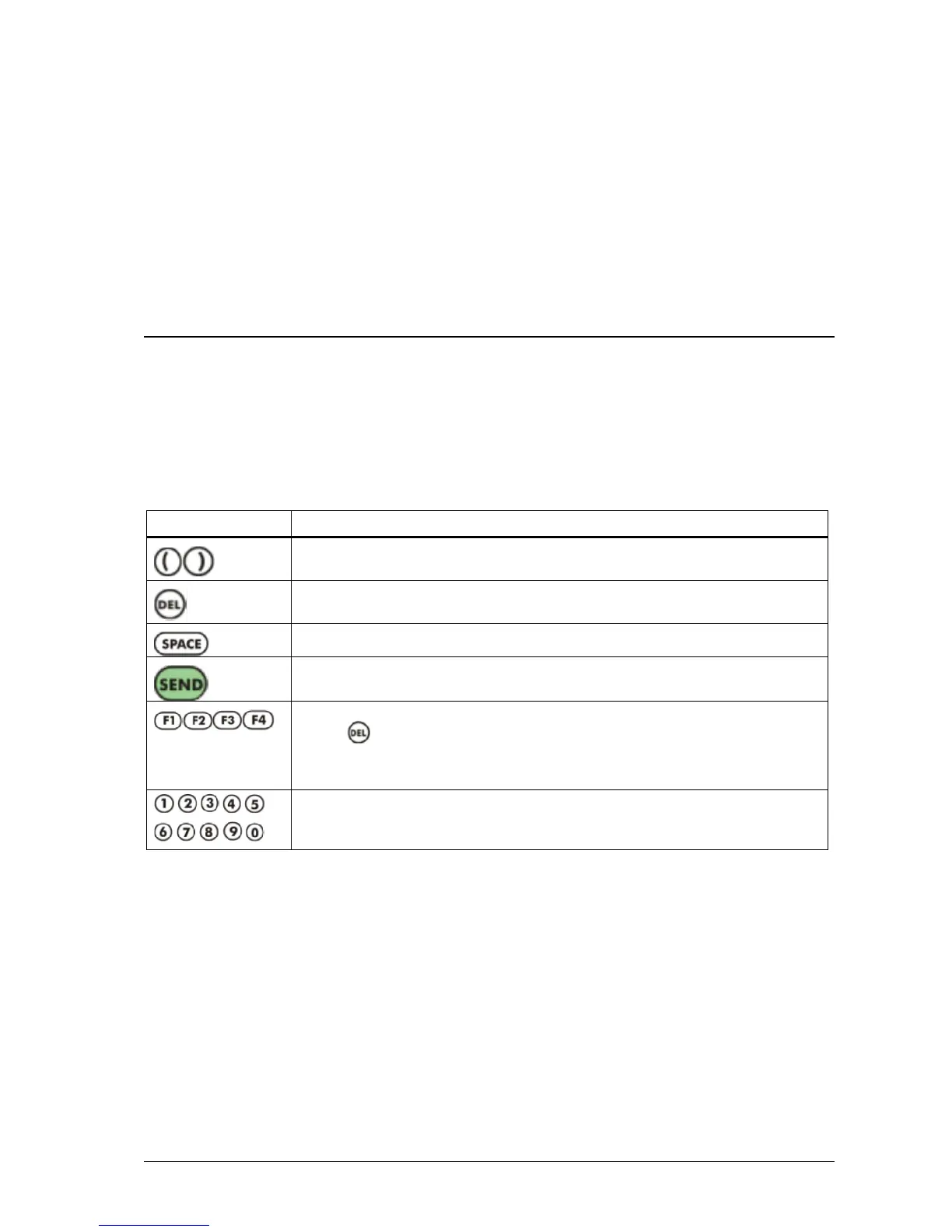
The keypad and LCD on MAXPage are used to send messages and configure the pager database.
Navigation
Navigation through the various menus and fields is done using either the built in keypad or an (optional) PS2
keyboard plugged into the external PS2 port.
These keys are used to move the cursor to the previous/next field. In fields that allow
text input, you can hold down these buttons to insert a square bracket character.
This key is used to delete the characters in a field one at a time. It is also used to go back
to the previous field or menu screen in the menu structure.
This key is used to create a space in a field.
This key can be used to enter data into a field and move along to the next one, or toggle
between available options in certain fields.
The function keys are used to send canned messages to predetermined recipients. By
holding and then pressing a function key, alternate functions are accessible.
They can also be used as SEND keys in certain instances. This feature is described in
more detail below in the Sending a Message section.
The numeric keypad is used to enter data into fields and type messages. They are
sometimes used to toggle between available options in certain fields. By holding down
these buttons, canned text strings can be inserted into text fields.
Operation Notes
In certain fields, some keys are unavailable for use. For example, a Pager ID can only consist of numeric characters
so alphanumeric key entry is disabled.
Various Modes
The general operation of MAXPage can be divided into five areas:
Normal Mode: This is where messages can be manually sent to recipients.
User Mode: This is where pagers, reminders, and the time are configured.
Config Mode: This is where the pagers, transmitter, telephone interface, alarms, and rs232 port is
configured.



 To Next Page