Installation & Configuration Guide for MAXPage Windows MAXPage Software
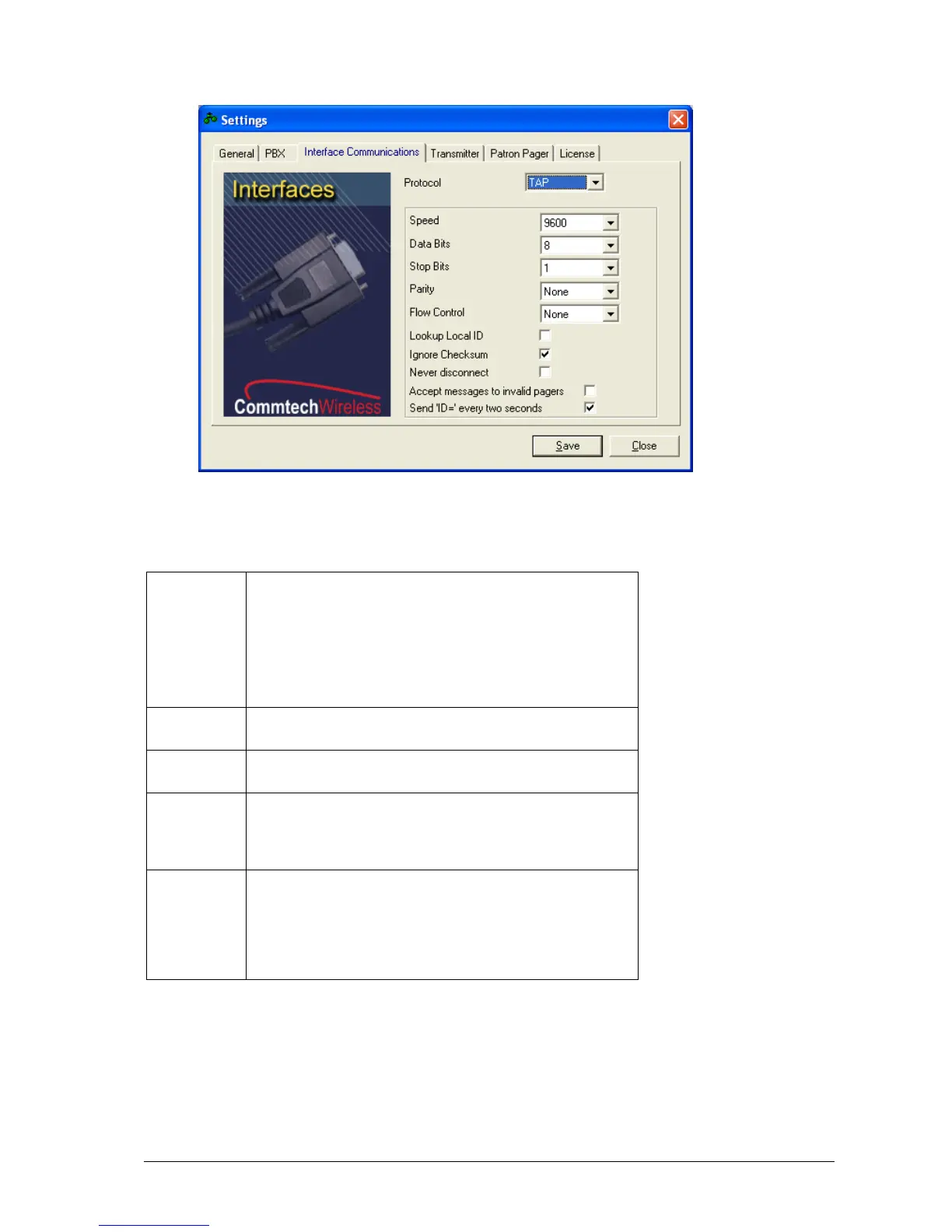
Placing a tick in this box means that TAP messages must
contain a Pager ID. MAXPage looks up the Pager ID within its
internal database and send the message to the appropriate
recipient.
Un-ticking the box means that the TAP message must contain a
cap code. MAXPage sends the message to the cap code
specified.
Placing a tick in this box ignores messages with an incorrect
checksums and processes them regardless.
Placing a tick in this box forces MAXPage to stay connected to
the device attached to it.
Accept
messages to
invalid
pagers
Placing a tick in this box forces MAXPage to accept messages
it deems invalid and attempt to process them. This means that
MAXPage is less strict with TAP protocol standards, as some
devices use a very simple version.
Send ‘ID=’
every two
seconds
Placing a tick in this box forces MAXPage to send ‘ID=’ every
two seconds. Some paging systems require MAXPage to
indicate its readiness to receive messages, by outputting a
prompt ‘ID=’ every 2 seconds. Consult the documentation that
came with the TAP device you are attaching to MAXPage, for
more information if this is required or not.



 To Next Page