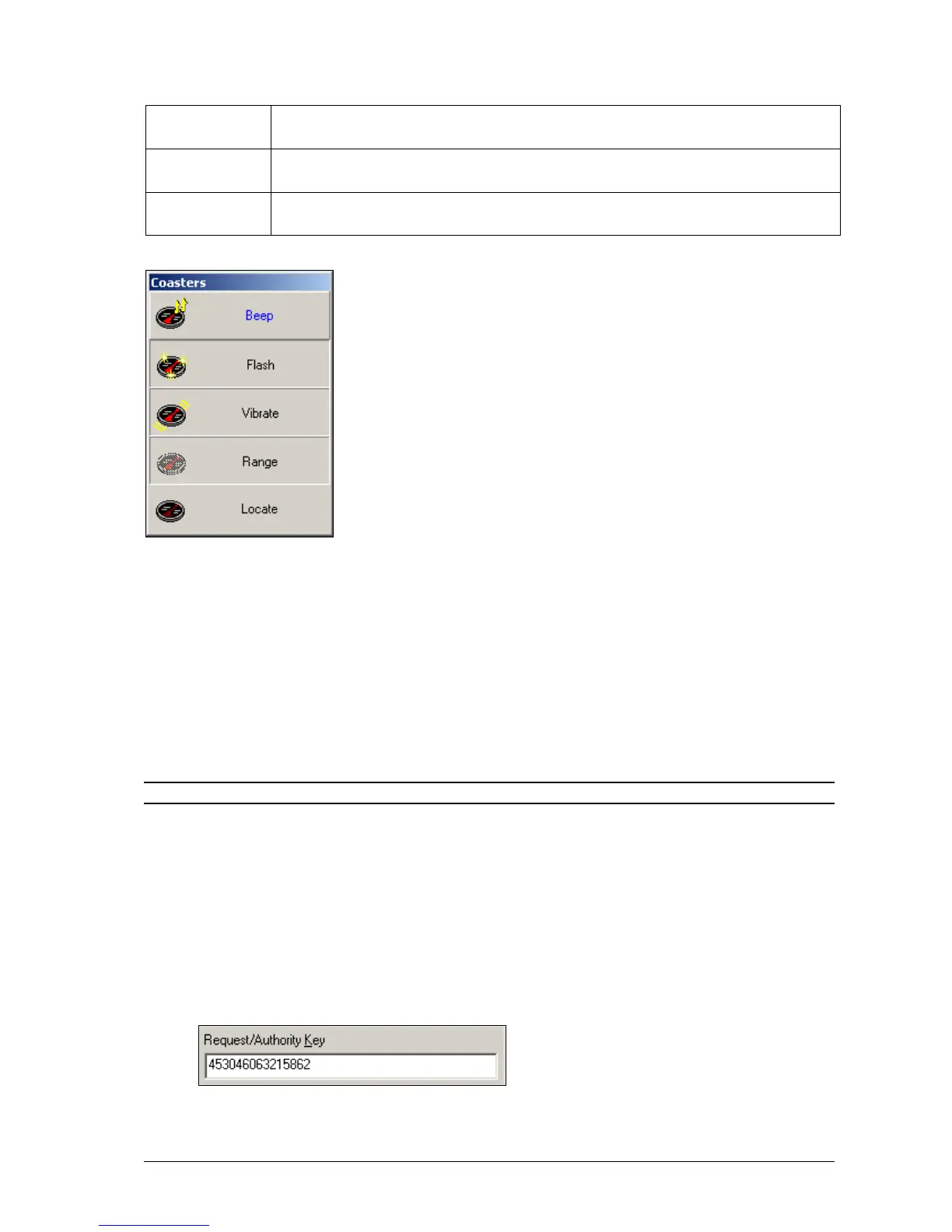
The next few tick boxes enable and disable parts of the Coaster Control Panel shown above. This is useful when
certain functions are not used by a site.
The Alert Mode Control tick box hides/un-hides the Beep, Flash and Vibrate buttons. These buttons
change the way the coaster behaves when sent a message.
The Anti-Theft Indicator tick box hides/un-hides the Range button. This button enables or disables anti-
theft mode (Out-of-range mode).
The Locate All Pagers tick box hides/un-hides the Locate button. This momentary button sends out a
message to all coasters on a special cap code. Only coasters which are not on the charging stack respond to
a Locate All page. Coasters not on the charger stack, emit a special alert so that they can be easily found, if
lost.
NOTE: If all tick boxes are not ticked, the Coaster Control Panel is not shown.
License
1. Press the Load from MAXPage button to read the current license settings from the MAXPage unit. You
see a screen similar to below.
2. The four tick boxes show the currently-enabled license options. If you wish to enable any of the license
options, tick the appropriate tick boxes and then press the Generate request key button.
3. The units current license key changes to a Request Key in the text box shown below. This Request Key
must be sent to your place of purchase for evaluation. You can copy and paste the key directly from this
text box if needed.



 To Next Page