Windows MAXPage Software Installation & Configuration Guide for MAXPage
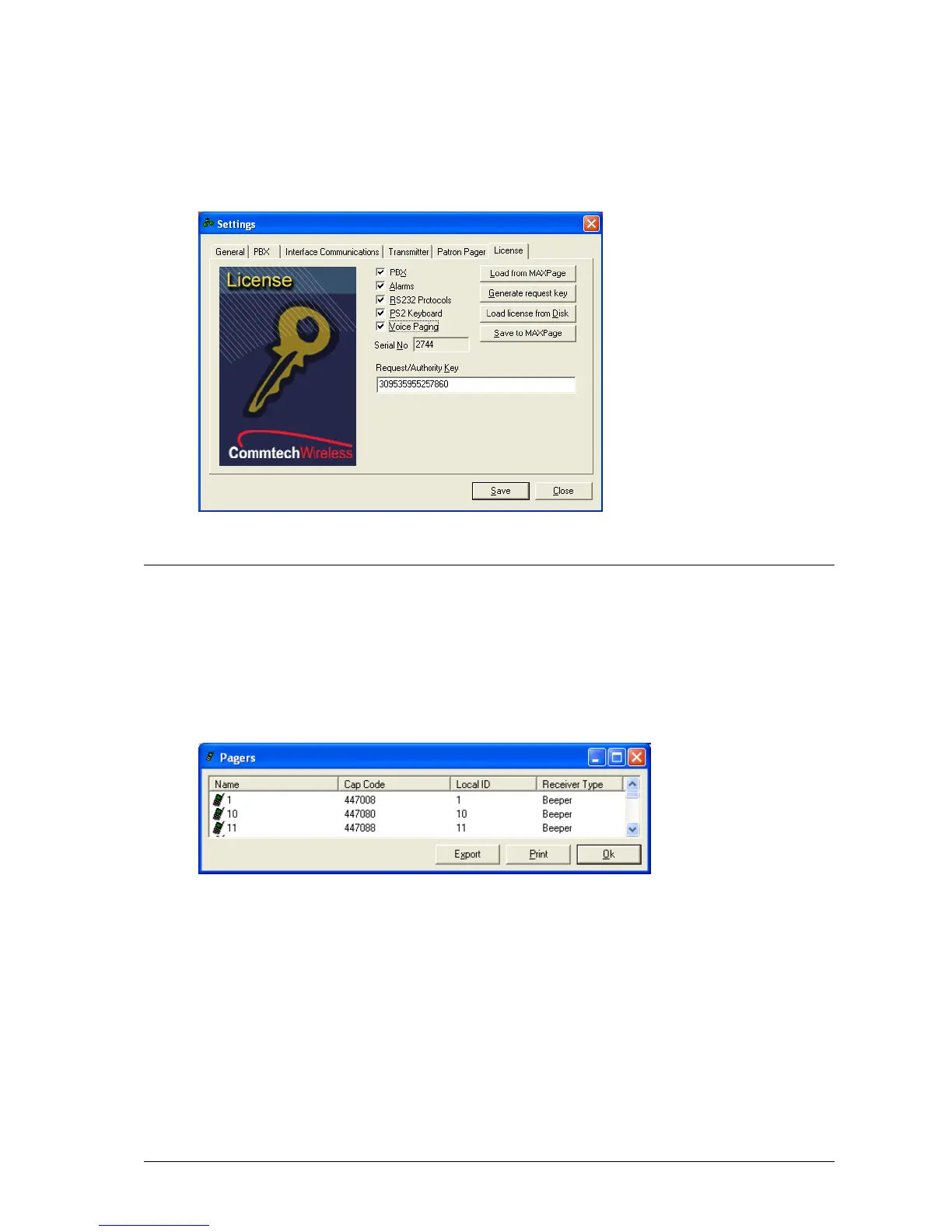
4. Your place of purchase sends you back an Authority Key which must be typed back into this text box or
loaded from a file using the Load license from Disk button.
5. Once entered, press the Save to MAXPage button. If the new license key is valid, the new key is saved and
any new settings are enabled.
Diagnostics
The View menu within the software contains three useful diagnostic tools. These are described in detail below.
Viewing Pagers
1. Click View|Pagers. From here you see a list of all pagers in the current database. You can Export the list to
a file for reference or Print it if necessary.
Viewing Groups
1. Click View|Groups. From here you see a list of all groups in the current database. You can Export the list
to a file for reference or Print it if necessary.



 To Next Page