Windows MAXPage Software Installation & Configuration Guide for MAXPage
there are three recipients in a group and a message is sent, only the first pager in the group gets the first
message. The next message that is sent to the group goes to the second pager and the third message sent
goes to the third pager in the group. If a fourth message is sent to the group, the cycle repeats. If the
checkbox is not ticked, all recipients within the group receive the message at the same time.
8. To test a group by sending a test message to it, select the group name on the left hand side and click the
Test button.
This is a reference name that identifies the Local ID
in the database. Assign a useful name to the group
such as “Staff”.
A Local ID is a reference number that identifies a
pager or group in the database.
This window shows the members in the currently
selected group.
Configuring Alarms
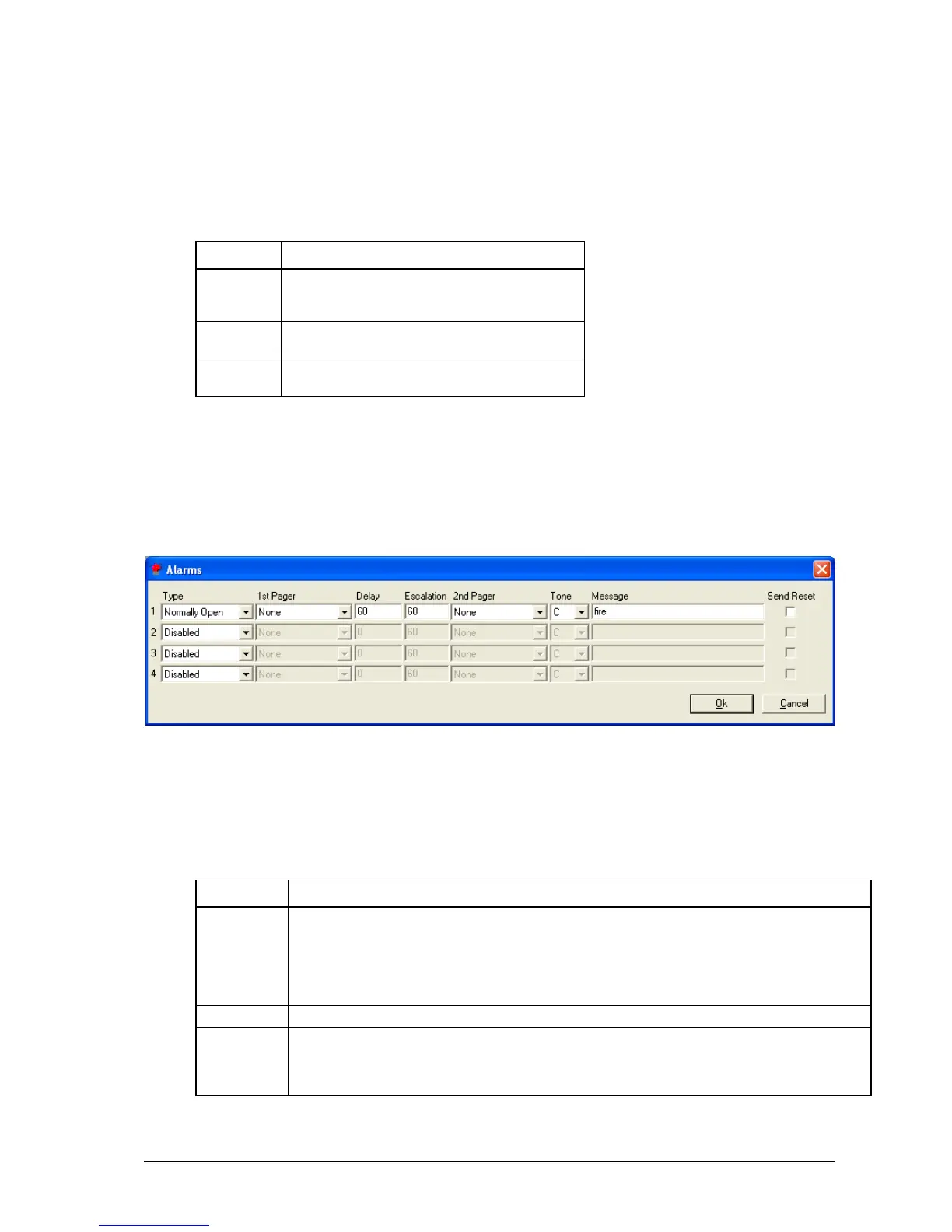
The Alarms button is used to configure the four alarm inputs that MAXPage has.
The Alarms screen displays.
1. Make changes within the Alarms window.
2. Click the OK button to return to the main screen.
3. Click Cancel to return to the main screen without saving any recent changes.
In the drop-down box select between the following options.
Normally Closed: The alarm input is normally closed - message is sent when input opens.
Normally Open: The alarm input is normally open - message is sent when input closes.
State Change: A message is sent when the alarm changes to or from any state.
Disabled: The alarm input is not activated - any state change is ignored.
This field refers to the name of the first recipient that receives the message upon alarm activation.
This specifies the delay in seconds (between 0-999) before the message is sent. If the alarm state returns
to the previous state before the delay period, no message will be sent. E.g.: You could wire an alarm
input to a freezer door so people don’t forget to close it. Give it a delay of 60 seconds. If the freezer door
is open more than 60 seconds a message will be sent. If it is closed within 60 seconds no message is sent.



 To Next Page