Your Tablet Interface 42
Status Bar and Notification Panel
Yourtablet’sstatusandnotificationsareavailableataglanceatthetopofthescreen.
Status Bar
Thestatusbaratthetopofthehomescreenprovidestabletandservicestatusinformationonthe
rightsideandnotificationalertsontheleft.Toviewthenotificationpaneloraccessthequicksettings
menu,pulldownthestatusbarfromthetopofthescreen.
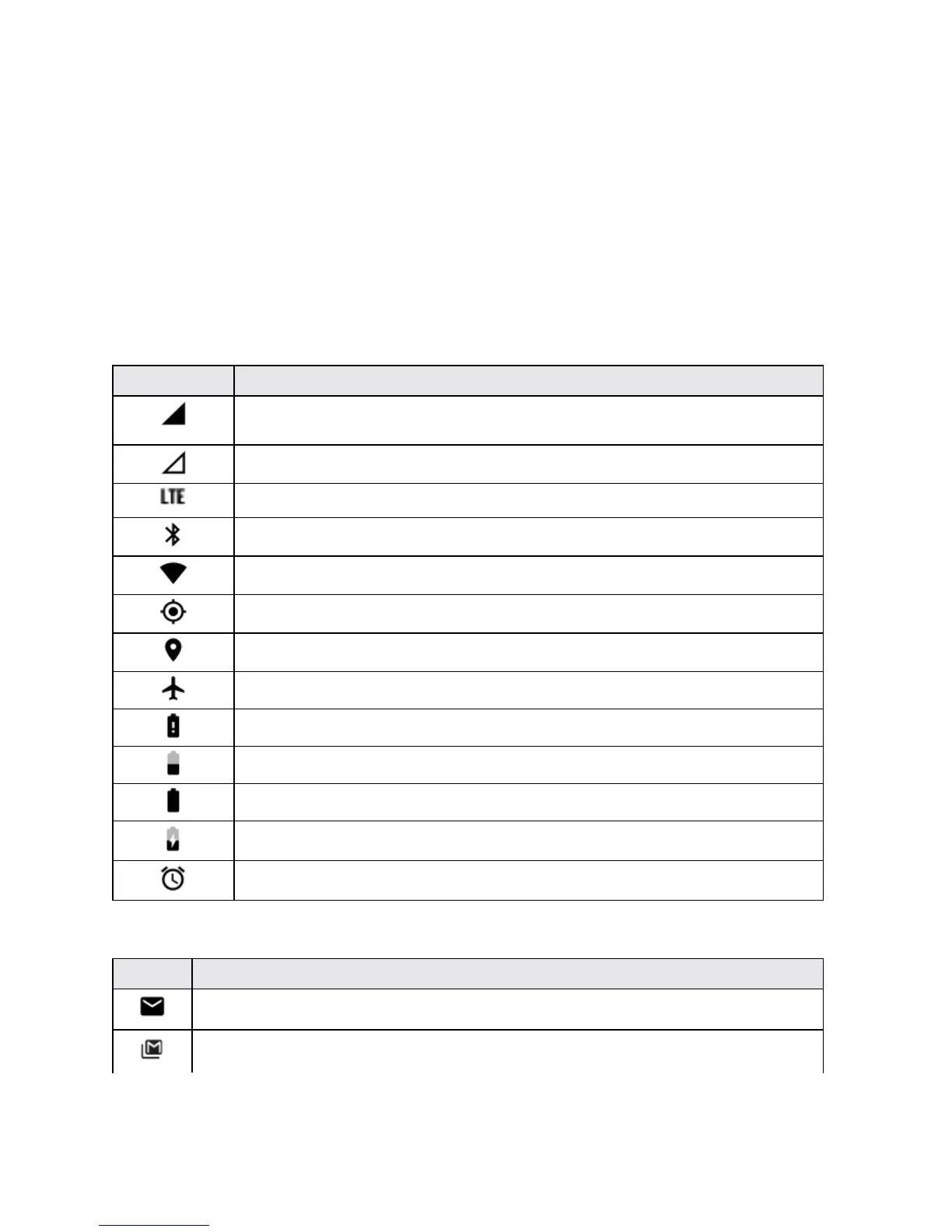
Main Status Icons
Icon Status
Signal strength-Showsyourcurrentsignalstrength(themorebarsthereare,
thestrongerthesignalis).
No service-Yourtabletcannotfindamobilenetwork.
Sprint4GLTEdataserviceisavailable.
Bluetooth
®
on-IndicatesthatBluetoothison.
Wi-Fi connected-IndicatesthatWi-Fiisinuse.
GPS active-IndicatesthatGPSisactive.
Location on-IndicatesthatLocationison.
Airplane mode-IndicatesthatyourtabletisinAirplanemode.
Very low battery-Indicatesthatthebatteryisverylow.
Battery drained (50%)-Indicatesthatthebatteryispartiallydrained.
Battery full-Indicatesthatthebatteryisfullycharged.
Battery charging-Indicatesthatthebatteryischarging.
Alarm-Indicatesthatanalarmisset.
Main Notification Icons
Icon Notification
New Email-IndicatesanewEmailmessage.
New Gmail-IndicatesanewGmailmessage.



 To Next Page