Your Tablet Interface 43
Icon Notification
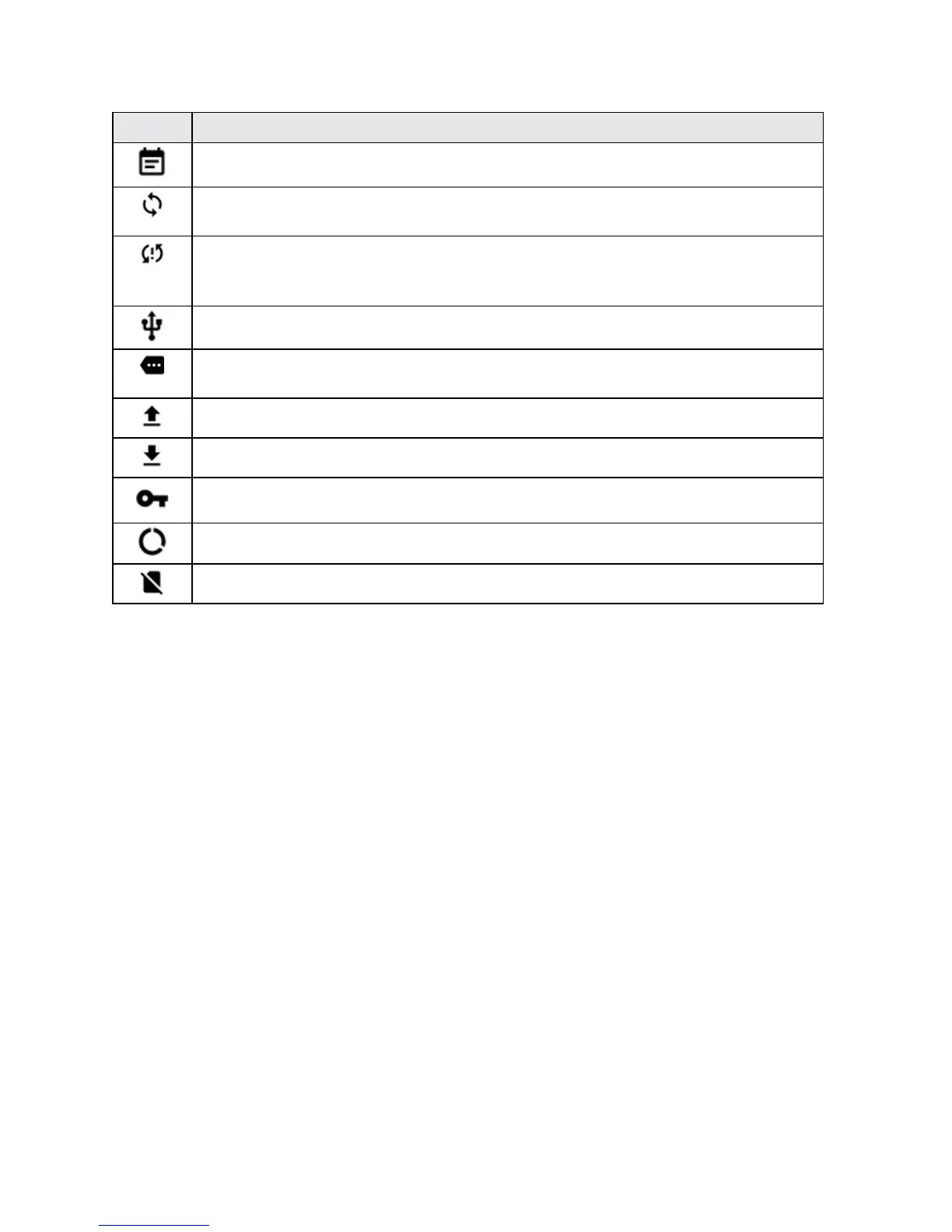
Upcoming event-Alertsyouofanupcomingevent.
Data is syncing-Applicationsyncisactiveandsynchronizationsisinprogressfor
Gmail,Calendar,andContacts.
Problem with Sign-In or Sync-Therehasbeenanissuewithyourconnectionto
Googleserver,youwerenotproperlysignedintoyouraccount.InordertouseGoogle
applicationorsyncfeature,youmustsetupandsignintoanactiveGoogleAccount.
USB connected-YoutablethasdetectedanactiveUSBconnection.
More notifications not displayed-Indicatesthattherearemorenotificationswhich
arenotdisplayedinthestatusbar.
Uploading data-Indicatesthatyourtabletisuploadingdata.
Downloading data-Indicatesthatyourtabletisdownloadingdata.
Connected to VPN-IndicatesthatyourtabletisconnectedtoaBasicVPN.
Carrier data-Datausethresholdapproachingorexceeded.
No SIM-IndicatesthatyourtabletcannotdetectanySIMcard.
Notification Panel
Yourtablet’snotificationsappearattheleftsideofthestatusbar,andyoucanaccessthefull
notificationpanelbypullingdownthestatusbar.Fromthere,youcanchecknotifications,download
updates,openmessagingapps,usethequicksettingsmenu,andmore.
Open the Notification Panel
n Pulldownthestatusbar.(Slideyourfingerdownfromthetopofthescreen.)



 To Next Page