Messaging and Internet 58
Options when Reviewing Gmail Messages
n
Replying to Gmail Messages:WiththeGmailmessageopen,tap ,composeyourreply
message,andtap .
l
Toreplytoall,tapOptions >Reply all.
n
Forwarding Gmail Messages:WiththeGmailmessageopen,tap ,enterarecipientandan
additionalmessage,andtap .
Use Gmail Labels
Gmailsavesallmailinonebox,butyoucanaddlabelsthatallowyoutosortyourGmailconversation
threads.Forexample,whenanewthreadstartswithareceivedmail,thelabel"Inbox"is
automaticallyaddedtothethread.Bythenaddingthelabel"travel,"allthreadswith"travel"are
showninalist.
1.
FromtheHomescreen,tapApps >Gmail .
Theinboxopens.
2.
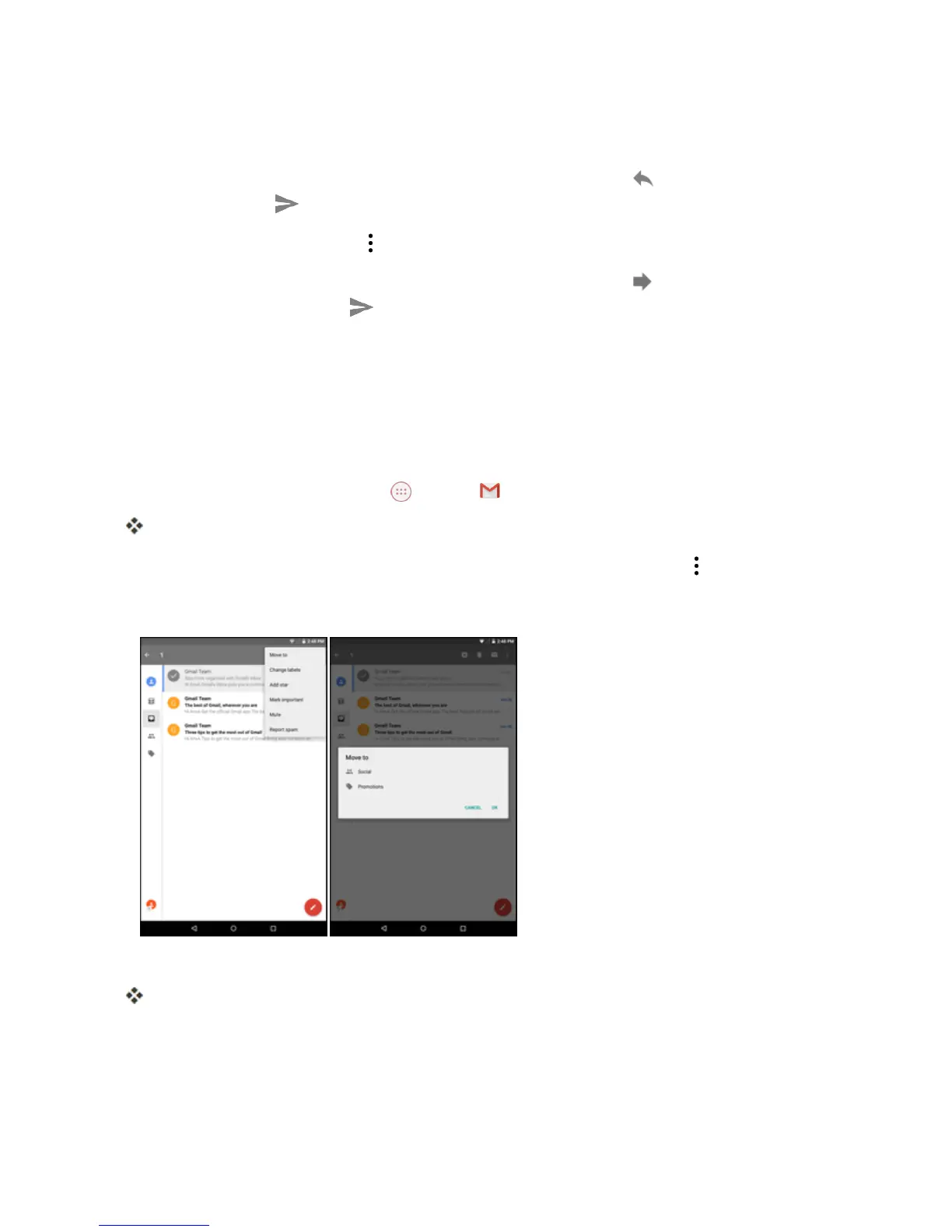
Touchandholdaconversationthreadtoaddacheckmarktoit,andthentap >Move to.
3. Tapalabelforthethread.
4. TapOK.
Thethreadisaddedtotheselectedlabel.



 To Next Page