Messaging and Internet 68
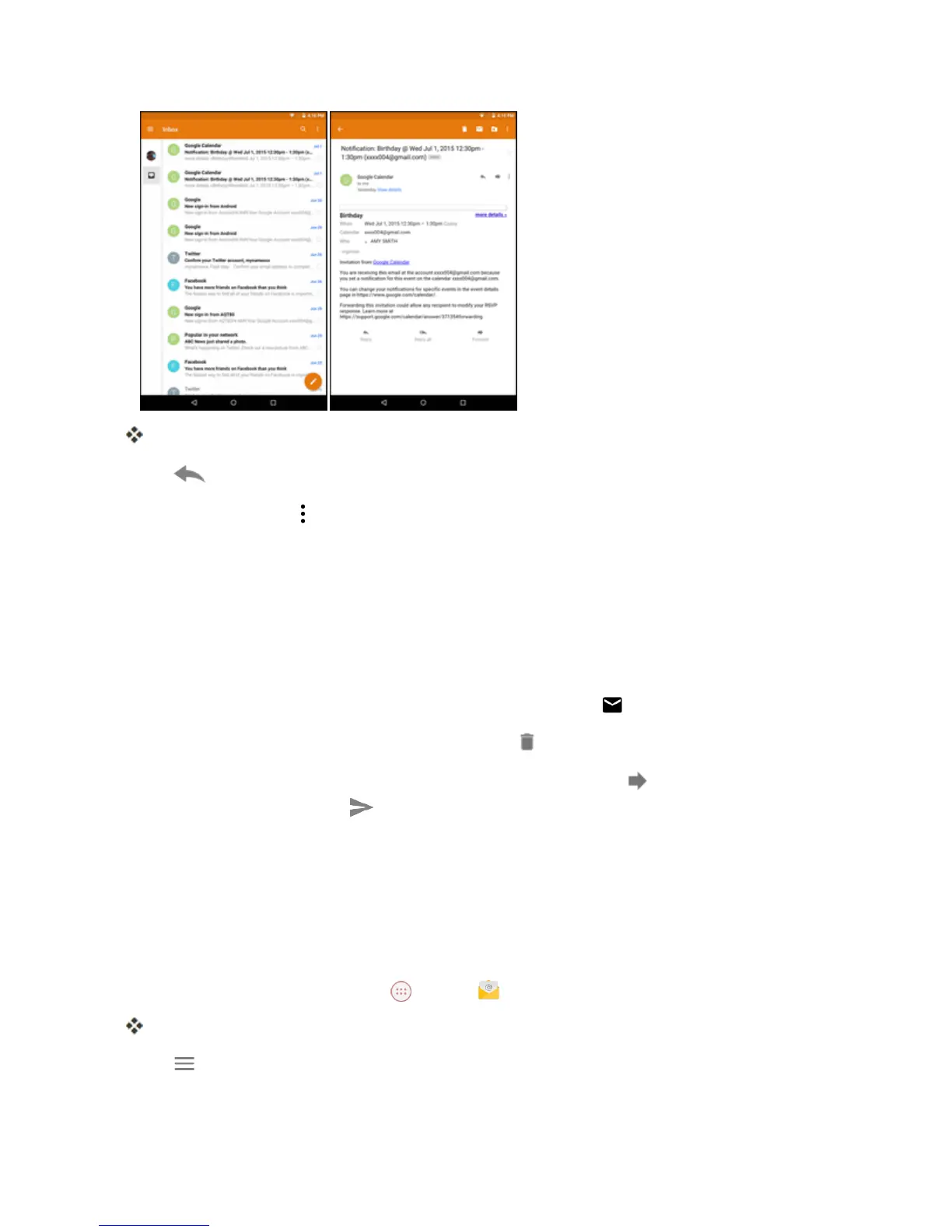
Theemailmessageopens.
3.
Tap toreplytothemessage.
l
Toreplytoall,tap >Reply all.
Tip:Taptheaccountnameatthetopofthescreentoswitchtoadifferentemailaccount.
Tip:Youcanalsoaccessnewemailmessagesfromthenotificationpanel.Pulldownthestatusbar
todisplaythenotificationpanel,andthentapanemailnotification.Theemailinboxwillopenand
displaythenewemailmessage.
Options when Reviewing Email Messages
n
Resetting Mail as Unread:Withtheemailmessageopen,tap .
n
Deleting Email:Withtheemailmessageopen,tap .
n
Forwarding Email Messages:Withtheemailmessageopen,tap ,enterarecipientandan
additionalmessage,andtap .
Manage Your Email Inbox
Youremailinboxprovidesmanagementoptionsforviewing,sorting,anddeletingyouremail
messages.
View Your Email Inbox
1.
FromtheHomescreen,tapApps >Email .
Theemailinboxopens.
2.
Tap andselectthedesiredaccount,ortapCombined viewtoseeallyouremailinboxesat
once.



 To Next Page