2-12
764333-098
• Service Printouts
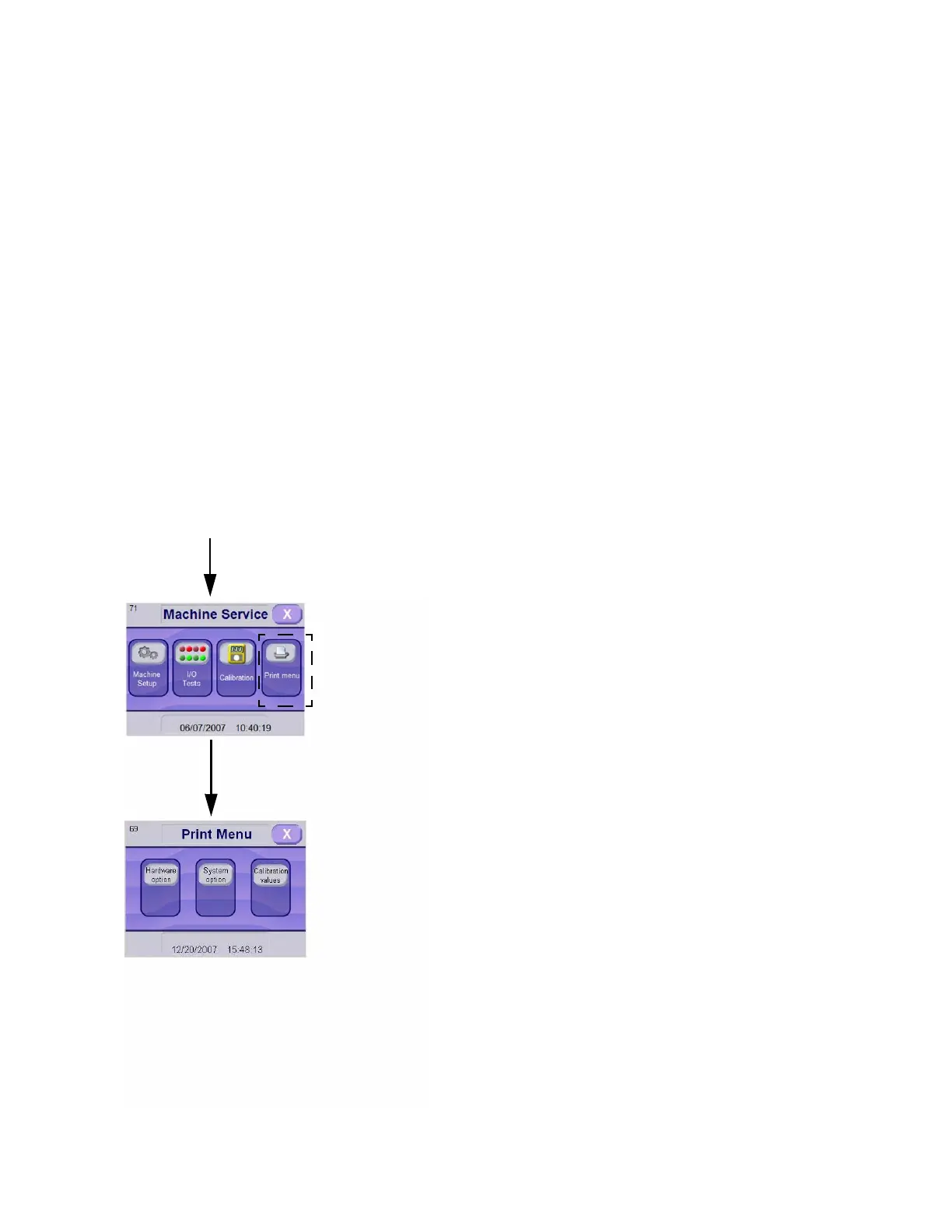
See Figure 2-9.
Printer Menu – Allows to generate printings for:
NOTE: Printer Menu touch pad is available in Ser-
vice Mode if printer is enabled (see S
ECTION 2.6,
E
NABLE/DISABLE PRINTER).
Hardware Options – Pressing this touch pad
generates a printout of unit configuration
(serial number, door configuration, detergent
conductivity option, vapor condenser, drain
cooldown, heat exchanger, pH neutralization
and heating source).
System Options – Pressing this touch pad gen-
erates a printout of all unit values (Detergent
monitor time, pH neutralization limits, etc.).
Calibration Values – Pressing this touch pad
generates a printout with calibration values for
the pH sensor and conductivity sensor.
2.7 SUPERVISOR PASSWORD MODIFI-
CATION
Supervisor mode is password protected to prevent
unauthorized changes to parameters of cycles and/or
operating values by unauthorized operators.
Supervisor and a service technician can access super-
visor mode. Only supervisor password can be modi-
fied, see Figure 2-10.
1. On Mode Selection screen, press OPTIONS touch
pad.
2. On Options screen, press SUPERVISOR MODE
touch pad. Numeric keyboard appears.
3. Enter supervisor password (1234 by default); then,
press ENTER touch pad.
4. Screen advances to the first supervisor screen.
5. Press RIGHT ARROW to advance to next screen.
6. Press SET ACCESS CODE touch pad.
7. Numeric touch screen appears.
8. Enter new password. Password must be composed
by four digits from 0 to 9999.
9. Press ENTER touch pad. Screen returns to super-
visor screen.
10. Press X touch pad to return to Options screen.
11. Press X touch pad to return to Mode Selection
screen.
Available Only If
Printer Is Enabled
Enter Service mode as explained in S
ECTION 2.1,
H
OW TO ENTER SERVICE MODE
Figure 2-9. Printer Menus
Press Touch Pad
to Obtain Desired
Printout
Press PRINT
MENU Touch
Pad













 To Next Page