4-10
764333-098
6. Clean all pump surfaces.
7. Lubricate new squeeze tube (P177950-583). Liber-
ally apply lubricant (P117950-599) over tube sur-
face to within 2" [51 mm] of each end.
8. Insert one end of squeeze tube into pump. Feed
tube through pump by manually rotating roller
block.
9. Spread lubricant over rollers in roller block.
10. Replace pump cover and fasten with screws pre-
viously removed.
11. Connect supply and injection hoses to ends of
squeeze tube and attach clamps.
12. Re-energize washer utilities.
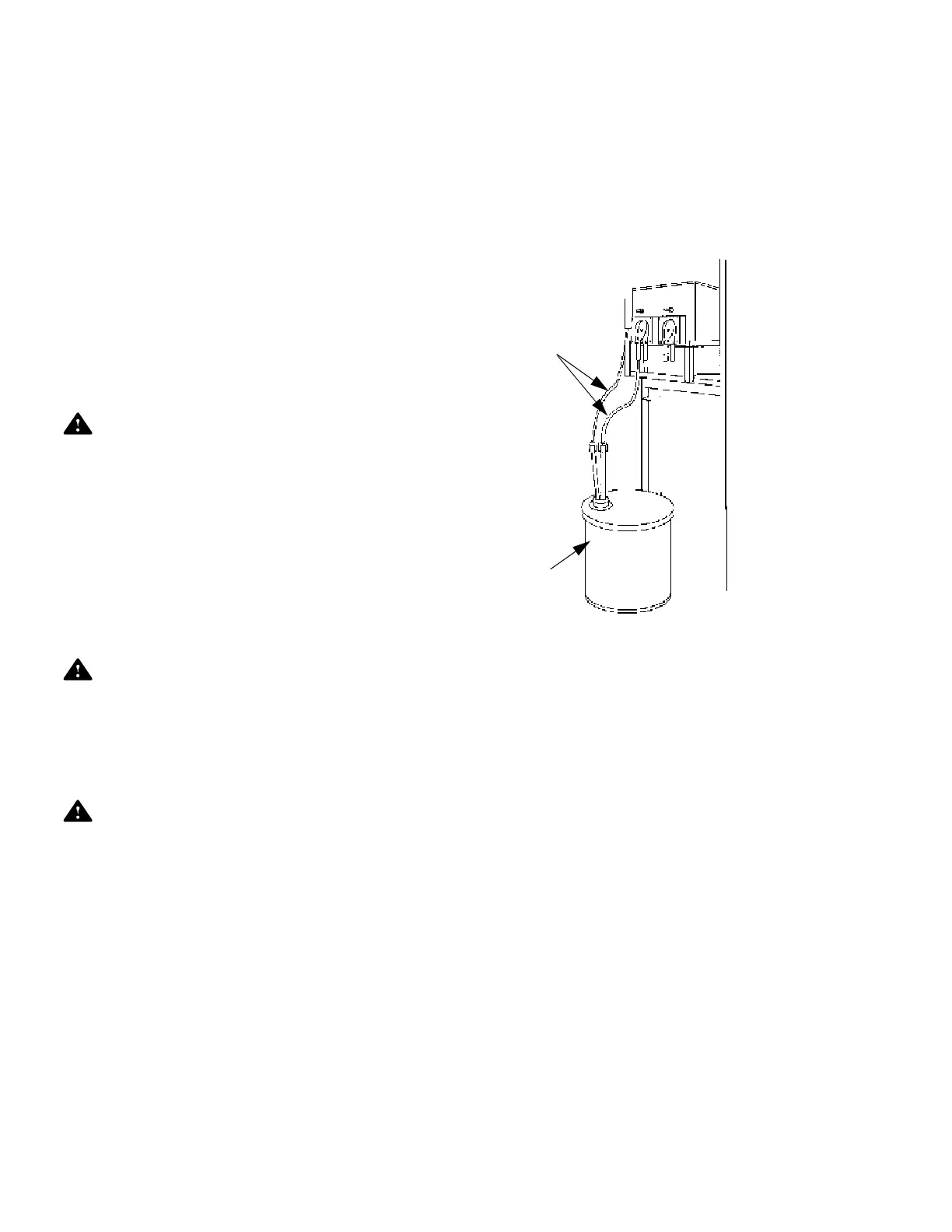
4.6.5 Replacing Detergent Container
WARNING – PERSONAL INJURY AND/OR
EQUIPMENT DAMAGE HAZARD:.
Washer chemicals are caustic and can cause
adverse effects to exposed tissues. Do not get in
eyes, on skin, or attempt to swallow. Read and
follow precautions and instructions on chemical
label and in Material Safety Data Sheet (MSDS)
prior to handling detergent containers, or servic-
ing detergent injection pumps, tank, and lines.
Wear Personal Protective Equipment (PPE) when-
ever handling chemicals or servicing chemical
injection pumps, tank, and lines.
WARNING – SLIPPING HAZARD: To prevent
slips, keep floor dry. Promptly clean up any
spills or condensation. If spilled liquids are deter-
gents or other chemicals, follow safety precau-
tions and handling procedures set forth on deter-
gent or chemical label/or Material Safety Data
Sheet (MSDS).
CAUTION – POSSIBLE EQUIPMENT DAM-
MAGE:
• When choosing a detergent, select one with a
low chloride content. Detergents with a high
chloride content can corrode stainless steel.
• Always use non-foaming chemical for effec-
tive cleaning and proper pump and water level
control operation. Follow manufacturer’s rec-
ommendations for amount of chemical to be
used.
To achieve maximum cleaning efficiency, select a
chemical appropriate to soil type being processed.
Always follow chemical manufacturer’s recommenda-
tions for amount of chemical to be used.
NOTE: Always use a non-foaming chemical for effec-
tive cleaning and proper pump operation.
When chemical is low or has run out:
1. Remove pickup tube and level sensor assembly
from empty container and remove container.
2. Install a new container.
3. Insert pickup tube and level sensor vertically into
new container.
4.7 PRINTER PAPER
• Changing Printer Paper Roll
1. Press on the dots on printer cover to release latch;
pull cover out towards you to completely disen-
gage cover; and then gently swing it down 180°
until it rests against equipment panel.
2. Press on the indentation on the right side-wall of
paper cover, gently pull to release, and swing door
to the left until it is open (see Figure 4-7).
3. Cut leading edge of paper roll straight and square
with the sides as shown on Figure 4-8.
4. Mount paper roll on paper-roll-holder, two plastic
protrusions shaped like domes, inside paper com-
partment. Paper must curl up as shown in Figure
4-9. Paper roll core must properly align with paper-
roll-holder. Make sure paper-roll-holder fits inside
paper core and paper roll can turn freely.
5. Hold both edges of paper and insert it straight into
paper slot of printer mechanism. Printer feeds
paper automatically.
Figure 4-6. Replacing Detergent Container
Detergent
Container
Supply Hoses













 To Next Page