7.2.9 Removing the specimens
1. To release the specimens, pull the quick-release ring.
2. When you have removed the specimens, lower the spring housing back into position.
7.2.10 Changing the specimen mover plate
If you wish to prepare specimens of another diameter, use a different specimen mover plate. The
specimens must fit the holes in the specimen mover plate.
1. Use the locking handle on the left side to unlock the specimen mover and let it move into
upright position.
2. Pull the quick-release ring and lift the housing.
3. Loosen the screw and remove the specimen mover plate.
4. Insert a specimen mover plate and rotate it until the two pins are aligned with the holes in the
specimen mover.
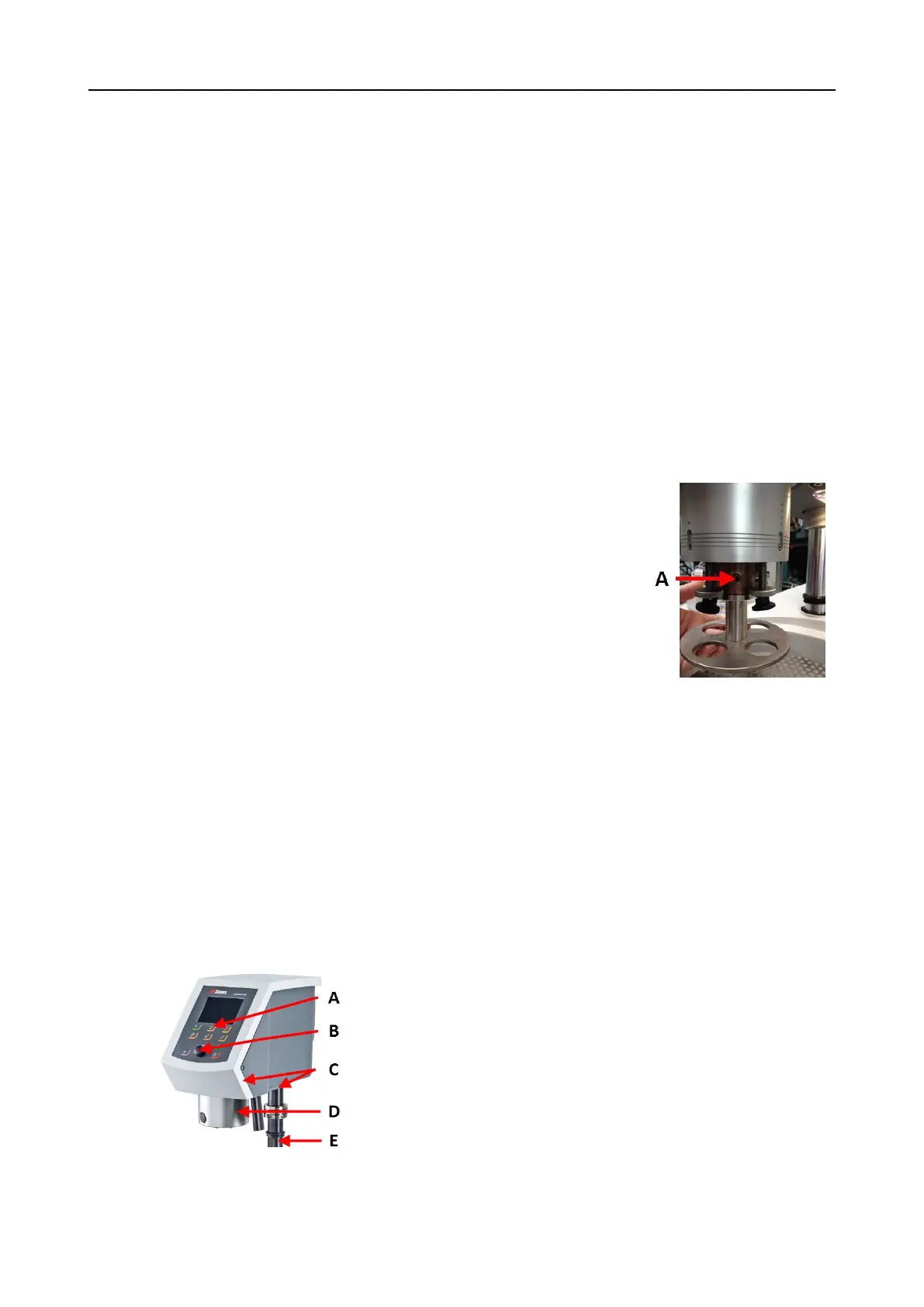
5. Push the specimen mover plate upwards and use the
Allen key to tighten the screw to secure it in position.
6. Make sure that the specimen mover plate is securely
mounted.
7. Make sure that the specimen mover plate is in a horizontal
position.
8. If needed, adjust the position of the specimen mover
plate. See Adjusting the horizontal position of the
specimen mover plate ►34
9. The specimen mover plate must be positioned to allow the
specimen to run 3 – 4 mm over the edge of the
preparation disc.
10. Lower the housing back into position.
A Screw
8 LaboForce-100
Front view
A Control panel
B Turn/push knob knob
C LED lights (not shown)
D Specimen mover head
E Control panel column
40 LaboPol-30
8 LaboForce-100











 To Next Page