8.2 Operate the device
8.2.1 Control panel functions
CAUTION
Keep clear of rotating parts during operation.
CAUTION
When working at machines with rotating parts, take care to prevent clothes and/or
hair from being caught by the rotating parts.
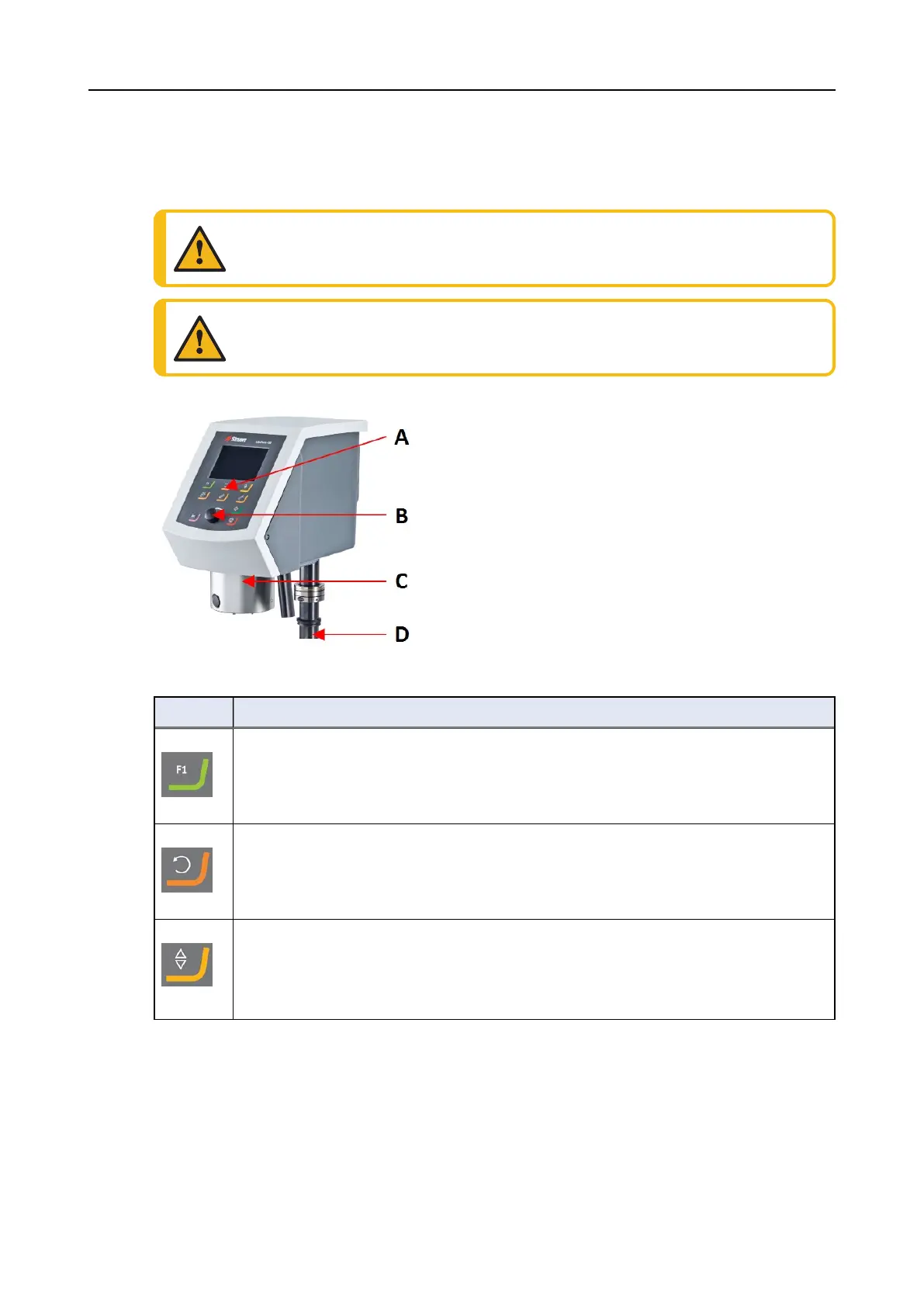
A Control panel
B Turn/push knob knob
C Specimen mover head
D Control panel column
Button Function
Function key
• Press this button to activate controls for various purposes. See the bottom line of
the individual screens.
Disc rotation
• Starts rotation of the disc (Spin function).
• Press this button again to stop the rotation.
Lower/Raise
Press this button to lowers and raise the specimen mover head when preparing single
specimens or when adjusting positions of the specimen mover plate or specimen
holder.
50 LaboPol-30
8 LaboForce-100









 To Next Page