8.1.6 The specimen mover
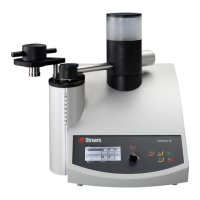
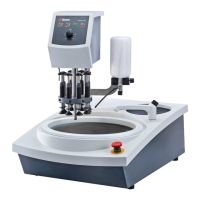
The specimen mover can be used with specimen mover plates for single specimens or specimen
holders for multiple specimens.
Insert a specimen holder
Insert a specimen holder
CAUTION
To prevent specimens from detaching from the specimen holder, make sure that
the specimen or specimens are clamped securely in the specimen holder.
CAUTION
Protective footwear is recommended when you handle heavy specimen holders.
CRUSHING HAZARD
Keep your hands clear of the specimen holder or specimen mover plate when
lowering the specimen mover.
Note
When you work with specimen holders, make sure that the screws clamping the
specimens do not stick out of the specimen holder.
Use different lengths of screws for specimens with different diameters.
Hint
The maximum height of specimens in the specimen holder is 32 mm.
If the specimens exceed 32 mm, the specimen holder cannot be placed in the
specimen mover head.
1. Press the Lower/Raise button to make sure that the specimen mover head is
fully raised.
2. Press the black button on the specimen mover head.
3. Insert the specimen holder and rotate it until the three pins are aligned with
the holes in the specimen mover.
4. Push the specimen holder upwards until it locks into position.
5. Release the black button on the specimen mover head. Make sure that the
specimen holder is securely fixed.
Hint
If you use a specimen holder, you do not need to adjust the height.
8 LaboForce-100
LaboPol-30 43



 To Next Page