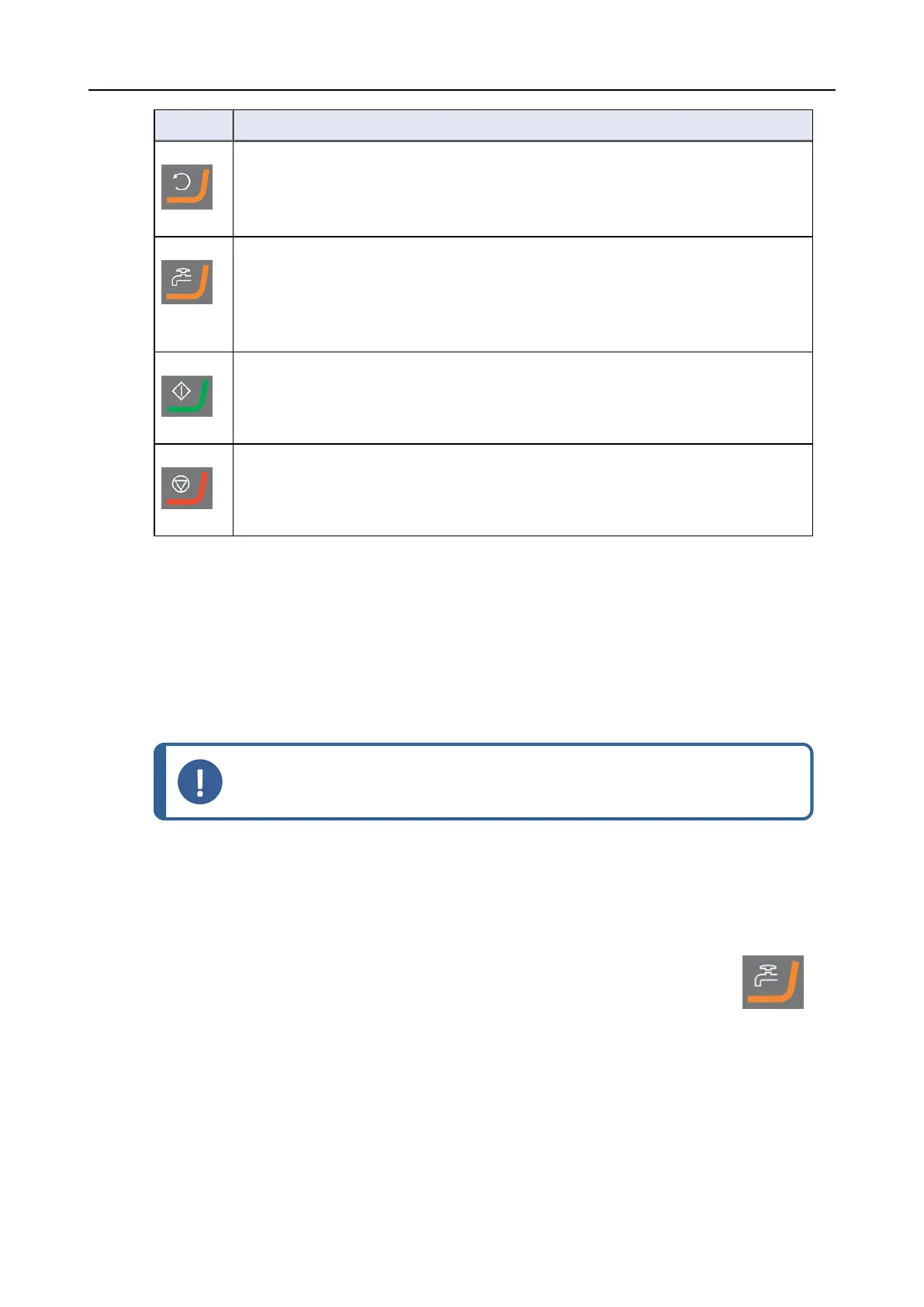
Button Function
Disc rotation
• Starts rotation of the disc (Spin function).
Water
Manual override
• Press the button to apply water. Water is applied when no process is running.
• Press the button again to stop applying water.
Start
• Starts the preparation process.
Stop
• Stops the preparation process.
9.2.2 Water tap
Apply water automatically
Water is applied when a process is running.
• During grinding, open the nozzle on the water tap to apply water.
• During polishing, close the nozzle on the water tap.
Note
Close the water tap before you start a polishing process.
For optimal results and to avoid splashing, position the water tap between the center and the left
edge of the polishing disc.
Apply water manually
• To start applying water, press the Water button and open the water tap.
• To stop applying water, press the Water button or close the water tap.
9.2.3 The spin function
Only use the spin function to rotate the preparation disc at high speed
• to remove water from the surface of the disc.
• to remove water from an MD-Disc or a SiC Foil/SiC Paper before you remove it,
9 LaboForce-Mi
LaboPol-30 71











 To Next Page