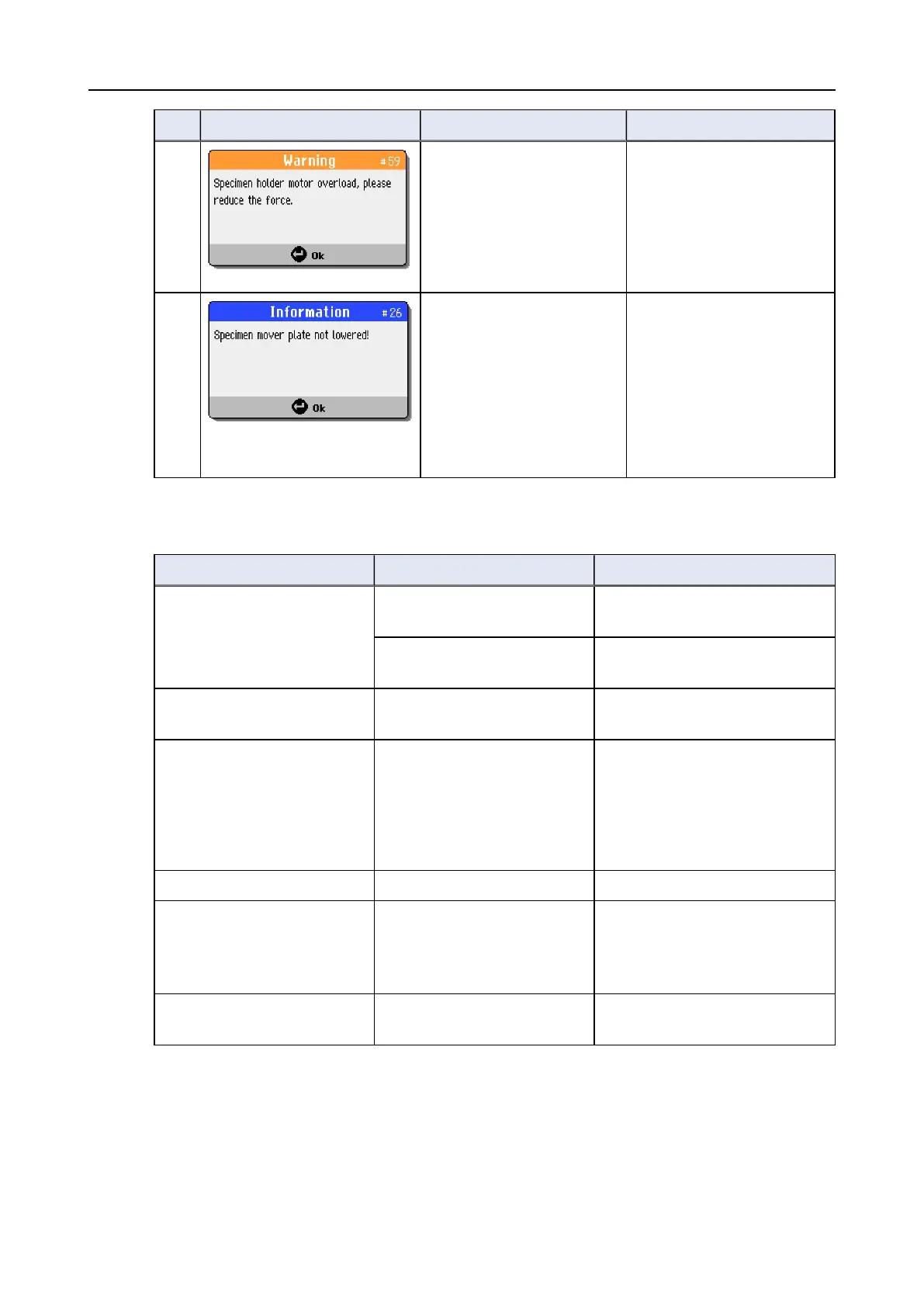
# Error Message Explanation Action
59 Reduce the force or/and
increase the specimen
rpms.
Restart the process.
If the error remains, contact
Struers Service.
26 The pneumatic head with
specimen mover plate is not
down when the process is
started.
Appears if method is started
in single specimen mode
(SS) and mover plate is not
lowered.
Lower the pneumatic head.
Restart the process.
13.4 LaboForce-Mi
Error Cause Action
Specimen holder plate
vibrates.
Specimen holder plate screws
loose.
Tighten specimen holder plate
screws.
Specimen holder plate
unbalanced.
Replace specimen holder plate.
The preparation disc runs
unevenly or stops.
Force too high. Reduce the force.
The preparation disc stops. Frequency inverter has
stopped the equipment.
Switch the equipment off.
Wait for a few minutes, then re-
start.
If the error remains, contact
Struers Service.
The column starts to turn. Column screws loose. Tighten the screws immediately.
The force adjustment screw
rotates by itself when a
specimen passes the centre
of the preparation disc.
The friction between the force
adjustment screw and the
rubber pressure foot is too
high.
Add a drop of oil on the contact
surface of the rubber pressure
foot to reduce the friction.
Uneven specimens. Specimens are passing over
the center of the disc.
Reposition the horizontal position
of the control panel.
96 LaboPol-30
13 Troubleshooting









 To Next Page