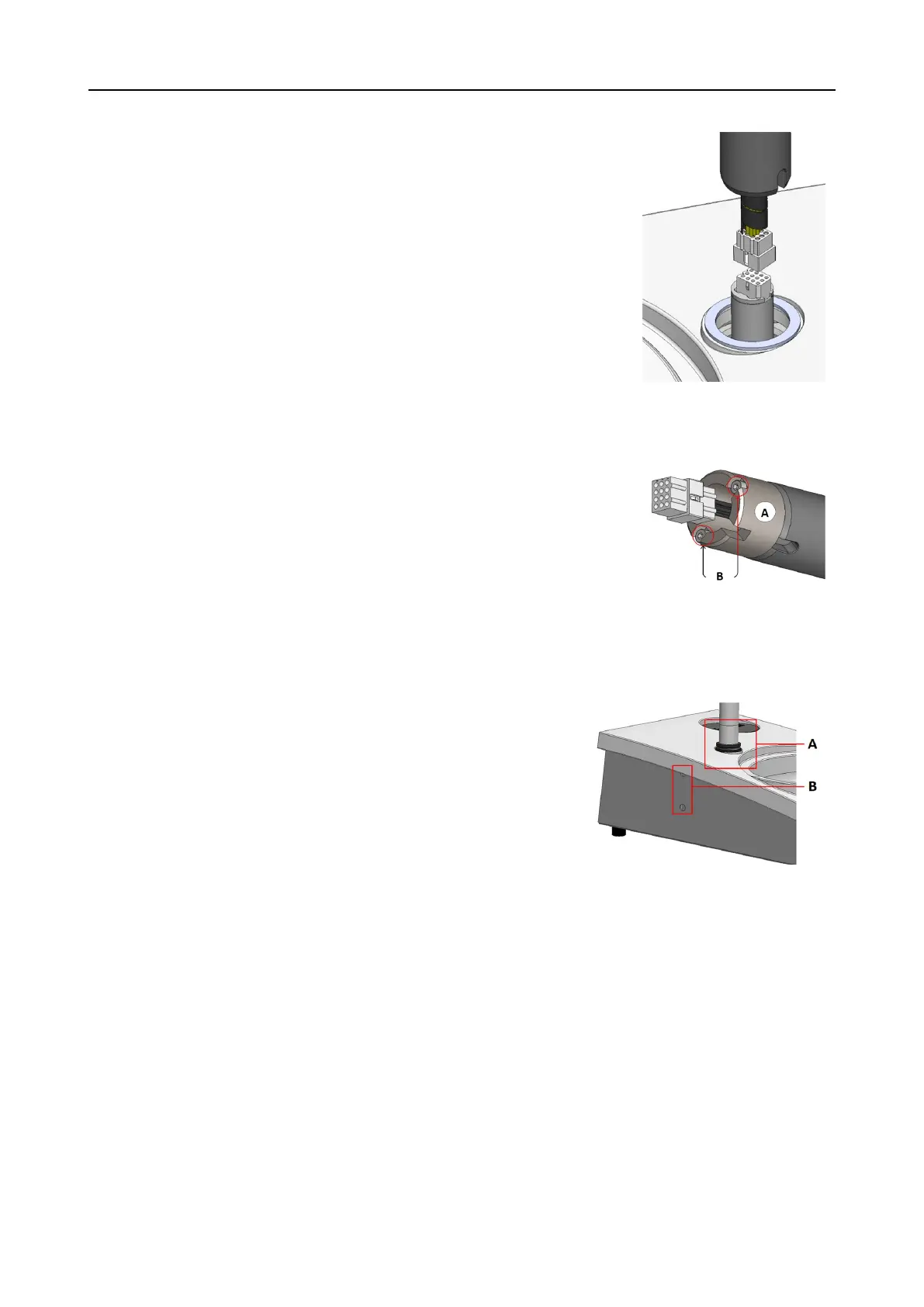
1. Remove the plastic disc protecting the communication
cable.
2. Connect the communication cable on the column to the
connection port on the machine.
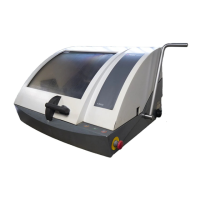
3. Use the M4 screws to mount the spacer on the bottom of
the column.
4. Guide the column down into the connection hole.
5. Turn the column until the spacer sits securely in the
connection hole.
A Spacer
B M4 screws
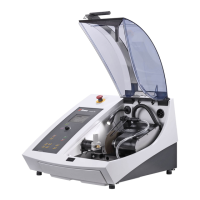
6. Slide the black V-ring down the column until it covers the
connection hole.
7. Use the Allen key to tighten the two fastening screws. Do
not tighten the screws completely.
A V-ring
B Fastening screws
7.1.4 Adjusting the specimen mover
Insert a specimen mover plate
Before you adjust the specimen mover, you must insert a specimen mover plate.
For approved specimen mover plates, see:
• The LaboSystem brochure (https://www.struers.com/Products/Grinding-and-
Polishing/Grinding-and-polishing-equipment/LaboSystem)
32 LaboPol-30
7 LaboForce-50











 To Next Page