EN-12
Loading Patient Information
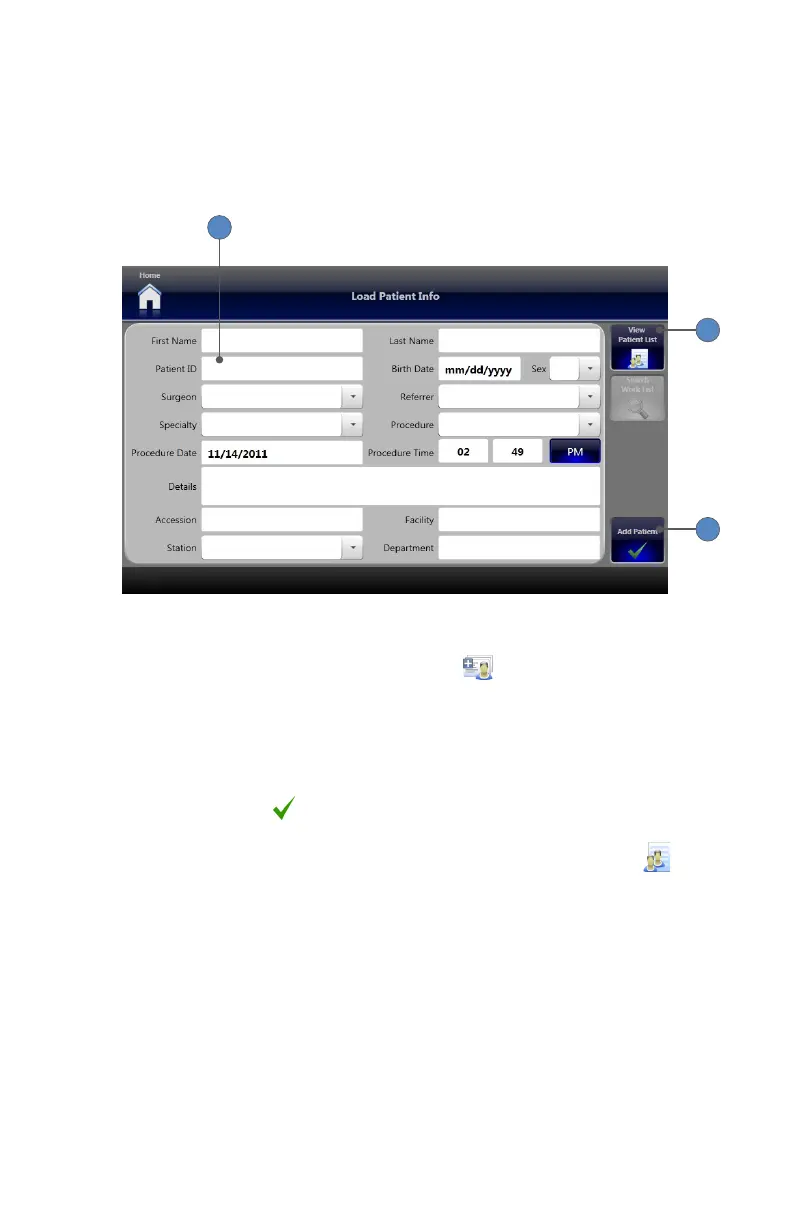
Patient information (name, ID, procedure, etc�) can be pre-loaded into the system so it will be
available when creating new patient cases� The patient information entered and saved in the
Load Patient Info screen becomes available as a Current Case in the dropdown menu on the
Capture screen�
2
4
3
To load patient information into the SDC3:
1� On the Home Screen, press the LOAD PATIENT INFO button� The Load Patient Info
screen will appear�
2� Populate the desired data elds�
• Touch the desired eld to open a keyboard for typing in data, or
• Select a value from the dropdown list�
• At a minimum, the Patient ID eld should be populated� All other elds are optional�
3� Press the ADD PATIENT button to save the patient information and add the patient to
the current case list�
4� To view patients currently loaded into the system, press the VIEW PATIENT LIST tab�












 To Next Page