EN-13
Viewing the Patient List
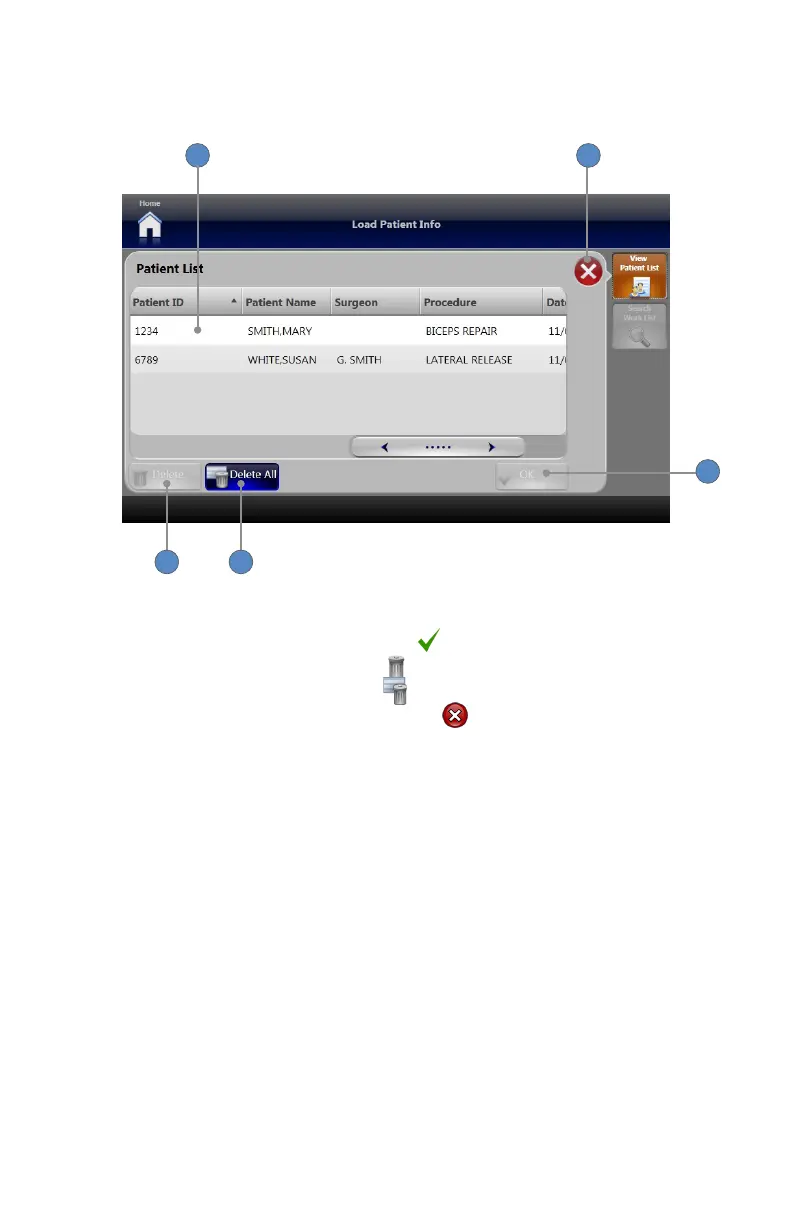
The Patient List screen displays patient cases that have already been loaded into the system�
1
2
3 4
5
1� To select a case for editing or deletion, touch the corresponding row�
2� To view or edit the selected case, press the OK button�
3� To delete the selected case, press DELETE button�
4� To delete all cases, press the DELETE ALL button�
5� To return to the Load Patient Info screen, press the button�












 To Next Page