EN-16
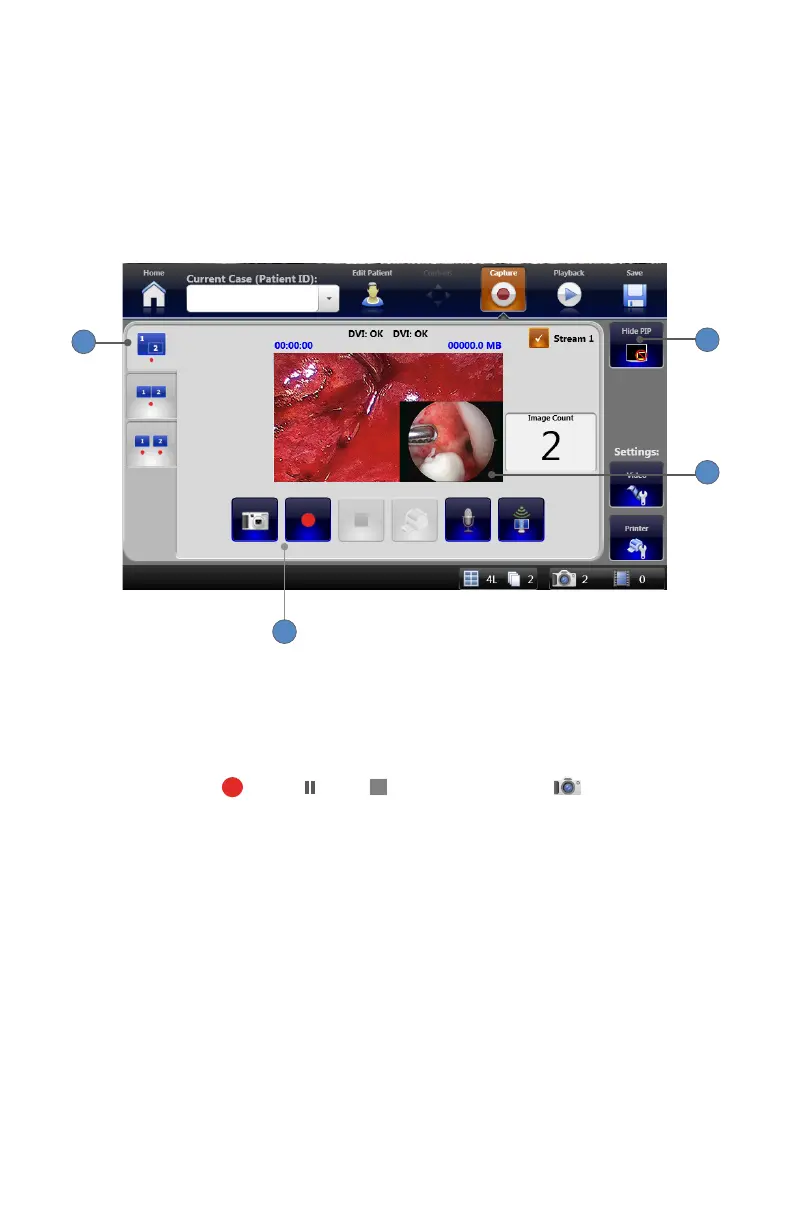
Recording Picture-in-Picture Images and Video
When two video sources are connected to the SDC3, the system can display Picture-in-Picture
(PIP) video� In PIP mode, video from Channel 2 appears in the lower corner of the Channel 1
screen� The SDC3 records images and videos from both sources as one le�
Note: Dual Channel mode must be selected in the General Application settings to enable this
function.
1
3
2
4
To record PIP video or capture PIP images:
1� Select the PIP tab�
2� Press the HIDE/UNHIDE PIP button�
3� The picture from Channel 2 will appear as a picture in the corner of the Channel 1 screen�
4� Use the RECORD , PAUSE , STOP , and IMAGE CAPTURE buttons to record
video or capture images�












 To Next Page