S Class 2 cutter Service manual
Replacements guidelines 2-16
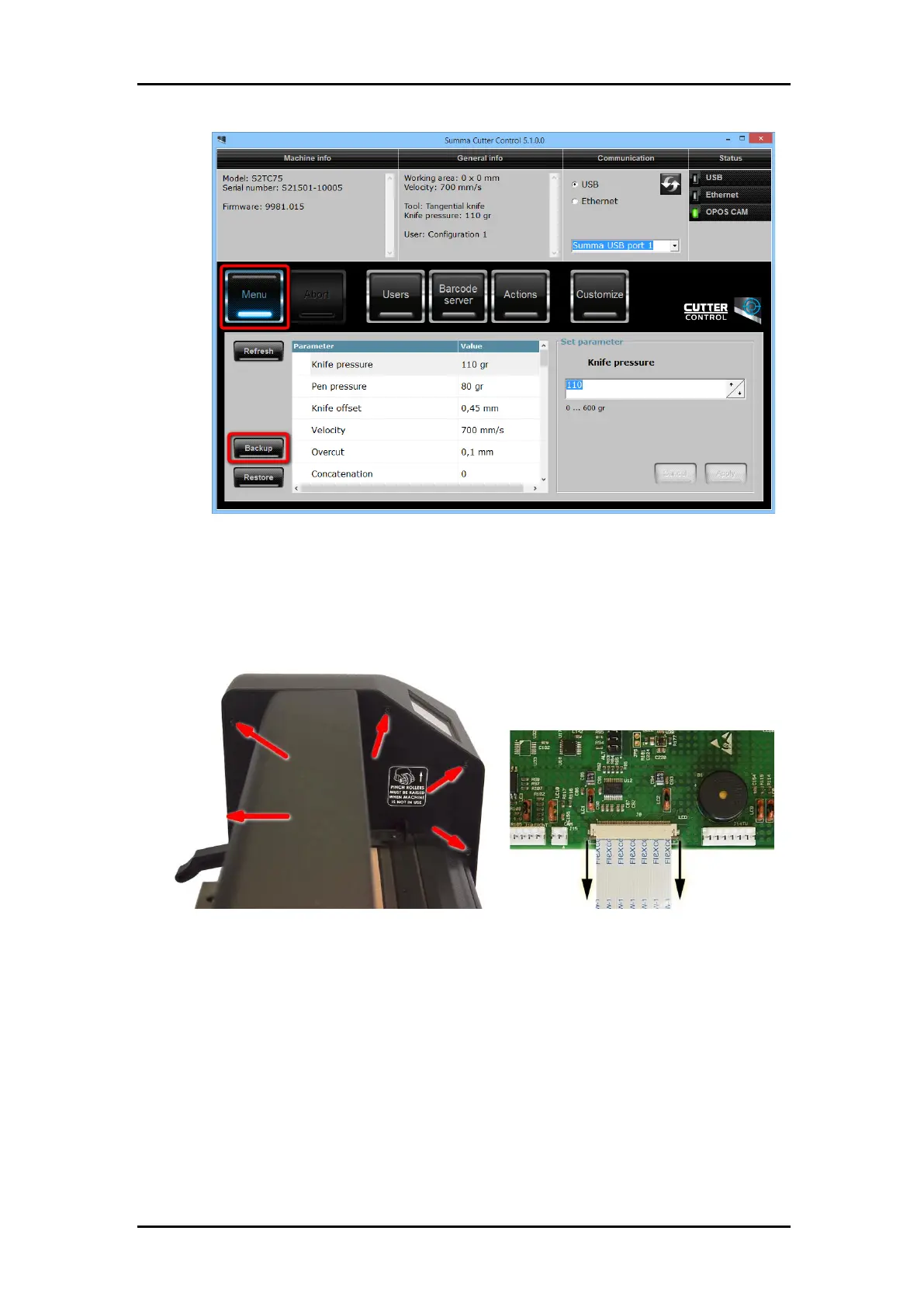
Remember the location where the backup is stored.
2. Disconnect the power cord and the USB and/or LAN connector. Remove the USB-stick.
3. Remove the right-hand cover. The cover is fixed by 5 screws. When sliding away the
cover, take care for the flat cable running from the display to the main board. Remove
this flat cable at the main board end by sliding away the latch on the connector, then pull
gently on the flat cable.
4. Disconnect the various connectors from the main board. Pay close attention to the
positioning of the connectors. They should be returned to their original location when re-
installed.
5. Remove the flat cable(s) for the head by pulling the flat cable lock up. On both sides of
the connector cover there is a small protuberance that you can pry up using a
screwdriver. Gently pull the flat cable(s) out of the connector.



 To Next Page