S Class 2 cutter Service manual
Calibration 3-14
3.5 OPOS Calibration
3.5.1 OPOS has to be recalibrated when:
the knife has been changed.
the tool carriage has been replaced
the PCB has been replaced or defaulted
There are three basic OPOS calibrations:
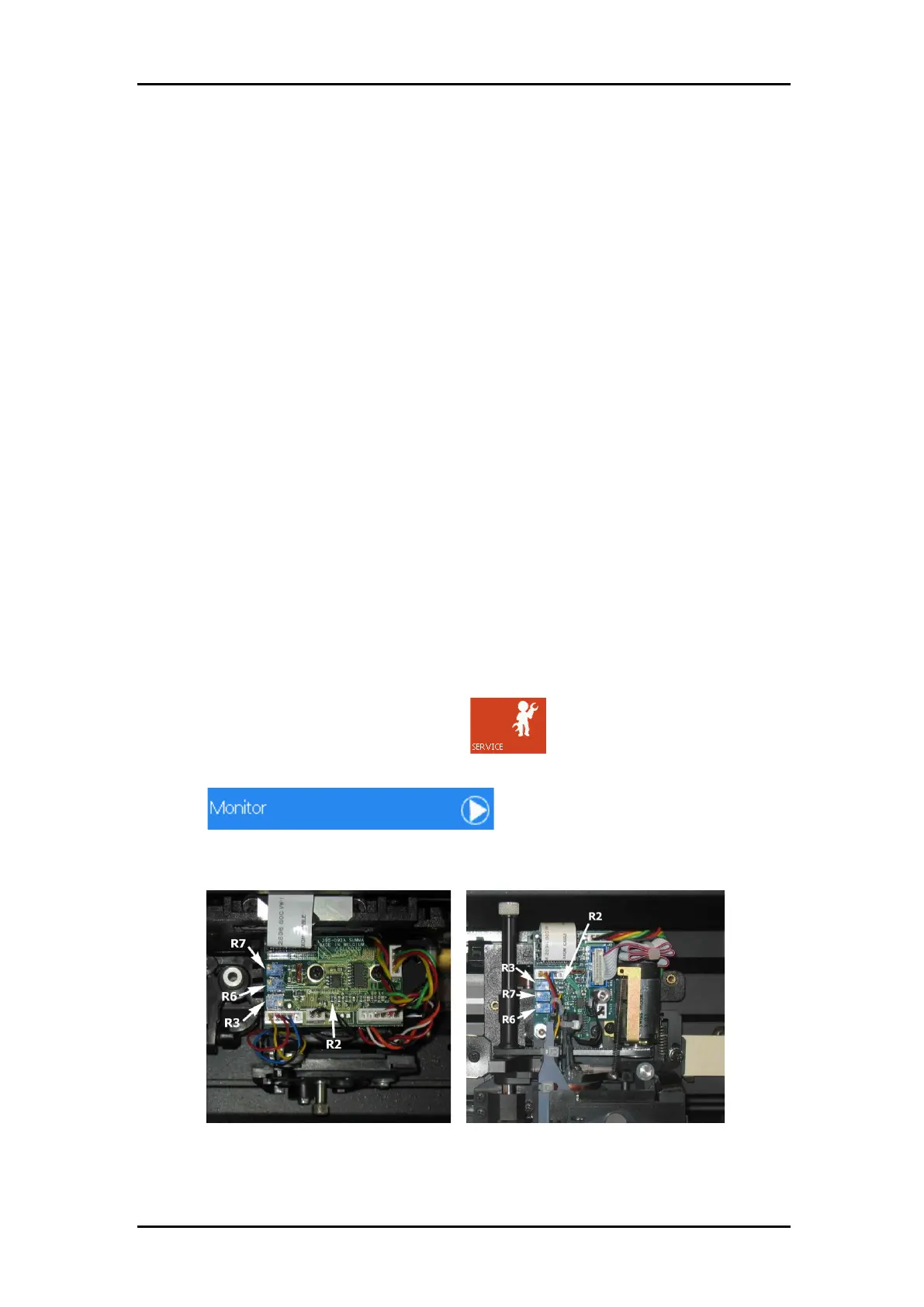
1. Hardware electronic calibration of the sensor (calibrating potentiometers on head)
2. Calibration of de distance between the sensor and the knife tip.
3. Media calibration for OPOS.
The only calibration that will be used is the second one. The first calibration is normally done
at the factory. The third calibration is only needed when the sensor cannot see the difference
between the marker color and the media color. So practical when changing head or main
board, check calibration 1 and do calibration 2.
3.5.2 Setting of potentiometers
To calibrate the potentiometers exactly, use MI 9104. This is printed out with the exact colors
to calibrate OPOS. The media used in MI9104 is 3M cast white vinyl. Black is printed with a
thermal transfer printer from Summa. Gray is 20% black printed 50 lpi ellipse.
1. Power on the cutter in Service Mode, press .
2. The service menu will appear on the screen.
3. Press .
4. The monitor screen will appear.
5. Put white vinyl underneath the senor (make sure the sensor stays upright). Turn on R6
until the touch screen reads 120.



 To Next Page