S Class 2 cutter Service manual
Replacements guidelines 2-29
2.18 Replacing the Pinch Roller Handle
This procedure describes how to replace the cam handle.
2.18.1 Required Tools
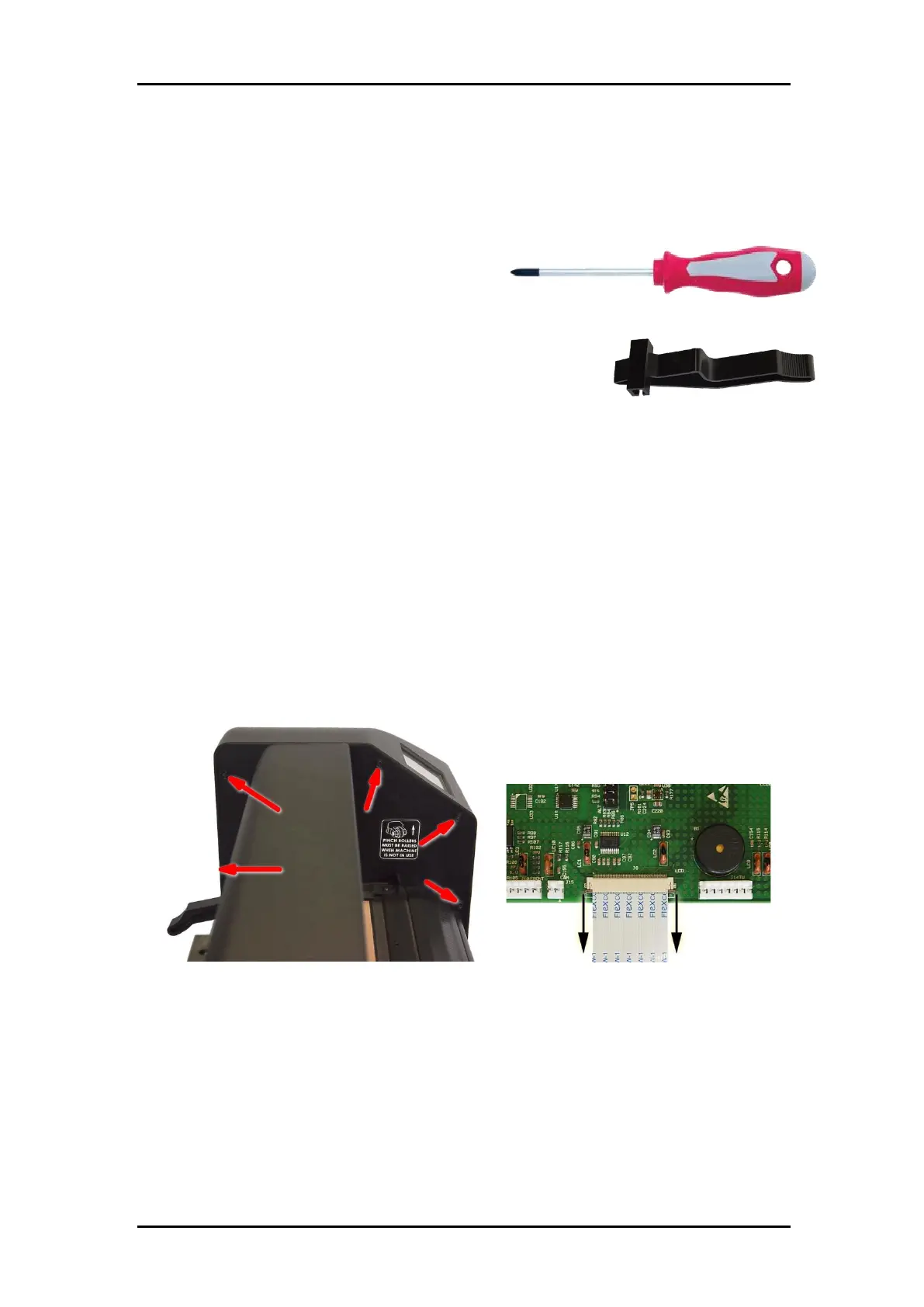
Philips screwdriver #1
2.18.2 Required Parts
Cam Handle, part number 395-012
2.18.3 Procedure
To replace the cam handle, proceed as follows:
Switch the cutter off.
Disconnect the power cord and the USB, RS232 or LAN connector. Remove the USB-
stick.
Remove the right-hand cover. The cover is fixed by 5 screws. When sliding away the
cover, take care for the flat cable running from the display to the main board. Remove
this flat cable at the main board end by sliding away the latch on the connector, then
pull gently on the flat cable.
Raise the pinch rollers. Loosen the input filter (2 screws) and let it hang outside.



 To Next Page