S Class 2 cutter Service manual
Calibration 3-5
NOTE: The cutter will only be as accurate as the accuracy of the calibration. If the ruler
(measuring device) is inaccurate, then re-calibrating may make the cutter’s accuracy worse.
The accuracy of calibration will be directly reflected in the cuts. Set the cutter to Metric to
do the calibration. It is more accurate than the English unit system.
7. Press to proceed with the calibration, press to stop.
8. Use or to change to the value of the measured length between the two
cut lines down the length of the vinyl roll.
9. Press to confirm the value of the measured length.
TIP: Once this user is calibrated, change the user name. This makes it easy for future
reference.
3.2.3 Calibration via Summa Cutter Control:
1. Load media in the machine (the wider the media, the more accurate the calibration).
2. Start the Summa Cutter Control program.
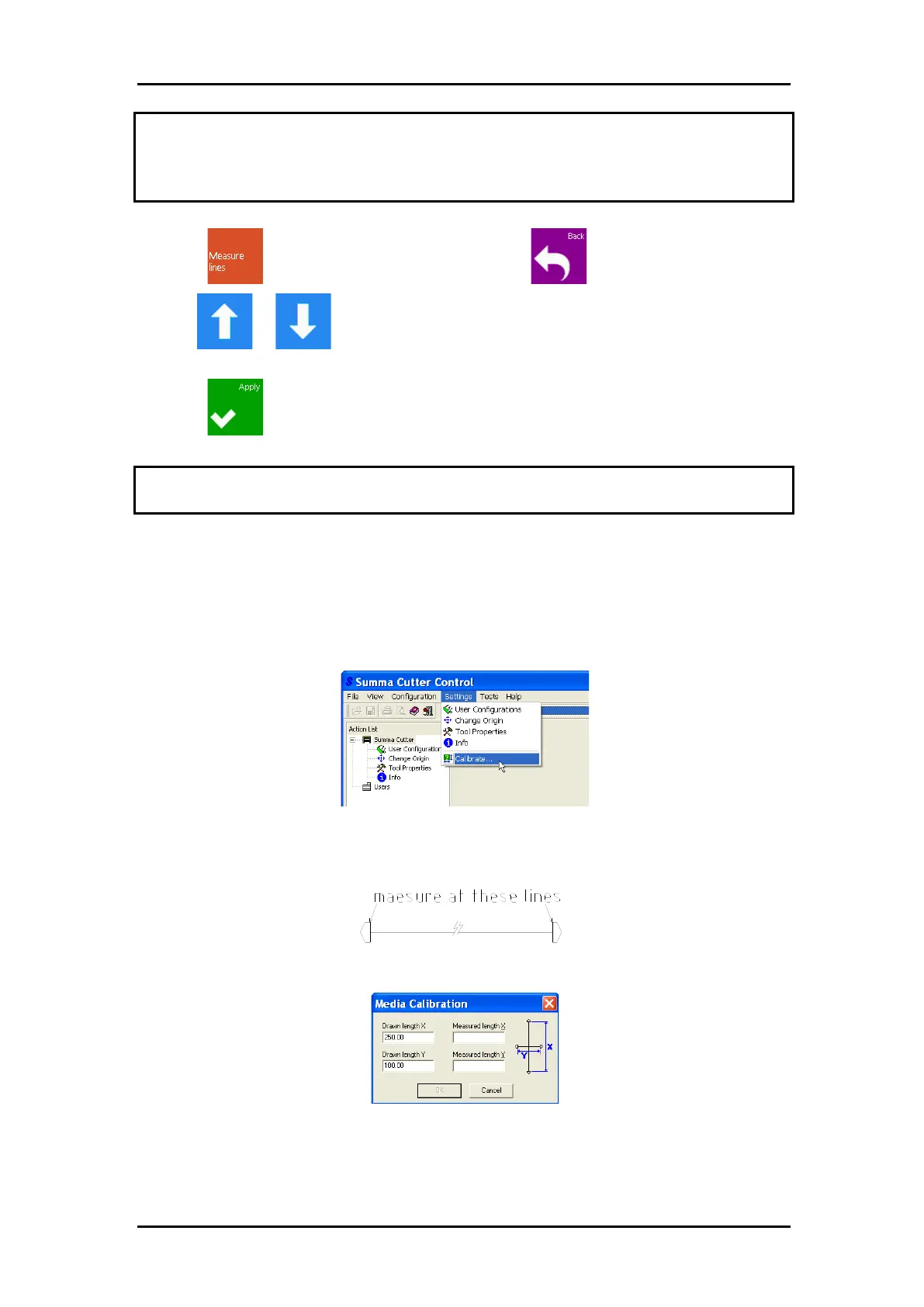
3. Select Settings -> Calibrate.
The cutter will reload the media and perform the length calibration test. Take the media
and measure the length of the cut line with a ruler (measuring device). The length that has
to be entered is the distance as shown in the figure.
4. Measure the test pattern and enter the measurements it in the dialogue box.
5. Switch the machine on and off so that the new calibration parameters will come into
effect.



 To Next Page