S Class 2 cutter Service manual
Maintenance and Cleaning 5-4
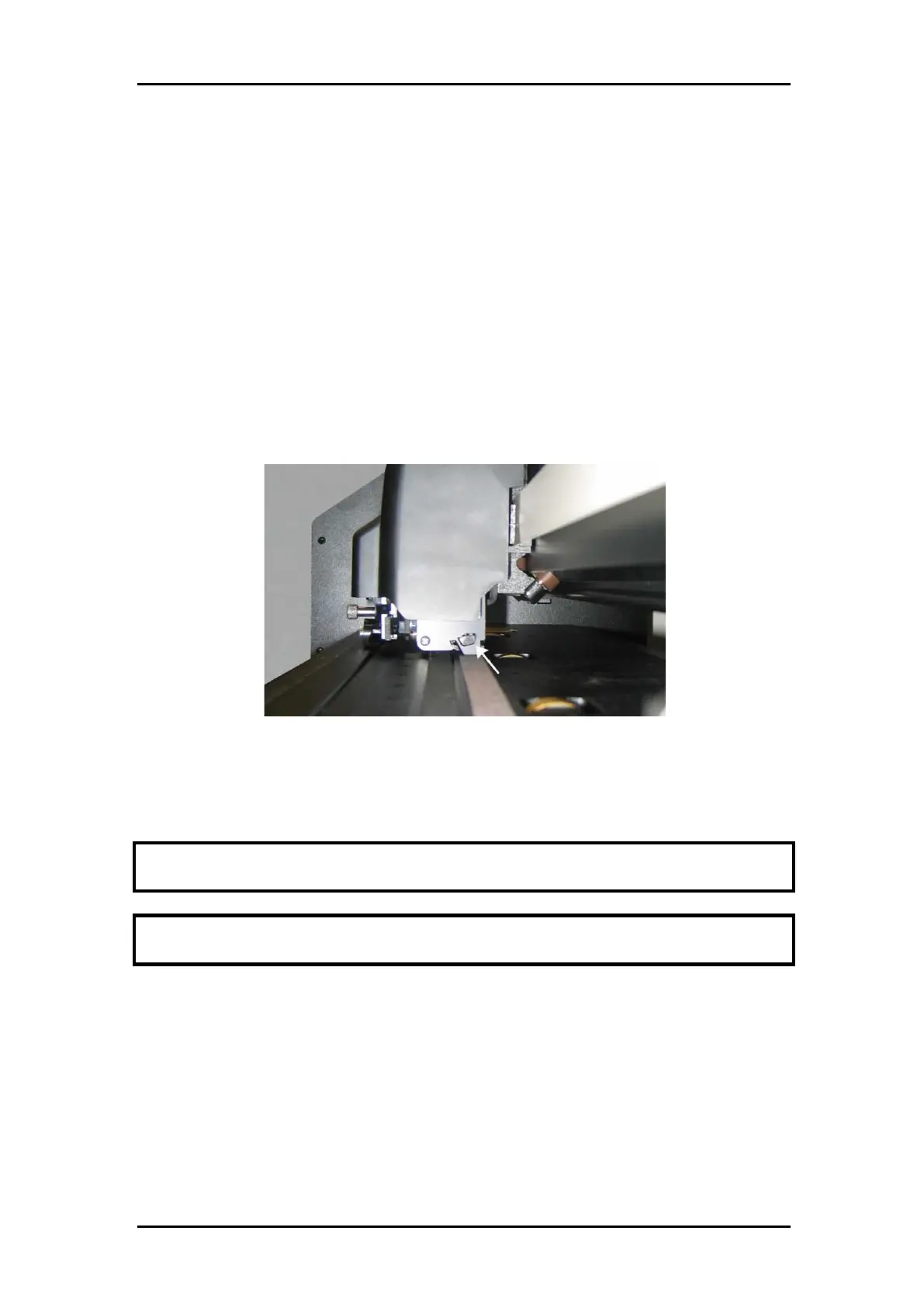
5.6 Cleaning the OPOS system.
The optical system will collect dust. Therefore, the small hole in the sensor should be cleaned
regularly with a cotton-tipped swab.
Cleaning the OPOS system:
Locate the hole in the OPOS sensor holder at the left side of the tool carriage.
Remove the sticker from over the hole.
Clean by wiping it out with cotton swabs.
Do not forget to replace sticker again afterwards.
FIG 5-1
5-1 CLEANING OPOS SENSOR
5.7 Changing the fuse
CAUTION: Before changing the fuse, make sure that the cutter is completely disconnected
from its power source.
CAUTION: For continued protection against risk of fire, replace only with the same type and
rating of fuse: T2.0A, 250V SCHURTER SPT OR EQUIVALENT.
• To remove the fuse (3), lightly pry the fuse holder release clip in the direction opposite the
power switch. The fuse holder will pop free.



 To Next Page