S Class 2 cutter Service manual
Calibration 3-7
The knife depth is set correct when the test pattern is visible on the front side of the media
backing, however the knife may not have cut in the media backing.
3.3.1.3 Knife offset calibration (drag only):
Typical knife offset for Summa knifes is 0.41-0.45 for standard knives and 0.9-0.97 for
sandblast knives.
1. Power on the cutter, load media, and mount knife.
2. Press .
3. Press .
4. The current knife offset will appear on screen.
5. Use or to change the knife offset.
The new value (in bold) will change.
1. Press to perform the internal knife offset test.
2. Press to confirm and leave the knife offset menu.
3. Press to leave the knife offset unchanged.
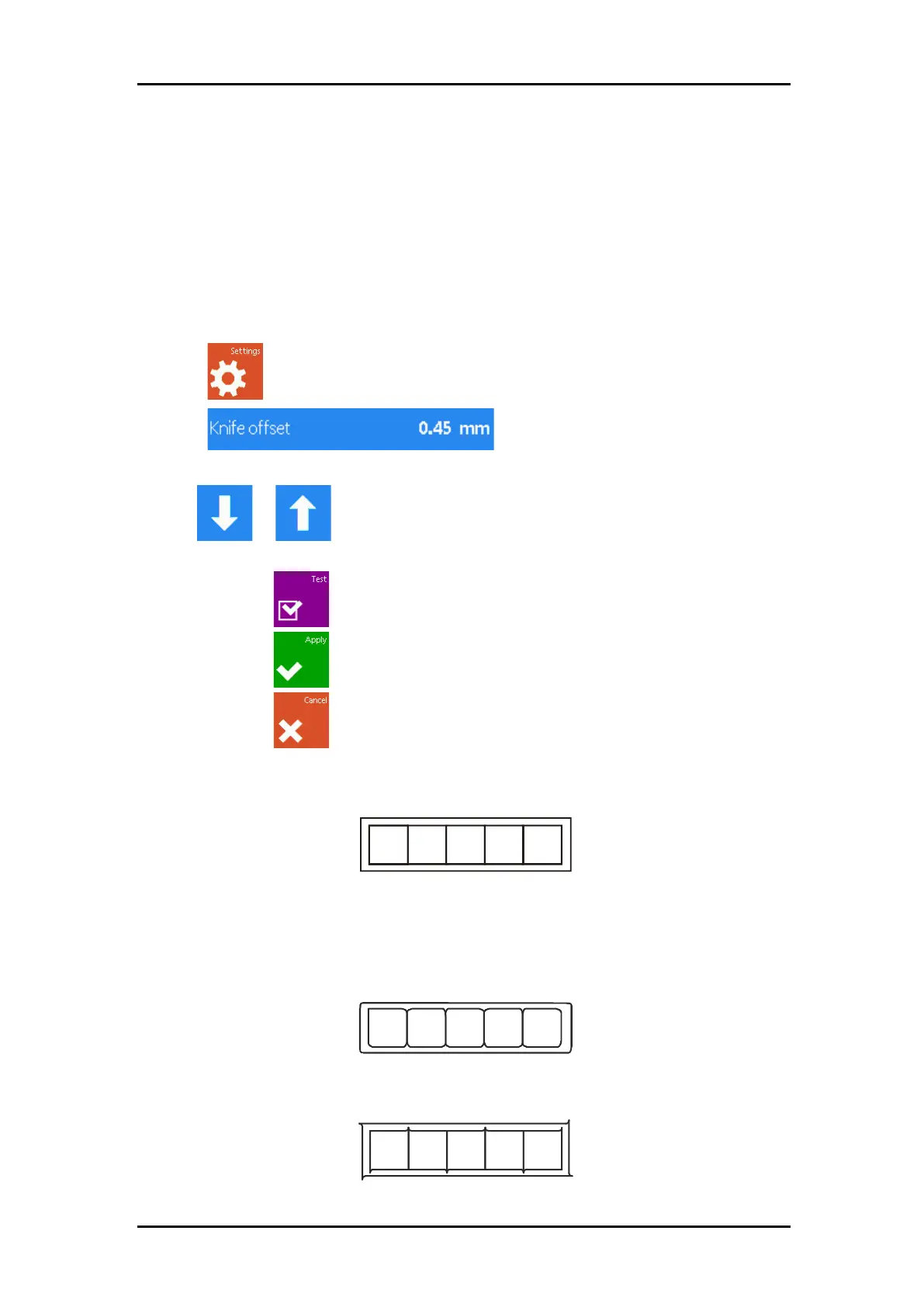
When the knife offset is set correct then the test pattern looks like this:
FIGURE 2-3
CORRECT KNIFE OFFSET PATTERN
When the knife offset is too low then the test pattern looks like this:
When the knife offset is too high then the test pattern looks like this:



 To Next Page