10. AC. Generator / Start Clutch
10-3
Right Crankcase Cover Removal
Remove left side cover.
Remove seat and luggage box
.
(Refer chapter 13)
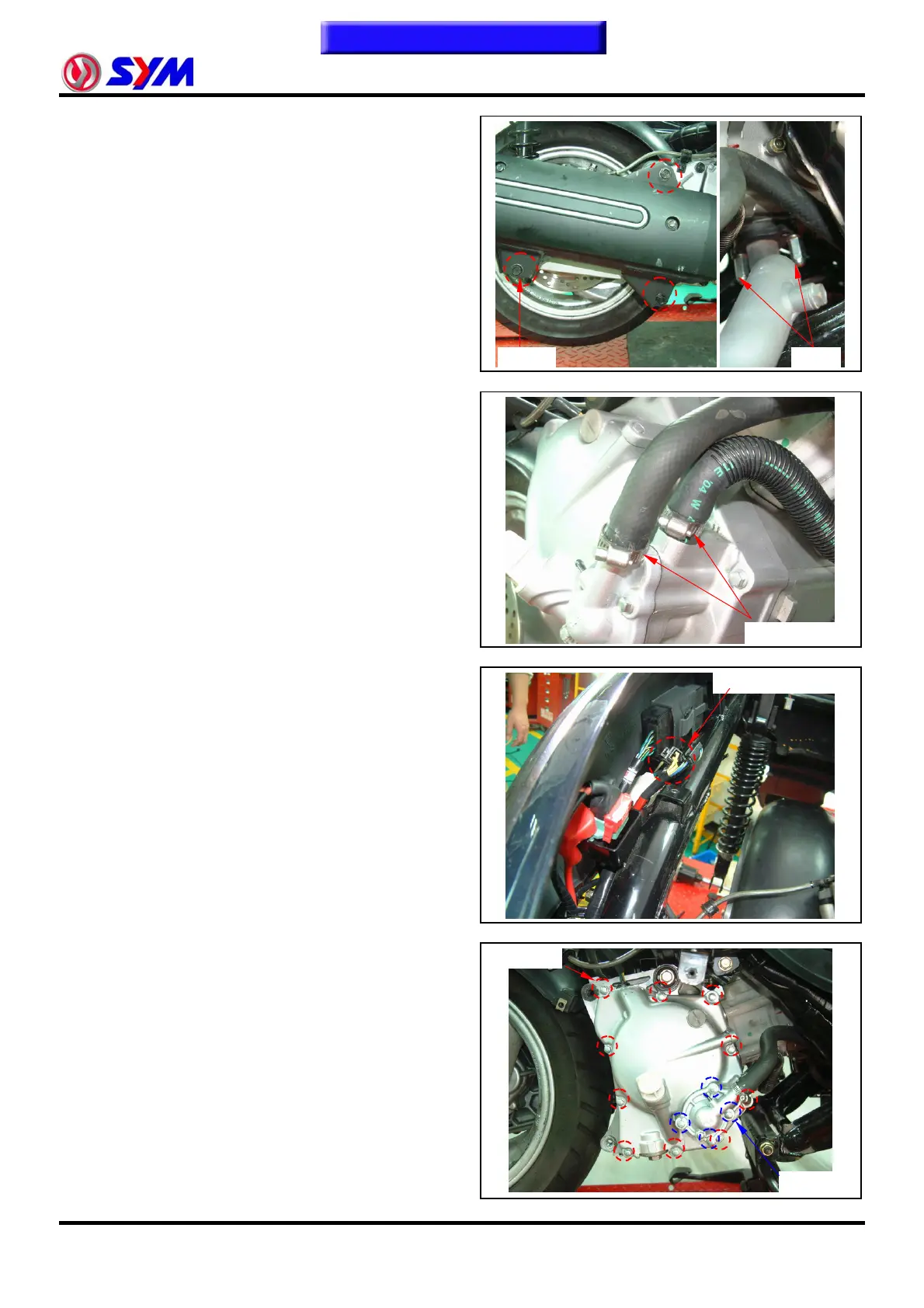
Remove the exhaust muffler (3 bolts, 2 nuts).
Drain out the engine oil and coolant (refer chapter
5).
Remove coolant hoses.
Disconnect the couplers of the power source
output line.
Remove water pump cover (4 bolts).
Remove 10 bolts from the right crankcase cover.
Remove the right crankcase cover.
Remove dowel pin and gasket.
Coolant hoses
Generator couplers
10 bolts
To this chapter contents
3 bolts
2 nuts
4 bolts


 To Next Page
 Loading...