13. Body Cover
13-7
Inner Box
Remove
Remove wind screen garnish, wind screen, meter
visor, front cover, meter panel, R/L side cover and
front under spoiler.
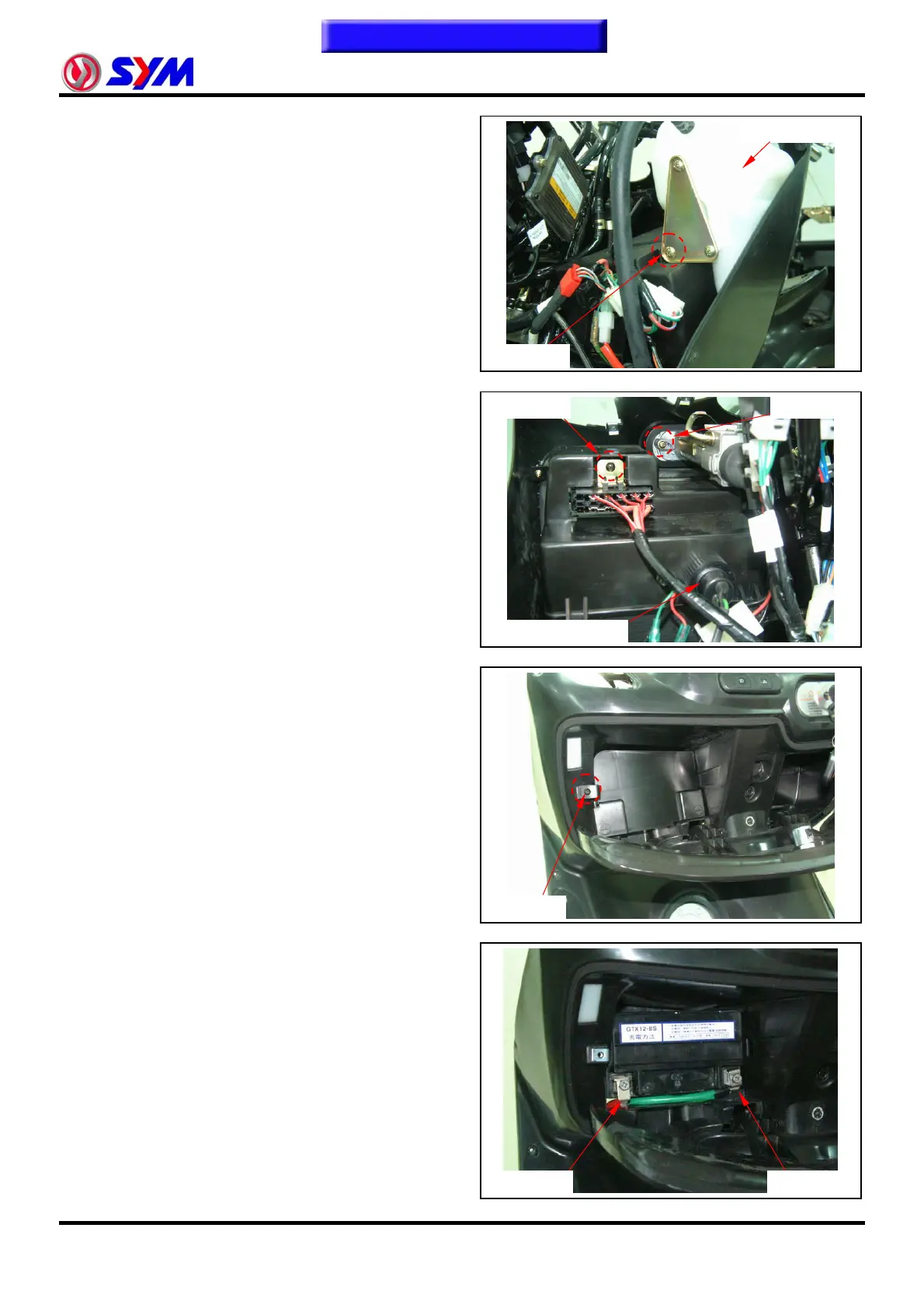
Loosen 1 screw from reserve tank stay.
Loosen 1 screw from fuse box and remove it.
Loosen 1 screw from main switch cap and remove
the cap.
Loosen DC power output mounting nut, and
remove DC power output.
Loosen 1 screw from battery cover and remove it.
Remove the battery negative (-) cable.
Remove the battery positive (+) cable.
Remove the battery.
Reserve tank
1 screw
1 screw
1 screw
DC power output
1 screw
Positive
Negative
To this chapter contents


 To Next Page
 Loading...