T6090 Maintenance Manual
4–40
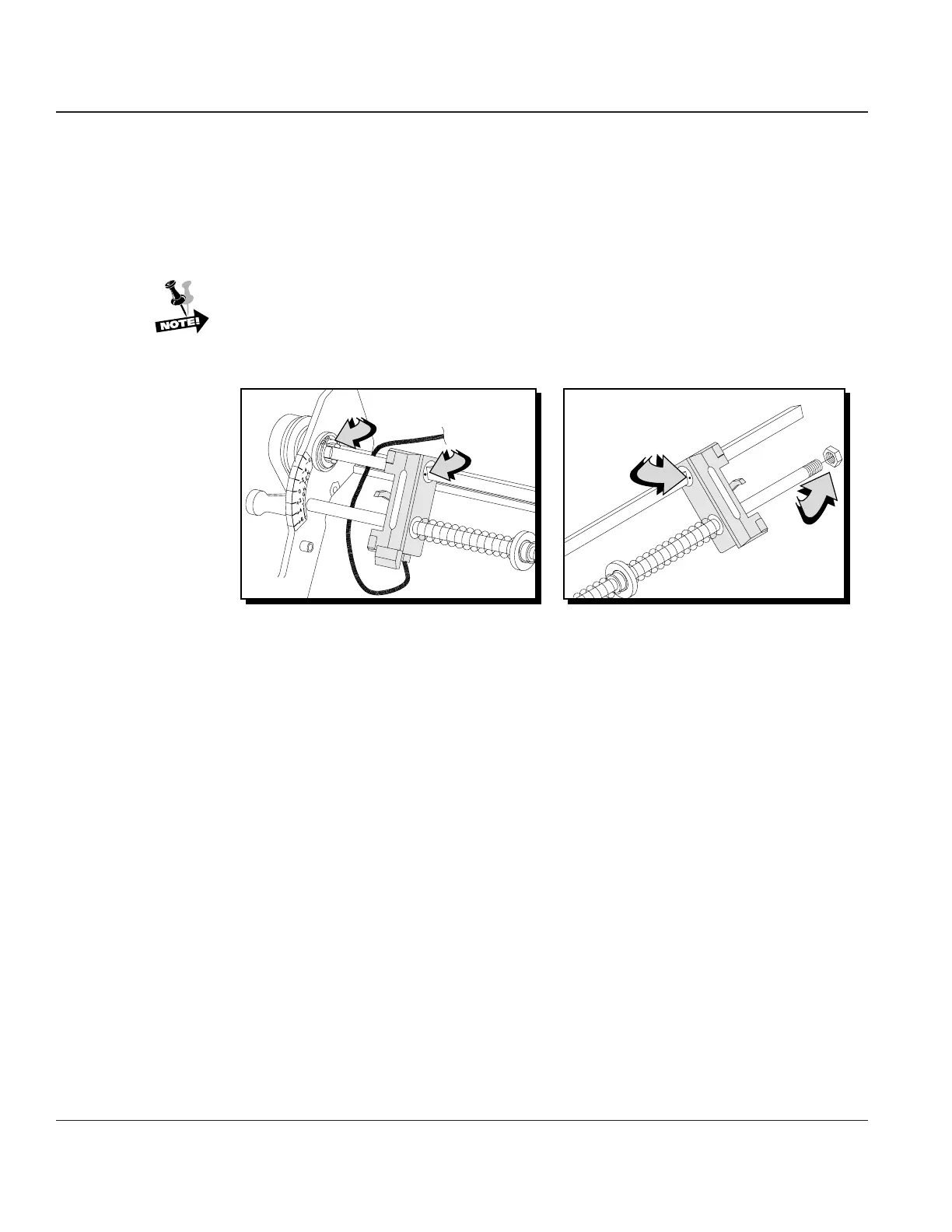
STEP 5. Lower the Paper Tension Lever all the way, then remove the nut on right end of support shaft.
Slide the support shaft to the left far enough to take off the second nut on the support shaft.
You now have enough room to slide off both tractors by sliding them to the right. Keep track
of springs and washers on the support shaft when removing.
Reinstalling
Reinstallation of the upper tractors is the reverse sequence of removal.
When installing the upper tractors, be sure that the alignment mark on the inner face of
the tractors are aligned with each other.
Left Tractor
Right Tractor
Snap Ring
Alignment
Mark
Alignment
Mark
Support
Shaft Nut
Figure 4–37. Upper Tractor Alignment



 To Next Page